

Alternatives to Comics Maker
Comics Maker transforms your raw scene ideas into structured comic drafts, letting you plan beats, generate panels, and arrange pages for review or.
Explore 20 alternatives to Comics Maker. Compare features, pricing, and find the best fit for your needs.
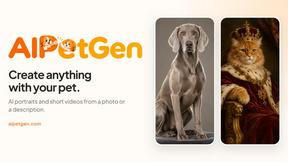
AIPetGen
AIPetGen turns a photo of your dog, cat, or other pet, or a written description, into a new picture or a short animation.
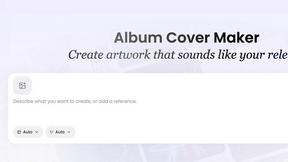
AI Album Cover Maker
Create release-ready album covers from a prompt or photo. Generate, refine, and export art for singles, EPs, mixtapes, and playlists.
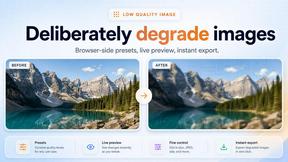
Low Quality Image Maker
Free online low quality image maker. Lower image quality with compression, downscaling, and pixelation right in your browser.
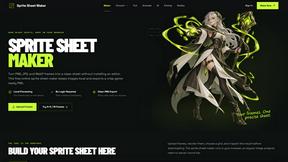
Sprite Sheet Maker
A free browser-based toolkit for creating, cutting, converting, and previewing sprite sheet animations.
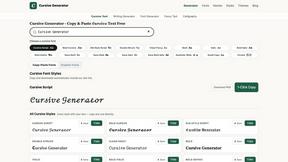
Cursive Text Generator
Cursive Text Generator is a free browser-based tool that converts regular text into beautiful cursive and stylish Unicode fonts. Users can instantly p


Presentation Intelligence
AI-native presentation and visual content platform that turns prompts, documents, images, videos, and data into polished, shareable decks.
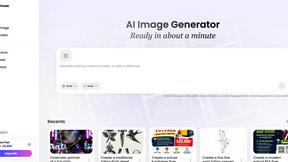
Vismuse
Create polished AI images and videos from prompts or references for social posts, ads, flyers, album covers, and campaigns.

Magic Eraser
AI photo editor for removing objects and backgrounds, enhancing images, and creating polished visuals.
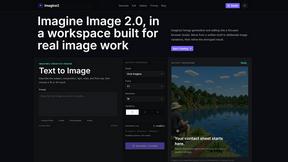
Imagine2
Private browser-based AI image generation and editing with text-to-image, targeted edits, and multi-image references.


Kogashitsuka AI
An online AI image tool that enhances photos and illustrations at their original size or upscales them by 2x or 4x.


IsThisAIImage
Free AI image checker: upload a photo for AI-generated and deepfake scores, a clear verdict, and optional generator hints.
Merge Two Photos
Merge two photos free in your browser: side by side, stacked, overlay, or AI. Download a clean PNG, no watermark.


Picture Enhancer
Picture Enhancer uses AI to deblur, upscale, and restore your photos instantly in a browser with no software install.
SlabCalc Crack Analyzer
Upload a photo of any concrete crack for an instant AI diagnosis that reveals its failure mode, severity score, and whether to DIY or call an.
About Comics Maker Alternatives
Comics Maker is a transformative AI-powered comic creation studio that sits at the intersection of design tools and image generation, purpose-built for creators, educators, marketers, and teams who need to move from raw ideas to readable comic drafts without the friction of a blank canvas. It belongs to a category of specialized generative tools that go beyond general image generators, focusing instead on the full comic workflow—from scene prompts and dialogue to panel layouts and consistent visual styles. Users commonly seek alternatives for a variety of game-changing reasons, including pricing structures that may not fit a tight budget, a desire for more granular control over panel sequencing, or the need for deeper integration with other design platforms and export formats. When evaluating an alternative, it is critical to look for a tool that preserves character consistency across panels, offers a diverse library of visual styles like manga or cyberpunk, and supports the specific formats you need—whether that is vertical webtoons, storyboards, or 2x2 pages—while still providing room for manual editing and refinement to unlock your full creative potential. The search for an alternative often stems from a need to align platform capabilities with unique project demands, such as team collaboration features, offline access, or more advanced asset management. As you explore your options, focus on finding a solution that accelerates your workflow without sacrificing the storytelling integrity of your drafts. The ideal platform will empower you to transform prompts into polished panel sets, maintain narrative coherence across scenes, and offer flexible export options that let you review, teach, or pitch with confidence. By prioritizing these elements, you can unlock a game-changing creative process that turns fleeting concepts into powerful, shareable comic drafts.
FAQs about Comics Maker Alternatives
What is Comics Maker?
Comics Maker is an AI-powered comic creation studio designed to help creators, educators, marketers, and teams turn ideas into readable comic drafts quickly. Unlike general image generators, it focuses on the full comic workflow, allowing users to generate panels, captions, layouts, and visual direction from simple prompts. It supports formats like comic strips, 2x2 story pages, single-panel scenes, vertical webtoon drafts, and storyboards, making it a versatile tool for storytelling.
Who is Comics Maker for?
Comics Maker is built for independent creators testing comic ideas, teachers creating visual lessons, marketers developing product stories, and teams building storyboards or campaign concepts. It is also ideal for anyone who wants to move from a prompt to a panel faster while keeping room for editing and refinement. The tool is designed to support both beginners and professionals who need to review, teach from, or pitch their comic drafts.
What are the main features of Comics Maker?
Comics Maker offers a range of features including AI-driven panel generation, support for multiple formats like comic strips and webtoons, and the ability to choose visual styles such as manga, western comic, noir, cyberpunk, watercolor, or chibi. It maintains character, palette, and story context consistency across panels, and provides export-ready panel sets for further editing. Users can start with a simple scene, dialogue prompt, or concept and shape it into a full draft.
Why choose Comics Maker over a general image generator?
Comics Maker is specifically built around the comic creation workflow, offering features like consistent character design, panel sequencing, and layout control that general image generators lack. It supports specialized formats like 2x2 pages and vertical webtoon drafts, and allows users to maintain story context across multiple panels. This makes it a more efficient and game-changing tool for anyone focused on visual storytelling, as it reduces the time spent on manual adjustments and ensures a cohesive final draft.