
MyImageUpscaler vs Shrinkpad
Side-by-side comparison to help you choose the right AI tool.

MyImageUpscaler
MyImageUpscaler rapidly enhances and upscales images while preserving text for stunning, high-quality photos.
Last updated: February 28, 2026

Shrinkpad
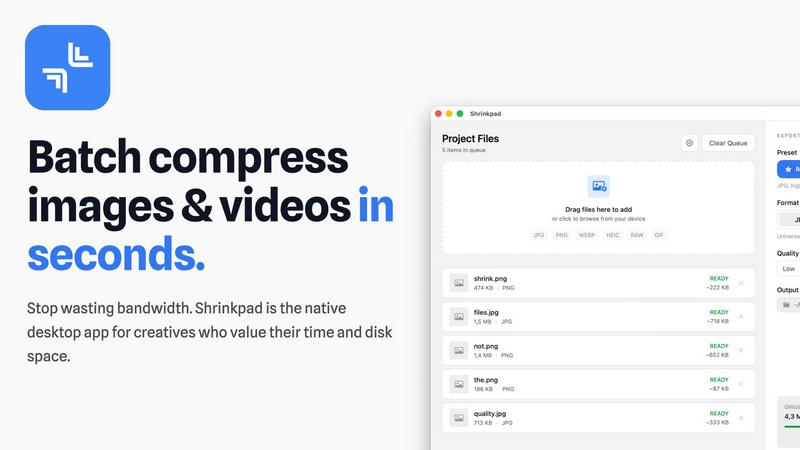
Shrinkpad effortlessly compresses images and videos in batches, optimizing your assets while saving time and space.
Last updated: February 28, 2026
Visual Comparison
MyImageUpscaler

Shrinkpad
Feature Comparison
MyImageUpscaler
Advanced Detail Preservation
This feature ensures that images retain their crispness and clarity during the upscaling process. By intelligently analyzing and enhancing fine details, MyImageUpscaler delivers results that look natural and professional, making it perfect for product photography and marketing materials.
Rapid Processing Speed
MyImageUpscaler processes images in under 10 seconds, allowing users to upscale and enhance their visuals without delay. This quick turnaround time is essential for business owners and content creators who need to meet tight deadlines and keep up with fast-paced digital demands.
Flexible Upscaling Options
With 2x and 4x upscaling choices, users can select the level of enhancement that best suits their needs. Whether you want to double the resolution for social media posts or quadruple it for high-quality prints, MyImageUpscaler provides the versatility to cater to various requirements.
Batch Processing Capabilities
Our platform supports batch processing for up to 500 images at a time, streamlining the workflow for users who need to enhance multiple files simultaneously. This feature is particularly beneficial for photographers and e-commerce businesses that often handle large volumes of images.
Shrinkpad
Intelligent Compression
Shrinkpad automatically analyzes the visual complexity of your media to apply the perfect compression ratio, ensuring that your assets maintain their quality without artifacts, saving you time and effort in the process.
Batch Processing Capability
With Shrinkpad, you can batch process thousands of images and videos simultaneously, handling massive queues with ease. Unlike web-based tools, it is optimized for speed and reliability, allowing you to manage larger projects without crashing.
Folder Mode
Simply drag and drop an entire folder into Shrinkpad, and it will automatically detect and queue all supported media files for compression. This feature simplifies the process of managing multiple assets, allowing for seamless workflows.
Privacy-Focused Operation
All processing occurs locally on your device, ensuring that your sensitive media files never leave your machine. This privacy-first approach guarantees that your creative work remains secure and confidential while you optimize your assets.
Use Cases
MyImageUpscaler
E-commerce Sellers
E-commerce sellers can leverage MyImageUpscaler to enhance product images, making them more enticing and clearer for potential buyers. High-quality visuals can significantly impact purchase decisions, and our platform ensures that every image showcases products in the best light.
Social Media Content Creators
For content creators looking to optimize their visuals for platforms like Instagram and TikTok, MyImageUpscaler provides the necessary tools to upscale images without losing quality. This feature helps maintain a professional aesthetic that can attract more followers and engagement.
Real Estate Agents
Real estate agents can prepare stunning MLS listings by utilizing MyImageUpscaler to enhance property photographs. By presenting high-resolution images, agents can capture the attention of potential buyers and make a lasting impression in a competitive market.
Photographers
Photographers processing large batches of images can save time and effort with MyImageUpscaler's batch processing feature. Whether they are preparing portfolios or client deliverables, our platform enables quick and effective enhancement, ensuring that all images reflect the photographer's high standards.
Shrinkpad
Photographers
Photographers can use Shrinkpad to quickly compress large batches of images from shoots, significantly reducing file sizes while preserving high quality, making it easier to store and share their portfolios.
Designers
For designers, Shrinkpad streamlines the process of exporting assets from software like Figma or Photoshop, allowing them to export everything at once and have Shrinkpad handle the optimization and renaming in bulk.
Content Creators
Content creators can benefit from Shrinkpad’s ability to compress videos and images together in one batch, ensuring that their media files are optimized for faster load times on websites and social media platforms.
Developers
Developers can use Shrinkpad to reduce app bundle sizes and improve website performance by compressing various media assets, leading to faster load times and enhanced user experiences for their applications.
Overview
About MyImageUpscaler
MyImageUpscaler is a groundbreaking AI-powered image enhancement and upscaling platform designed for businesses and content creators who demand high-quality visuals. In today's digital landscape, where image clarity can make or break an impression, our technology stands out by offering upscaling capabilities of 2x to 4x, all while maintaining sharpness and enhancing intricate details. This makes it an invaluable tool for a variety of users, including e-commerce sellers looking to boost product images, content creators optimizing visuals for social media, real estate agents preparing listings, and photographers managing large batches of images. With MyImageUpscaler, you can elevate your visual content effortlessly, ensuring that every image reflects the professionalism and quality your brand deserves. Our free tier provides 10 credits with no credit card required, making it accessible for newcomers eager to experience the transformative power of AI enhancement.
About Shrinkpad
Shrinkpad is a revolutionary desktop application designed exclusively for macOS, transforming the way creative professionals optimize their media assets. This powerful tool specializes in batch compression for images and videos, allowing photographers, designers, content creators, and developers to reclaim valuable storage space while enhancing their workflow efficiency. With Shrinkpad, users can compress hundreds or even thousands of files in seconds without compromising privacy or quality. It operates entirely on your device, eliminating the need for internet connectivity, cloud uploads, or server delays. Shrinkpad intelligently processes over 50 different file formats, including standard JPGs and PNGs, as well as professional RAW files and high-resolution 4K videos, achieving file size reductions of up to 90% while maintaining visual integrity. This is not just another compression tool; it is a comprehensive, privacy-first asset optimization engine designed to empower modern creatives.
Frequently Asked Questions
MyImageUpscaler FAQ
How does MyImageUpscaler work?
MyImageUpscaler utilizes advanced AI algorithms to analyze images and intelligently upscale them while preserving detail. Users simply upload their images, choose the desired upscale option, and the platform processes the images for immediate download.
Is there a limit to the number of images I can upscale?
Yes, while the free tier allows for 10 credits, paid plans offer batch processing for up to 500 images at a time, making it easier for users to enhance large volumes of images efficiently.
What kind of images can I enhance with MyImageUpscaler?
MyImageUpscaler can enhance various types of images, including product photos, marketing materials, real estate listings, and personal photography. Its versatility makes it suitable for a wide range of applications.
Is there a free trial available?
Yes, MyImageUpscaler offers a free tier that includes 10 credits with no credit card required. This allows users to explore the platform's capabilities before committing to a paid plan.
Shrinkpad FAQ
Can I use Shrinkpad for free?
Yes, Shrinkpad offers a Free Starter plan that includes essential tools for casual use, allowing users to compress up to 10 files per batch in common formats like JPG and PNG.
What file formats does Shrinkpad support?
Shrinkpad supports over 50 file formats, including popular image formats like JPG, PNG, WEBP, and RAW, as well as video formats such as MP4 and MOV, making it versatile for various media types.
Does Shrinkpad support video compression?
Absolutely! Shrinkpad can compress both images and videos, allowing you to optimize all your media assets in one go, which is perfect for content creators working with mixed media.
How many files can I process at once?
With Shrinkpad, you can process thousands of assets in a single batch without crashing, making it ideal for users who need to handle large projects efficiently and effectively.
Alternatives
MyImageUpscaler Alternatives
MyImageUpscaler is an innovative AI-powered image enhancement and upscaling platform that falls within the productivity and management category. Designed specifically for businesses and content creators, it allows users to upscale images significantly while retaining essential details and sharpness. As users seek to elevate their visual content, they often look for alternatives due to varying needs such as pricing structures, specific features, or compatibility with different platforms. When exploring alternatives, users should consider factors like image processing speed, batch processing capabilities, and the range of upscaling options available. Additionally, evaluating whether the platform supports their specific use cases—such as e-commerce, social media, or real estate—is crucial. Ultimately, the right alternative should empower users to enhance their images effectively while meeting their unique demands.
Shrinkpad Alternatives
Shrinkpad is an innovative desktop application designed specifically for macOS that excels in batch compressing images and videos. It caters to a diverse range of users, including photographers, designers, content creators, and developers who seek to streamline their media management. Users often search for alternatives to Shrinkpad due to various reasons such as pricing concerns, feature limitations, or compatibility with different platforms. When assessing alternatives, it’s crucial to consider factors such as processing speed, file format support, privacy features, and user experience. Look for applications that maintain file quality while offering convenience and efficiency in managing your media files, ensuring they align with your specific workflow needs and preferences.