
Imgezy vs Shrinkpad
Side-by-side comparison to help you choose the right AI tool.

Imgezy
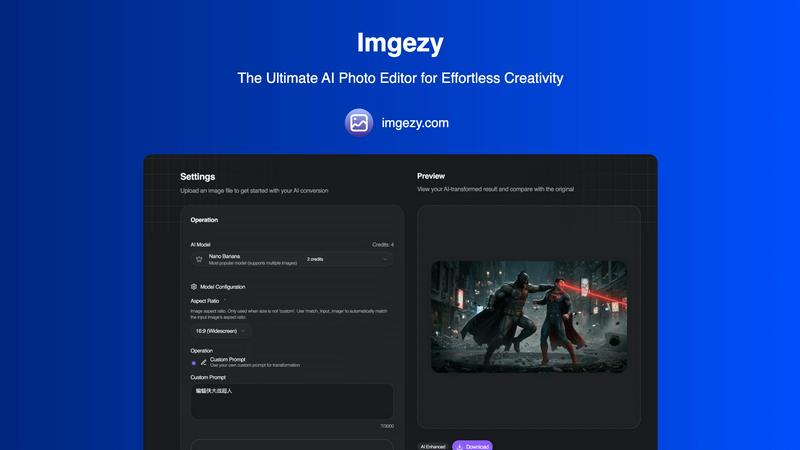
Imgezy is your AI-powered photo editor for effortless object removal and stunning background changes in seconds.
Last updated: February 28, 2026

Shrinkpad
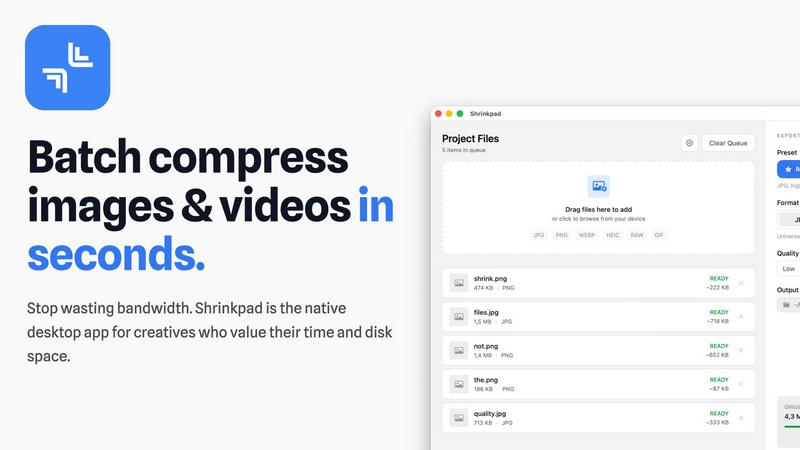
Shrinkpad effortlessly compresses images and videos in batches, optimizing your assets while saving time and space.
Last updated: February 28, 2026
Visual Comparison
Imgezy
Shrinkpad
Feature Comparison
Imgezy
AI-Powered Editing
Imgezy harnesses the power of advanced artificial intelligence to automate the editing process. This feature allows users to remove objects, change backgrounds, and enhance photos with remarkable accuracy, making professional results achievable without any design expertise.
Object Removal
The object removal feature intelligently identifies unwanted elements in your photos, such as people or distractions, and removes them seamlessly. The AI reconstructs the background with pixel-perfect precision, ensuring that your image remains intact and visually appealing.
Background Replacement
With Imgezy, changing the background of your photos is instantaneous. Whether you want to switch to a vibrant landscape or a solid color, this feature enables you to transform the environment of your images effortlessly, giving them a fresh and professional look.
Photo Enhancement
Imgezy automatically enhances your images by optimizing colors, lighting, and sharpness. This feature ensures that your photos pop with vibrancy and clarity, making them stand out on any platform, whether for personal use or professional portfolios.
Shrinkpad
Intelligent Compression
Shrinkpad automatically analyzes the visual complexity of your media to apply the perfect compression ratio, ensuring that your assets maintain their quality without artifacts, saving you time and effort in the process.
Batch Processing Capability
With Shrinkpad, you can batch process thousands of images and videos simultaneously, handling massive queues with ease. Unlike web-based tools, it is optimized for speed and reliability, allowing you to manage larger projects without crashing.
Folder Mode
Simply drag and drop an entire folder into Shrinkpad, and it will automatically detect and queue all supported media files for compression. This feature simplifies the process of managing multiple assets, allowing for seamless workflows.
Privacy-Focused Operation
All processing occurs locally on your device, ensuring that your sensitive media files never leave your machine. This privacy-first approach guarantees that your creative work remains secure and confidential while you optimize your assets.
Use Cases
Imgezy
Social Media Content Creation
Imgezy is perfect for social media influencers and casual users who want to create eye-catching content quickly. By using the AI-powered editing features, they can enhance their photos, remove distractions, and swap backgrounds to keep their feeds fresh and engaging.
E-commerce Product Photography
Online sellers can leverage Imgezy to create stunning product images that capture customer attention. By removing unwanted elements and enhancing product photos, sellers can present their offerings in the best light, ultimately driving sales and improving customer engagement.
Professional Photography Enhancement
For professional photographers, Imgezy serves as a powerful tool to streamline their workflow. By allowing quick edits and enhancements, photographers can save time on post-processing and focus more on capturing great shots, thus improving their productivity.
Creative Projects and Marketing
Marketers and designers can utilize Imgezy to elevate their creative projects. Whether it's for advertisements, websites, or promotional materials, the ease of editing and high-quality outputs ensure that visuals are striking and effective at conveying the intended message.
Shrinkpad
Photographers
Photographers can use Shrinkpad to quickly compress large batches of images from shoots, significantly reducing file sizes while preserving high quality, making it easier to store and share their portfolios.
Designers
For designers, Shrinkpad streamlines the process of exporting assets from software like Figma or Photoshop, allowing them to export everything at once and have Shrinkpad handle the optimization and renaming in bulk.
Content Creators
Content creators can benefit from Shrinkpad’s ability to compress videos and images together in one batch, ensuring that their media files are optimized for faster load times on websites and social media platforms.
Developers
Developers can use Shrinkpad to reduce app bundle sizes and improve website performance by compressing various media assets, leading to faster load times and enhanced user experiences for their applications.
Overview
About Imgezy
Imgezy is the ultimate AI-powered photo editing tool that is redefining the way users approach image enhancement. Designed for everyone from novice social media users to seasoned professional photographers, Imgezy offers an intuitive platform that allows for seamless editing without the need for extensive design skills. The core value proposition of Imgezy lies in its ability to rapidly transform images with professional-grade results in mere seconds. Users can easily remove unwanted objects, effortlessly change backgrounds, and enhance photos using simple descriptions. Trusted by over 200,000 satisfied creators, Imgezy stands as a testament to innovation in the realm of photo editing, making advanced editing capabilities accessible to all. With its user-friendly interface and powerful AI, Imgezy empowers users to unleash their creativity and produce stunning images with unparalleled ease.
About Shrinkpad
Shrinkpad is a revolutionary desktop application designed exclusively for macOS, transforming the way creative professionals optimize their media assets. This powerful tool specializes in batch compression for images and videos, allowing photographers, designers, content creators, and developers to reclaim valuable storage space while enhancing their workflow efficiency. With Shrinkpad, users can compress hundreds or even thousands of files in seconds without compromising privacy or quality. It operates entirely on your device, eliminating the need for internet connectivity, cloud uploads, or server delays. Shrinkpad intelligently processes over 50 different file formats, including standard JPGs and PNGs, as well as professional RAW files and high-resolution 4K videos, achieving file size reductions of up to 90% while maintaining visual integrity. This is not just another compression tool; it is a comprehensive, privacy-first asset optimization engine designed to empower modern creatives.
Frequently Asked Questions
Imgezy FAQ
How does Imgezy work?
Imgezy utilizes advanced AI algorithms to automate the photo editing process. Users simply upload their images, describe the desired edits, and the AI executes these changes, producing professional-quality results in seconds.
Is there a learning curve to using Imgezy?
No, Imgezy is designed for users of all skill levels. The intuitive interface allows anyone to edit photos without prior experience, making advanced editing accessible to everyone.
What formats does Imgezy support?
Imgezy supports all major image formats, including JPG, PNG, and WebP, allowing users to upload and edit their images without worrying about compatibility issues.
Can I download edited images in high resolution?
Yes, Imgezy allows users to download edited photos in full resolution without any loss of quality, ensuring that your final images are suitable for professional use or high-quality prints.
Shrinkpad FAQ
Can I use Shrinkpad for free?
Yes, Shrinkpad offers a Free Starter plan that includes essential tools for casual use, allowing users to compress up to 10 files per batch in common formats like JPG and PNG.
What file formats does Shrinkpad support?
Shrinkpad supports over 50 file formats, including popular image formats like JPG, PNG, WEBP, and RAW, as well as video formats such as MP4 and MOV, making it versatile for various media types.
Does Shrinkpad support video compression?
Absolutely! Shrinkpad can compress both images and videos, allowing you to optimize all your media assets in one go, which is perfect for content creators working with mixed media.
How many files can I process at once?
With Shrinkpad, you can process thousands of assets in a single batch without crashing, making it ideal for users who need to handle large projects efficiently and effectively.
Alternatives
Imgezy Alternatives
Imgezy is an innovative AI-powered photo editing tool that caters to a diverse range of users, from professional photographers to social media enthusiasts. Its user-friendly design allows individuals to transform images effortlessly, making it a favored choice for those seeking high-quality edits without extensive technical knowledge. However, as users explore their options, they often seek alternatives due to various factors such as pricing, specific feature sets, or compatibility with different platforms and devices. When searching for an alternative to Imgezy, it’s essential to consider the features that are most important to you, such as ease of use, editing capabilities, and output quality. Additionally, evaluate pricing structures to find a tool that fits within your budget while still offering the functionalities you need. Ultimately, the right choice will empower you to elevate your photo editing experience and unleash your creativity.
Shrinkpad Alternatives
Shrinkpad is an innovative desktop application designed specifically for macOS that excels in batch compressing images and videos. It caters to a diverse range of users, including photographers, designers, content creators, and developers who seek to streamline their media management. Users often search for alternatives to Shrinkpad due to various reasons such as pricing concerns, feature limitations, or compatibility with different platforms. When assessing alternatives, it’s crucial to consider factors such as processing speed, file format support, privacy features, and user experience. Look for applications that maintain file quality while offering convenience and efficiency in managing your media files, ensuring they align with your specific workflow needs and preferences.