
Coloring Book Engine vs GifSpeed
Side-by-side comparison to help you choose the right AI tool.

Coloring Book Engine
Effortlessly transform your ideas into professional coloring books with our powerful local desktop toolkit.
Last updated: February 28, 2026

GifSpeed
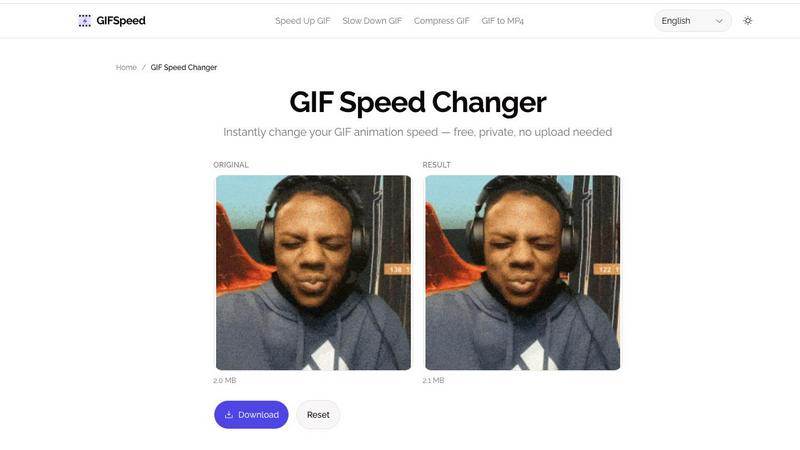
Transform your GIFs instantly by speeding them up, slowing them down, or compressing them—all for free and in your.
Last updated: February 27, 2026
Visual Comparison
Coloring Book Engine

GifSpeed
Feature Comparison
Coloring Book Engine
No Subscription - Pay-as-you-go AI (BYOK)
Say goodbye to subscription fees and hello to flexibility. With BYOK integration, you can utilize your own API keys or local GPU, allowing you to create without monthly pressure. This model empowers you to manage your costs and only pay for what you use, making it a cost-effective solution for creators.
Highly Optimized Batch Workflow
Efficiently create coloring books in batches with a streamlined workflow that allows you to generate pages and organize projects with ease. This feature is designed to scale your ideas into a full series, minimizing time spent switching between tools, and maximizing productivity.
KDP-Ready Publishing
Publish with confidence knowing that all technical specifications are handled for you. This feature ensures your files are format-ready for KDP, eliminating the second-guessing that can accompany the publishing process, and allowing you to focus on your creative vision.
Turn Pages into Videos
Transform your coloring book pages into engaging videos, perfect for sharing on social media platforms like YouTube Shorts and TikTok. This feature allows you to market your books effectively, creating short clips that capture attention and showcase your artwork in action.
GifSpeed
Instant Browser Processing
GIFSpeed utilizes cutting-edge WebAssembly technology to process GIFs directly within your browser, eliminating the need for uploads and waiting times. This means you can edit GIFs instantly and efficiently, making it an ideal choice for time-sensitive projects or quick edits.
100% Private
Privacy is a top priority at GIFSpeed. All processing is done client-side, ensuring that your GIF files never leave your device. This commitment to user confidentiality means you can edit with confidence, knowing your content is kept secure and private.
No Watermark
Unlike many other online GIF tools, GIFSpeed allows users to download their edited GIFs without any watermarks or branding. This feature is particularly appealing for creators and marketers who want to maintain a professional appearance in their content.
Free Forever
GIFSpeed is committed to providing a user-friendly experience without any monetary barriers. There is no sign-up required, and users can change GIF speed as many times as they like at no cost. This makes it accessible to everyone, from casual users to professionals.
Use Cases
Coloring Book Engine
Independent Artists and Creators
Independent artists can utilize Coloring Book Engine to conceptualize and produce high-quality coloring books without the burden of expensive subscriptions. With its intuitive interface, artists can bring their unique visions to life while maintaining full control over their creative process.
Educational Institutions
Schools and educational institutions can leverage Coloring Book Engine to create customized coloring books that cater to various learning needs. This tool allows educators to produce engaging educational material that enhances student learning through interactive coloring activities.
Small Publishing Houses
Small publishing houses can harness the capabilities of Coloring Book Engine to streamline their coloring book production process. By managing multiple projects in one workspace, publishers can efficiently scale their offerings and respond to market demands with agility.
Marketers and Social Media Influencers
Marketers and social media influencers can use Coloring Book Engine to create promotional content that resonates with their audiences. The ability to produce coloring videos for platforms like TikTok enables influencers to engage followers and drive interest in their coloring books.
GifSpeed
Speed Up Slow Tutorials
GIFSpeed is perfect for educators and trainers who want to create engaging tutorials. By speeding up GIFs, they can eliminate unnecessary fluff and deliver content at 2x or 3x speed, allowing viewers to grasp essential information quickly.
Slow Down Fast Animations
For animators and motion designers, the ability to slow down GIFs is invaluable. GIFSpeed allows users to analyze rapid animations frame by frame, enhancing their understanding of motion and enabling them to study techniques in detail.
Shrink GIF File Size
Content creators often face challenges with large GIF files that are cumbersome to upload or share. GIFSpeed solves this by allowing users to easily compress GIFs without sacrificing quality, making them ideal for social media, email attachments, and website optimization.
Fix Browser Playback
If GIFs are playing too slowly in web browsers due to throttling, GIFSpeed enables users to adjust frame delays to achieve smooth playback. This feature is particularly useful for developers and content creators looking to enhance user experience on their websites.
Overview
About Coloring Book Engine
Coloring Book Engine is a groundbreaking desktop application designed to revolutionize the way coloring books are created. This powerful tool is tailored for entrepreneurs and artists who aspire to establish a thriving coloring book business. Unlike traditional design software, Coloring Book Engine offers a holistic, end-to-end production workflow that integrates every aspect of coloring book creation, from ideation to publication. The software features a seamless, KDP-ready process that combines book creation, asset generation, and promotional video production in a unified, locally-run platform. By leveraging BYOK (Bring Your Own Key) AI integration, it eliminates the constraints of subscription models, giving creators full control over their costs, privacy, and creative decisions. With Coloring Book Engine, users can develop high-quality commercial books, expand their catalogs, and effectively market their work—all from a single, user-friendly workspace.
About GifSpeed
GIFSpeed is an innovative online tool designed to transform the way users interact with GIF animations. It addresses common frustrations associated with traditional GIF editing tools, such as watermarks, file uploads, and lengthy processing queues. By leveraging advanced WebAssembly technology, GIFSpeed processes GIF files entirely within the browser, ensuring fast, private, and seamless editing experiences. Whether you are a marketer looking to enhance social media posts, a developer needing to optimize animations, or a creator who desires precise control over playback speed, GIFSpeed offers a powerful solution. With capabilities to speed up, slow down, compress, and convert GIFs to MP4, it empowers users to maintain high-quality visuals while streamlining their workflows. Best of all, users can enjoy these features without any cost or compromise, making GIFSpeed a game-changer for anyone who works with GIFs.
Frequently Asked Questions
Coloring Book Engine FAQ
Is Coloring Book Engine a desktop app or a cloud service?
Coloring Book Engine is a desktop application, which means all tasks are primarily run locally on your machine. This setup ensures better performance and greater control over your data.
What exactly does it speed up for coloring book creators?
This software accelerates the entire coloring book creation process, from initial ideation to the production of publish-ready line art, all within a single platform, minimizing the need for multiple tools.
Can I use this tool without AI?
Yes, Coloring Book Engine offers an optional AI-free workflow where you can bring your hand-crafted art. The software will then assist in packaging it into a fully functional coloring book and related assets.
Do I need to understand KDP trim sizes, bleed, and margins?
No, the software is designed to handle all technical specifications required for KDP publishing, allowing you to focus on your creative work without worrying about intricate formatting details.
GifSpeed FAQ
How do I change GIF speed online?
To change GIF speed using GIFSpeed, simply upload your GIF file, adjust the speed using the slider from 0.25x to 4x, and then click "Change Speed" to process it. You can download the edited GIF instantly without any hassle.
Is GIF speed changer free?
Yes, GIFSpeed is completely free to use. There are no hidden fees or subscriptions required. Users can change GIF speeds as many times as they wish without any cost.
Does changing GIF speed affect quality?
No, changing the speed of a GIF in GIFSpeed does not compromise its quality. The tool maintains visual fidelity while allowing for adjustments in playback speed, ensuring a high-quality viewing experience.
What is the maximum GIF file size?
GIFSpeed supports GIF files up to 80MB in size. This allows users to work with a wide range of GIFs, from smaller animations to larger, more complex files without any issues.
Alternatives
Coloring Book Engine Alternatives
Coloring Book Engine is a powerful local desktop toolkit designed to transform your creative ideas into commercial-quality coloring books. As a design tool, it provides a comprehensive end-to-end workflow specifically tailored for entrepreneurs and artists looking to build a scalable coloring book business. Users often seek alternatives due to various reasons, including pricing structures, feature sets, and platform compatibility that may not align with their specific needs. When choosing an alternative, it’s crucial to evaluate the workflow efficiency, the level of control over costs and data, and the overall usability of the software to ensure it meets your creative aspirations effectively.
GifSpeed Alternatives
GifSpeed is a transformative tool designed to enhance the way users interact with GIFs. As a design tool, it allows for instant adjustments to GIF speeds, enabling users to speed up, slow down, or alter the playback of their favorite animations directly in their browser. This innovative approach eliminates common frustrations associated with other online GIF tools, such as watermarks or lengthy processing times. Users often seek alternatives to tools like GifSpeed for various reasons, including the desire for additional features, better user interfaces, specific platform compatibility, or enhanced customization options. When exploring alternatives, it’s essential to consider factors such as ease of use, speed of processing, privacy policies, and whether the tool meets your unique creative needs without compromising quality or control.