
conceptviz vs HTML to PNG Converter
Side-by-side comparison to help you choose the right AI tool.

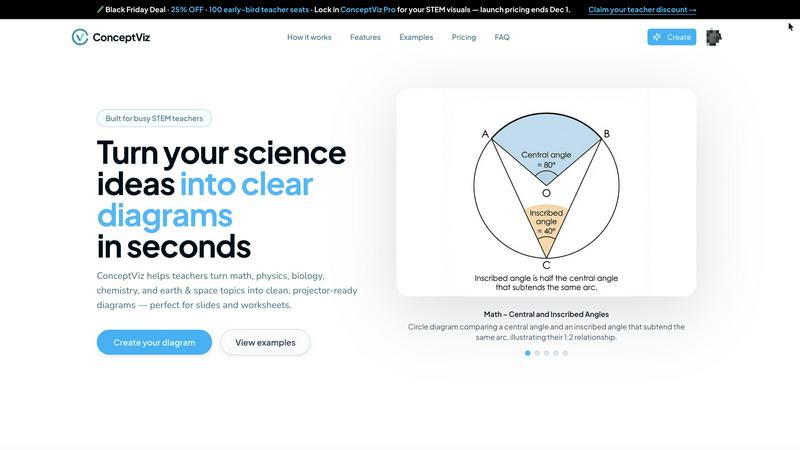
ConceptViz transforms complex ideas into clear, science-ready diagrams for any educational level.
Last updated: February 28, 2026

HTML to PNG Converter
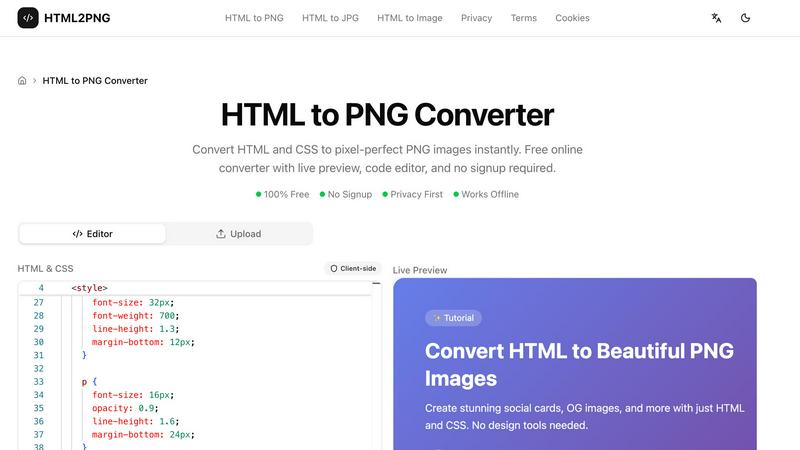
Transform your HTML and CSS into stunning PNG images instantly with our free, no-signup online converter.
Last updated: March 3, 2026
Visual Comparison
conceptviz
HTML to PNG Converter
Feature Comparison
conceptviz
Subject & Grade Presets
ConceptViz is built with real classrooms in mind, offering quick-start presets for core STEM subjects including Physics, Biology, Chemistry, Earth & Space, and Math. These presets are intelligently tuned to align with U.S. grade bands, from elementary to high school, ensuring the generated diagrams are age-appropriate and conceptually accurate. This feature removes all guesswork, allowing educators to generate perfectly tailored visuals without any prior design or drawing expertise, making sophisticated diagram creation accessible to everyone.
Projector-Ready Clarity
Every diagram generated by ConceptViz is optimized for real-world teaching environments. The platform prioritizes practical details that matter most in a classroom: thick, legible lines and labels, simple backgrounds with minimal visual noise, and high-contrast color schemes. This intentional design guarantees that diagrams remain sharp and comprehensible from the front row to the back, even on lower-resolution classroom projectors, ensuring every student can follow along with ease.
Slide & Worksheet Friendly Output
ConceptViz diagrams are engineered for seamless integration into your existing workflow. They are automatically generated in a widescreen aspect ratio perfect for PowerPoint and Google Slides, and are available with clean white or light backgrounds ideal for printing on worksheets. Users can download high-resolution PNG files and instantly paste them directly into their teaching materials, saving countless hours normally spent on formatting and resizing found images.
Plain-English Description to Diagram
The core transformative feature of ConceptViz is its ability to turn a simple, plain-English description into a detailed scientific diagram. Users just need to type what they need, such as "labeled plant cell cross-section for 8th grade" or "convex lens ray diagram." The AI interprets the request and generates a clean, accurate visual. This allows educators to create diagrams that match their exact teaching narrative, fostering consistency and enabling the reuse of prompts across different classes and sections.
HTML to PNG Converter
Live Preview
Experience the power of immediate feedback with our live preview feature. As you input your HTML and CSS code, the tool renders your design in real-time, allowing you to make adjustments on the fly. This functionality ensures that your final output matches your vision perfectly.
Code Editor
The built-in code editor provides an intuitive interface for writing and modifying HTML and CSS. You can include inline styles, utilize tags, or even link to external stylesheets, such as Google Fonts, enhancing your creative process and enabling complex designs.
Customizable Output Settings
Tailor your image output with a range of customizable settings. Choose the image width, scale (1x, 2x, or 3x for retina displays), and even select the background color. This level of customization ensures your PNG images meet your specific needs for any project.
Client-Side Processing
Our converter operates completely on the client side, meaning your data stays private and secure. This feature eliminates server costs and allows for rapid conversion without the delays associated with network requests, making it efficient and reliable.
Use Cases
conceptviz
Enhancing K-12 Lesson Plans
Elementary, middle, and high school STEM teachers can use ConceptViz to rapidly create custom diagrams for daily lesson plans, worksheets, and interactive whiteboard presentations. Instead of scouring the internet for "almost right" images, a teacher can generate a precise diagram on-demand, such as a "states of matter particle model" for elementary science or a "block on incline free body diagram" for high school physics, ensuring the visual perfectly aligns with the day's learning objective.
Accelerating Academic Research & Publishing
Graduate students, PhD candidates, and academic researchers can leverage ConceptViz to produce precise, publication-ready figures for theses, journal papers, and conference posters. The tool's ability to generate accurate schematics for complex concepts—like an acid-base titration setup or a mitosis stage sequence—streamlines the research communication process, allowing scholars to focus on their analysis rather than struggling with graphic design software.
Creating Differentiated Learning Materials
Educators can use ConceptViz to easily create multiple versions of a diagram to support differentiated instruction. For instance, a biology teacher could generate a simple animal cell diagram for some students and a more detailed, organelle-rich version for others, all from slightly adjusted text prompts. This enables personalized learning at scale, ensuring all students have access to visuals that match their comprehension level.
Supporting Student Projects and Study Aids
Students at all levels can use ConceptViz to create their own study guides, project visuals, and presentation materials. A student struggling to visualize central vs. inscribed angles in geometry can generate a clear diagram to study from. Similarly, a group working on a science fair project about potential and kinetic energy can quickly produce professional-looking visuals to enhance their display and explanation.
HTML to PNG Converter
Social Media Graphics
Design eye-catching social media cards directly from HTML templates. With the HTML to PNG Converter, you can create engaging visuals tailored for platforms like Instagram, Facebook, and Twitter, ensuring your content stands out in crowded feeds.
Invoices and Business Documents
Generate professional-looking invoices and business documents in PNG format. This tool allows you to produce clean and polished images from your HTML templates, streamlining your business operations and enhancing your brand's professionalism.
Open Graph Images for SEO
Create optimized Open Graph images for your blog posts and web pages. By converting HTML to PNG, you can ensure that your content is visually appealing when shared on social media, enhancing click-through rates and improving your SEO strategy.
Dynamic Data Visualization
Utilize HTML and CSS to produce dynamic images that reflect real-time data. Whether for reports, dashboards, or presentations, the HTML to PNG Converter allows you to generate tailored visuals that update as your data changes, providing clarity and insight.
Overview
About conceptviz
ConceptViz is a revolutionary AI-powered diagramming tool that is fundamentally transforming the landscape of STEM education and research. It is engineered to unlock the potential of educators, students, and researchers by instantly converting intricate scientific and mathematical concepts into crystal-clear, visually engaging diagrams. This game-changing platform eliminates the traditional barriers of time, design skill, and resource availability, empowering users to generate classroom-ready, publication-quality visuals in mere seconds with a simple text description. From K-12 teachers crafting dynamic lesson plans and worksheets to university students and researchers needing precise figures for theses and presentations, ConceptViz caters to a wide spectrum of needs. Its core value proposition lies in delivering projector-ready clarity, curriculum-aligned accuracy, and unprecedented time savings, ensuring that the focus remains on explanation and discovery rather than on tedious graphic creation. By making complex ideas accessible and visually stimulating, ConceptViz is not just a tool; it's a transformative force in democratizing high-quality scientific visualization.
About HTML to PNG Converter
The HTML to PNG Converter is a powerful online tool designed to transform HTML and CSS code into high-quality PNG images instantly. It caters to web developers, designers, and content creators looking to generate pixel-perfect visual assets without the hassle of complex design software. This robust converter allows users to input their HTML code directly into a live editor, customize output settings, and download the resulting image in a matter of seconds. With its privacy-first approach, there is no need for signups or data sharing, making it an ideal choice for those who prioritize security. The converter operates entirely on the client side, meaning the process remains within your browser, ensuring swift and seamless execution. Whether you are crafting social media graphics, invoices, or promotional materials, the HTML to PNG Converter unlocks your potential to produce stunning visuals effortlessly.
Frequently Asked Questions
conceptviz FAQ
Do I need any design skills to use ConceptViz?
Absolutely not. ConceptViz is specifically designed for educators and researchers, not graphic designers. The entire process is driven by simple, plain-English text descriptions. You just describe the scientific diagram you need, and the AI handles all the complex drawing, labeling, and layout work, delivering a polished, classroom-ready visual in seconds without any design expertise required.
What subjects and grade levels does ConceptViz support?
ConceptViz supports a comprehensive range of STEM subjects, including Physics, Biology, Chemistry, Earth & Space, and Mathematics. It is built with grade-level appropriateness in mind, offering presets and tuning for U.S. grade bands from elementary school through to high school and even university-level research topics, making it a versatile tool for the entire educational journey.
Can I use the diagrams in printed worksheets and slides?
Yes, this is a core strength of ConceptViz. All diagrams are generated to be immediately useful in real teaching scenarios. They are provided in high-resolution PNG format with clean backgrounds, optimized for both digital use (in PowerPoint, Google Slides) and physical printing on worksheets and handouts. The widescreen aspect ratio and clear labeling ensure they look professional in any medium.
Is there a free trial available?
Yes, you can start using ConceptViz for free without a credit card. The free tier allows you to generate diagrams, including in 4K Ultra HD quality, so you can fully experience how the platform transforms your lesson preparation and research workflow before committing to a paid plan.
HTML to PNG Converter FAQ
What types of files can I convert using the HTML to PNG Converter?
You can convert HTML to PNG, JPG, or WebP formats, giving you flexibility in choosing the best file type for your needs. The tool supports various output formats to suit different applications.
Do I need to sign up to use the HTML to PNG Converter?
No, there is no signup required. You can access the converter and start creating images immediately without any registration or personal information required.
Is my data secure when using the HTML to PNG Converter?
Absolutely. The conversion process takes place entirely in your browser without sending any data to external servers. Your HTML and CSS code remains private and secure throughout the process.
Can I use the HTML to PNG Converter offline?
While the core functionality is designed for online use, the converter operates entirely client-side, allowing for rapid processing without server interactions. However, an internet connection is required to access the tool initially.
Alternatives
conceptviz Alternatives
ConceptViz is a transformative AI-powered design tool that specializes in creating clear, science-ready diagrams from complex concepts. It belongs to the dynamic categories of AI assistants, content creation, and data visualization, specifically engineered to empower STEM education and research. This platform is a game-changer for educators and students seeking to unlock visual understanding without design expertise. Users often explore alternatives for various reasons, such as budget constraints, specific feature requirements not covered, or the need for integration with other platforms like learning management systems. Some may seek tools with different output formats, more advanced customization, or a broader focus beyond STEM-specific diagramming. When evaluating an alternative, consider your core need: is it rapid, AI-driven generation, subject-specific accuracy, or classroom-ready simplicity? Assess the tool's ease of use, the quality and resolution of its outputs, and how well its presets or customization align with your educational level and subject matter. The right choice should seamlessly fit into your workflow, enhancing clarity without adding complexity.
HTML to PNG Converter Alternatives
HTML to PNG Converter is a powerful tool that transforms HTML and CSS into stunning, pixel-perfect PNG images, catering to designers and developers in the realm of design tools. It allows users to see their code come to life with an instant live preview and a built-in code editor, making it an invaluable asset for anyone looking to create high-quality visuals from web content without the need for extensive technical know-how. Users often seek alternatives to HTML to PNG Converter for various reasons, such as pricing concerns, specific feature requirements, or compatibility with different platforms. When exploring alternatives, it's crucial to consider factors like ease of use, speed of conversion, and the quality of the output. Additionally, potential users should evaluate whether the alternative offers a live preview and editing capabilities, ensuring they choose a solution that meets their unique needs and enhances their creative workflow.