

HTML to PNG Converter
Transform your HTML and CSS into stunning PNG images instantly with our free, no-signup online converter.
About HTML to PNG Converter
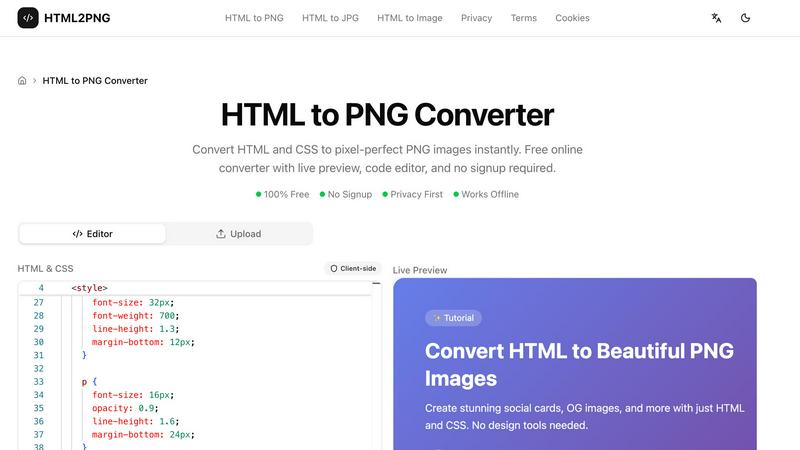
The HTML to PNG Converter is a powerful online tool designed to transform HTML and CSS code into high-quality PNG images instantly. It caters to web developers, designers, and content creators looking to generate pixel-perfect visual assets without the hassle of complex design software. This robust converter allows users to input their HTML code directly into a live editor, customize output settings, and download the resulting image in a matter of seconds. With its privacy-first approach, there is no need for signups or data sharing, making it an ideal choice for those who prioritize security. The converter operates entirely on the client side, meaning the process remains within your browser, ensuring swift and seamless execution. Whether you are crafting social media graphics, invoices, or promotional materials, the HTML to PNG Converter unlocks your potential to produce stunning visuals effortlessly.
Features
Live Preview
Experience the power of immediate feedback with our live preview feature. As you input your HTML and CSS code, the tool renders your design in real-time, allowing you to make adjustments on the fly. This functionality ensures that your final output matches your vision perfectly.
Code Editor
The built-in code editor provides an intuitive interface for writing and modifying HTML and CSS. You can include inline styles, utilize tags, or even link to external stylesheets, such as Google Fonts, enhancing your creative process and enabling complex designs.
Customizable Output Settings
Tailor your image output with a range of customizable settings. Choose the image width, scale (1x, 2x, or 3x for retina displays), and even select the background color. This level of customization ensures your PNG images meet your specific needs for any project.
Client-Side Processing
Our converter operates completely on the client side, meaning your data stays private and secure. This feature eliminates server costs and allows for rapid conversion without the delays associated with network requests, making it efficient and reliable.
Use Cases
Social Media Graphics
Design eye-catching social media cards directly from HTML templates. With the HTML to PNG Converter, you can create engaging visuals tailored for platforms like Instagram, Facebook, and Twitter, ensuring your content stands out in crowded feeds.
Invoices and Business Documents
Generate professional-looking invoices and business documents in PNG format. This tool allows you to produce clean and polished images from your HTML templates, streamlining your business operations and enhancing your brand's professionalism.
Open Graph Images for SEO
Create optimized Open Graph images for your blog posts and web pages. By converting HTML to PNG, you can ensure that your content is visually appealing when shared on social media, enhancing click-through rates and improving your SEO strategy.
Dynamic Data Visualization
Utilize HTML and CSS to produce dynamic images that reflect real-time data. Whether for reports, dashboards, or presentations, the HTML to PNG Converter allows you to generate tailored visuals that update as your data changes, providing clarity and insight.
Frequently Asked Questions
What types of files can I convert using the HTML to PNG Converter?
You can convert HTML to PNG, JPG, or WebP formats, giving you flexibility in choosing the best file type for your needs. The tool supports various output formats to suit different applications.
Do I need to sign up to use the HTML to PNG Converter?
No, there is no signup required. You can access the converter and start creating images immediately without any registration or personal information required.
Is my data secure when using the HTML to PNG Converter?
Absolutely. The conversion process takes place entirely in your browser without sending any data to external servers. Your HTML and CSS code remains private and secure throughout the process.
Can I use the HTML to PNG Converter offline?
While the core functionality is designed for online use, the converter operates entirely client-side, allowing for rapid processing without server interactions. However, an internet connection is required to access the tool initially.
Similar to HTML to PNG Converter
AIPetGen
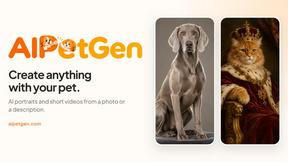
AIPetGen turns a photo of your dog, cat, or other pet, or a written description, into a new picture or a short animation.

AI Album Cover Maker
Create release-ready album covers from a prompt or photo. Generate, refine, and export art for singles, EPs, mixtapes, and playlists.
Low Quality Image Maker
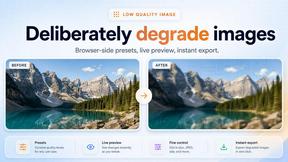
Free online low quality image maker. Lower image quality with compression, downscaling, and pixelation right in your browser.
Sprite Sheet Maker
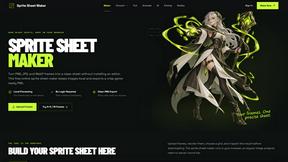
A free browser-based toolkit for creating, cutting, converting, and previewing sprite sheet animations.
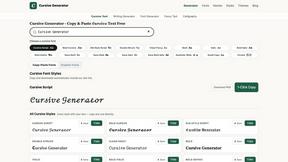
Cursive Text Generator
Cursive Text Generator is a free browser-based tool that converts regular text into beautiful cursive and stylish Unicode fonts. Users can instantly p
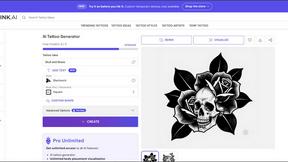

Presentation Intelligence
AI-native presentation and visual content platform that turns prompts, documents, images, videos, and data into polished, shareable decks.
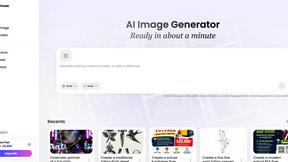
Vismuse
Create polished AI images and videos from prompts or references for social posts, ads, flyers, album covers, and campaigns.