
AI Formatter vs CleanPaste.org
Side-by-side comparison to help you choose the right AI tool.
Effortlessly create polished documents in seconds with AI Formatter's smart templates and intuitive formatting tools.
Last updated: March 1, 2026

CleanPaste.org
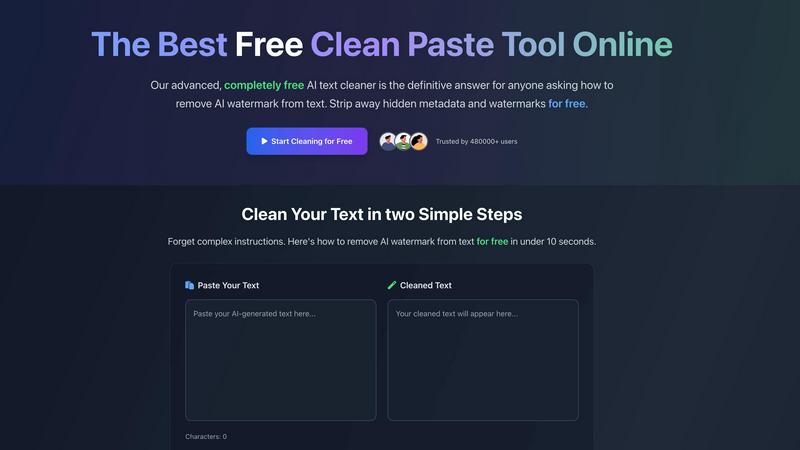
CleanPaste.org instantly strips invisible characters and AI watermarks for authentic, clean text.
Last updated: February 28, 2026
Visual Comparison
AI Formatter
CleanPaste.org
Feature Comparison
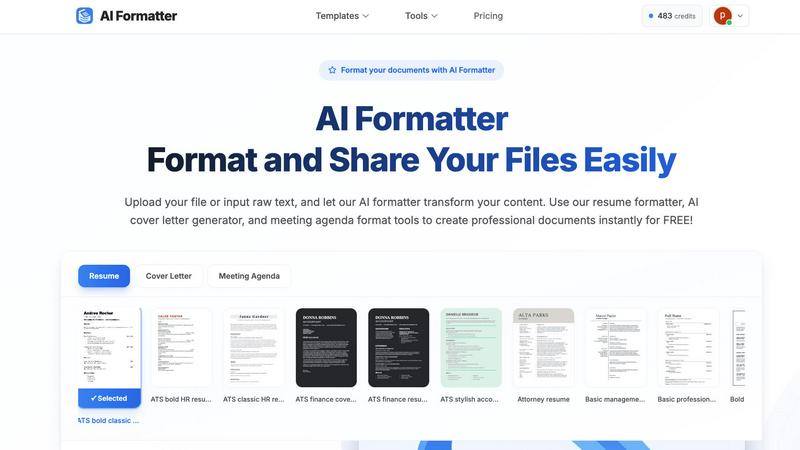
AI Formatter
ATS-Optimized Templates
AI Formatter offers a diverse library of over 162 professional templates, specifically designed to pass automated screening systems. This ensures that resumes and cover letters not only look appealing but are also structured to impress recruiters.
Real-Time Document Editing
With its intuitive online editor, users can edit and customize their formatted documents in real-time. Adjust fonts, colors, and layouts to create a personalized touch that reflects individual style and professionalism.
Multi-Format Support
AI Formatter supports various file formats, including PDF, DOC, DOCX, and TXT, allowing users to upload existing documents or input raw text directly. This versatility ensures that everyone can utilize the tool regardless of their starting point.
Quick Processing and Export Options
Transforming raw text into a polished document is swift with AI Formatter. Users can expect professional-grade formatting in seconds, and once completed, documents can be downloaded in multiple formats like Word and PDF for easy sharing.
CleanPaste.org
Instant AI Watermark Removal
This transformative feature is the cornerstone of CleanPaste.org's power. It utilizes advanced algorithms to deep-scan and meticulously strip out proprietary AI watermarks embedded within text. This process ensures your content passes through AI detectors undetected while meticulously preserving the original meaning, structure, and quality of your writing. The result is text that retains its value but sheds its artificial signature, appearing entirely human-crafted.
Deep-Clean Hidden Character & Metadata Stripping
Going beyond surface-level cleaning, this feature performs a comprehensive audit of your text. It hunts down and eliminates invisible characters like zero-width spaces, non-printing formatting artifacts, and hidden metadata that can reveal a document's origin or cause formatting issues. This deep-cleaning process guarantees that your final output is not only clean from an AI perspective but also technically pristine and ready for any platform or submission.
Real-Time Processing with Auto-Paste
CleanPaste.org is engineered for maximum efficiency and a seamless user experience. The tool offers real-time processing, delivering cleaned text in under 10 seconds. Coupled with an intuitive auto-paste function, it streamlines the workflow to a simple copy-and-click action. This eliminates waiting times and complex steps, providing game-changing speed that integrates effortlessly into any writing or editing process.
100% Free, No-Limit Access
In a transformative move against paywalls and tiered subscriptions, CleanPaste.org offers its full suite of powerful features completely free of charge. There are no hidden fees, no premium feature locks, and no mandatory account sign-ups. Every user, from the first-time visitor to the power user, enjoys unlimited access to watermark removal and character cleaning, truly democratizing access to this essential technology.
Use Cases
AI Formatter
Job Seekers
Job seekers can utilize AI Formatter to create standout resumes and cover letters that are ATS-optimized, increasing their chances of getting noticed by potential employers and landing interviews.
Businesses
For businesses, AI Formatter streamlines the creation of professional invoices and meeting agendas. This efficiency helps maintain a polished image while saving valuable time that can be redirected towards core business activities.
Academics
Academics can benefit from AI Formatter by crafting well-structured research papers and reports. The ability to format documents quickly and professionally aids in meeting submission standards and enhances the presentation of their work.
Professionals
Professionals across various industries can use AI Formatter to quickly generate polished documents for presentations, proposals, or reports, ensuring they communicate effectively and professionally in any setting.
CleanPaste.org
For Students Submitting Academic Work
Students using AI for research assistance or drafting can transform their work with CleanPaste.org. It allows them to remove invisible characters and AI watermarks from essays and reports, ensuring submissions are clean and uphold academic integrity standards. This empowers students to leverage modern tools while confidently presenting original, polished work that reflects their own understanding and effort.
For Content Creators & SEO Specialists
Content creators and SEO professionals can game-change their content strategy. CleanPaste.org ensures blog posts, articles, and web copy are free of AI fingerprints and hidden formatting, which is crucial for maintaining a brand's authentic voice and achieving better performance with search engines that may prioritize human-written content. It unlocks the ability to scale content creation without sacrificing perceived quality or authenticity.
For Professionals Refining Business Communication
Professionals drafting emails, reports, proposals, or presentations can elevate their communication. The tool cleans AI-assisted drafts of metadata and invisible artifacts, ensuring every document is polished and professional. This is particularly transformative for non-native speakers, helping them refine AI-generated text into natural, confident, and corporate-ready communication that makes a powerful impression.
For Freelancers Ensuring Client Deliverables
Freelance writers, editors, and consultants can guarantee the quality of their deliverables. By running all AI-aided content through CleanPaste.org, they can assure clients of 100% human-presenting work, free from technical glitches caused by hidden characters. This builds immense trust, enhances reputation, and unlocks the potential to use AI as a collaborative tool without ever compromising on the final product's integrity.
Overview
About AI Formatter
AI Formatter, developed by Sun Sky LLC, is a revolutionary document formatting platform that leverages artificial intelligence to streamline the creation of professional documents. Designed for a diverse audience, including job seekers, professionals, businesses, and academics, this cloud-based SaaS tool allows users to effortlessly transform raw text or uploaded files—such as Word, PDF, and TXT—into well-structured, ATS-optimized documents within seconds. Boasting an impressive ATS pass rate of over 95%, AI Formatter significantly reduces the time spent on document preparation by saving users more than 2 hours per document. With access to a vast library of over 100 professional templates tailored for resumes, cover letters, meeting agendas, and invoices, users can ensure their documents not only look professional but also meet industry standards. The platform's real-time online editor offers full customization options for fonts, colors, and layouts, enabling users to personalize their documents according to their specific needs. Additionally, the ability to easily export documents in multiple formats and share them securely enhances usability, making AI Formatter an invaluable asset in today's fast-paced professional landscape.
About CleanPaste.org
CleanPaste.org is a revolutionary, game-changing online tool that unlocks the true potential of your written content by erasing the digital fingerprints left behind by AI. In an era where AI-generated text is ubiquitous, this transformative platform empowers users to reclaim authenticity and ownership. It expertly strips away AI watermarks, hidden metadata, and invisible characters, ensuring your text is polished, professional, and undetectable by AI detection systems. Designed for a wide audience—from students perfecting their essays to content creators crafting authentic articles and professionals refining their communications—CleanPaste.org delivers unparalleled value. Its core proposition is powerful simplicity: instant, 100% free processing with no sign-ups, no hidden fees, and no usage limits. Trusted by over 480,000 users, it stands as the definitive solution for anyone seeking to present flawless, human-original text effortlessly and with complete confidence.
Frequently Asked Questions
AI Formatter FAQ
What types of documents can I format with AI Formatter?
AI Formatter can format a variety of documents, including resumes, cover letters, meeting agendas, invoices, and more. It supports multiple file formats for your convenience.
How does AI Formatter ensure ATS compatibility?
AI Formatter uses specialized algorithms to format documents in a way that meets ATS requirements. This includes structuring content correctly and using appropriate keywords, enhancing your chances of passing automated screening.
Is there a limit to the file size I can upload?
Yes, the maximum file size supported by AI Formatter is 10MB. This allows users to upload substantial documents while ensuring optimal processing speed.
Can I customize my templates after using AI Formatter?
Absolutely! Once your document has been formatted, you can make further edits and customizations in the real-time editor. Adjust fonts, colors, and layouts to suit your personal or brand style before downloading.
CleanPaste.org FAQ
How does CleanPaste.org remove AI watermarks and invisible characters?
CleanPaste.org employs sophisticated, proprietary algorithms designed to perform a deep analysis of your text. It scans for and identifies patterns, signatures, and digital artifacts characteristic of AI-generated content, including proprietary watermarks and invisible characters like zero-width spaces. The tool then meticulously strips these elements while preserving the core text, formatting, and meaning, delivering a clean, human-presenting output instantly.
Is CleanPaste.org really free to use without any limits?
Yes, absolutely. CleanPaste.org is 100% free with no hidden catches. We believe in providing transformative technology access to everyone. There are no usage limits, no premium tiers, and no requirement to create an account or sign up. You can process as much text as you need, as often as you need, completely free of charge.
What kinds of invisible characters does the tool remove?
The tool is engineered to remove a comprehensive range of non-visible elements that can compromise your text. This includes zero-width spaces, non-printing formatting characters, hidden metadata tags, AI-specific watermarking patterns, and other encoding artifacts that may be inserted by text editors, AI platforms, or conversion tools, ensuring technically clean content.
Will using CleanPaste.org guarantee my content passes AI detection?
While CleanPaste.org is specifically designed to remove the tell-tale signs that AI detectors look for, no tool can provide a 100% guarantee due to the evolving nature of detection algorithms. However, by stripping AI watermarks and hidden fingerprints, it significantly reduces the likelihood of detection, making your content appear far more human-like, as evidenced by testimonials from users who have successfully passed multiple detector tests.
Alternatives
AI Formatter Alternatives
AI Formatter is an innovative document formatting platform developed by Sun Sky LLC that leverages advanced artificial intelligence technology to streamline the creation of professional documents. Positioned within the productivity and management category, it allows users to transform raw text or uploaded files into well-structured, ATS-optimized documents in a matter of seconds. This powerful tool is particularly popular among job seekers, professionals, businesses, and academics who seek efficiency and quality in document creation. Users often explore alternatives to AI Formatter due to various reasons, including pricing considerations, specific feature sets, or the need for compatibility with different platforms. When choosing an alternative, it's essential to assess the breadth of available templates, the level of customization offered, and the overall user experience. Additionally, evaluating the software's ability to deliver optimal ATS results and the flexibility of export options can significantly impact the decision-making process for potential users seeking the best document formatting solution.
CleanPaste.org Alternatives
CleanPaste.org is a transformative tool in the AI content space, designed to instantly strip AI watermarks and hidden metadata from text. It empowers users to present authentic, human-like content, making it a game-changer for students, writers, and professionals alike. Users often explore alternatives for various reasons. Some may seek different pricing models, such as subscription tiers with advanced features, while others require platform-specific integrations or desire a different set of capabilities beyond core text cleaning. The need for a tool that aligns perfectly with a unique workflow is a common driver. When evaluating other solutions, focus on core value. Prioritize tools that offer robust, reliable cleaning without compromising your text's integrity. Look for a seamless user experience, transparent practices, and a commitment to delivering genuinely undetectable, polished results that unlock your content's full potential.