
AI Formatter
Effortlessly create polished documents in seconds with AI Formatter's smart templates and intuitive formatting tools.
AI tool Details
About AI Formatter
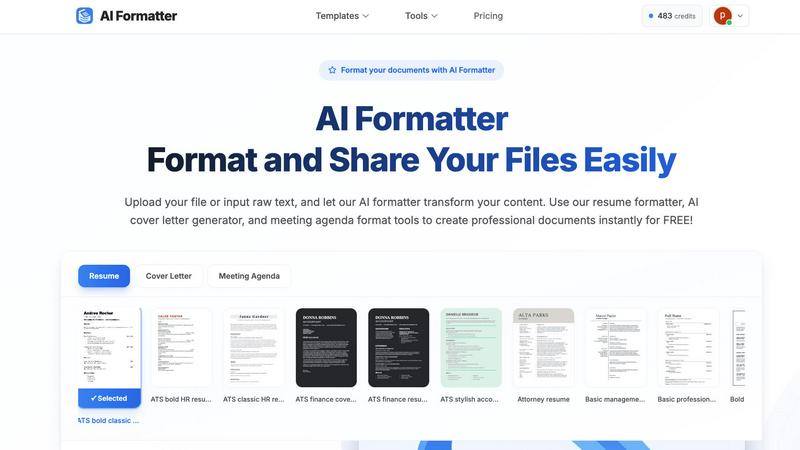
AI Formatter, developed by Sun Sky LLC, is a revolutionary document formatting platform that leverages artificial intelligence to streamline the creation of professional documents. Designed for a diverse audience, including job seekers, professionals, businesses, and academics, this cloud-based SaaS tool allows users to effortlessly transform raw text or uploaded files—such as Word, PDF, and TXT—into well-structured, ATS-optimized documents within seconds. Boasting an impressive ATS pass rate of over 95%, AI Formatter significantly reduces the time spent on document preparation by saving users more than 2 hours per document. With access to a vast library of over 100 professional templates tailored for resumes, cover letters, meeting agendas, and invoices, users can ensure their documents not only look professional but also meet industry standards. The platform's real-time online editor offers full customization options for fonts, colors, and layouts, enabling users to personalize their documents according to their specific needs. Additionally, the ability to easily export documents in multiple formats and share them securely enhances usability, making AI Formatter an invaluable asset in today's fast-paced professional landscape.
Features
ATS-Optimized Templates
AI Formatter offers a diverse library of over 162 professional templates, specifically designed to pass automated screening systems. This ensures that resumes and cover letters not only look appealing but are also structured to impress recruiters.
Real-Time Document Editing
With its intuitive online editor, users can edit and customize their formatted documents in real-time. Adjust fonts, colors, and layouts to create a personalized touch that reflects individual style and professionalism.
Multi-Format Support
AI Formatter supports various file formats, including PDF, DOC, DOCX, and TXT, allowing users to upload existing documents or input raw text directly. This versatility ensures that everyone can utilize the tool regardless of their starting point.
Quick Processing and Export Options
Transforming raw text into a polished document is swift with AI Formatter. Users can expect professional-grade formatting in seconds, and once completed, documents can be downloaded in multiple formats like Word and PDF for easy sharing.
Use Cases
Job Seekers
Job seekers can utilize AI Formatter to create standout resumes and cover letters that are ATS-optimized, increasing their chances of getting noticed by potential employers and landing interviews.
Businesses
For businesses, AI Formatter streamlines the creation of professional invoices and meeting agendas. This efficiency helps maintain a polished image while saving valuable time that can be redirected towards core business activities.
Academics
Academics can benefit from AI Formatter by crafting well-structured research papers and reports. The ability to format documents quickly and professionally aids in meeting submission standards and enhances the presentation of their work.
Professionals
Professionals across various industries can use AI Formatter to quickly generate polished documents for presentations, proposals, or reports, ensuring they communicate effectively and professionally in any setting.
Frequently Asked Questions
What types of documents can I format with AI Formatter?
AI Formatter can format a variety of documents, including resumes, cover letters, meeting agendas, invoices, and more. It supports multiple file formats for your convenience.
How does AI Formatter ensure ATS compatibility?
AI Formatter uses specialized algorithms to format documents in a way that meets ATS requirements. This includes structuring content correctly and using appropriate keywords, enhancing your chances of passing automated screening.
Is there a limit to the file size I can upload?
Yes, the maximum file size supported by AI Formatter is 10MB. This allows users to upload substantial documents while ensuring optimal processing speed.
Can I customize my templates after using AI Formatter?
Absolutely! Once your document has been formatted, you can make further edits and customizations in the real-time editor. Adjust fonts, colors, and layouts to suit your personal or brand style before downloading.
Similar to AI Formatter
PerPageFax
PerPageFax lets you send a fax online from any browser for a flat $0.50 per page — no account, no subscription, no fax machine.

PDF Mail Merge
在线批量PDF Excel 合并工具,将PDF模板与Excel/CSV数据结合,在浏览器内批量生成个性化PDF文件,安全高效。
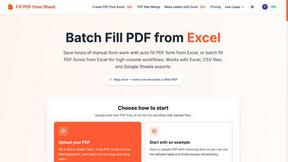
Fill PDF from Sheet
Fill PDF from Sheet automates the process of populating PDF forms from data in Excel, CSV, or Google Sheets.


Glanced
Follow news, blogs, newsletters, and podcasts in a free RSS reader, with AI summaries, top stories, full-text search, saved searches, and a catalog.

Cursive-kit
CursiveKit is a free online cursive and fancy text generator that transforms regular text into stylish Unicode characters. Create creative text for so
