

Alternatives to Subclip
Subclip is an AI video editor that simplifies editing, captioning, and dubbing in multiple languages, saving you time and enhancing your creativity.
Explore 8 alternatives to Subclip. Compare features, pricing, and find the best fit for your needs.

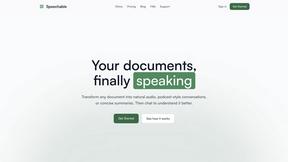
Speechable
Speechable transforms any document into natural audio you can listen to and chat with.

Hush Touch | Voice-to-Text for MacOS
Experience smarter on-device dictation for Mac, transforming speech into text with unmatched accuracy and privacy.

Glossa
Glossa provides real-time AI translation of sermons in 100+ languages, breaking language barriers for your church.

Bantr: Offline & Unlimited TTS for Mac
Bantr transforms your Mac into a private, unlimited offline text-to-speech studio.

KaiCalls
KaiCalls is your 24/7 AI voice agent, capturing and qualifying leads while providing instant answers to customers.

Vowen
Vowen empowers you to streamline your workflow by transforming your voice into dictation, automation, and smart.

Bargou One
Bargou One is your all-in-one AI suite to create, translate, and communicate effortlessly.
About Subclip Alternatives
Subclip is an innovative AI-powered video editor that revolutionizes the way creators, marketers, and educators approach video editing. By transforming the editing process into a document-like experience, Subclip allows users to seamlessly manipulate video content through an intuitive interface. With features like voice cloning, auto-subtitles, silence removal, and multi-language dubbing, it caters to a diverse range of needs, making it an essential tool for anyone involved in video production. However, users often seek alternatives to Subclip for various reasons, including pricing, feature sets, and specific platform compatibility. When exploring alternatives, it's crucial to consider factors such as the ease of use, the quality and accuracy of AI-driven features, and the overall value offered for the price. Additionally, potential users should evaluate how well these alternatives align with their unique video editing needs and workflows, ensuring that they choose a solution that enhances their creative potential and efficiency.
FAQs about Subclip Alternatives
What is Subclip?
Subclip is an AI-powered video editing tool designed to simplify the video production process for creators, marketers, and educators. It allows users to edit videos in a document-like manner, making the editing experience intuitive and efficient. With advanced features such as voice cloning, automated subtitles, and silence removal, Subclip streamlines workflows and enhances productivity.
Who is Subclip for?
Subclip is tailored for a wide range of users, including YouTubers, podcasters, course creators, and content teams. Its features cater to anyone looking to produce high-quality video content efficiently. Whether you're an individual creator or part of a larger organization, Subclip offers tools designed to meet diverse video editing needs.
Is Subclip free?
Yes, Subclip offers a freemium pricing model that includes a free tier, making it accessible for users to try out its features without any initial investment. For those seeking additional capabilities and advanced functionalities, there are affordable paid plans available. This flexibility allows users to choose a plan that best fits their requirements.
What are the main features of Subclip?
Subclip boasts a variety of powerful features aimed at enhancing the video editing experience. Key functionalities include voice cloning for re-recording, automatic subtitle generation for improved accessibility, silence removal to streamline content, and multi-language dubbing while preserving background music. These features collectively simplify the editing process and save valuable time for creators.