

Alternatives to QuickSigner
QuickSigner empowers you to effortlessly eSign documents online with secure, legally binding signatures in seconds, streamlining your workflow.
Explore 20 alternatives to QuickSigner. Compare features, pricing, and find the best fit for your needs.

@fuck.it - email with attitude
Private email. Pure. Secure. Exclusive. No ads, no tracking, no data selling. GDPR compliant, EU-hosted.
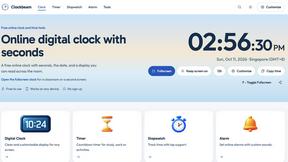

Verla AI
Verla is an AI academic assistant for university and college students, combining AI essay writing, academic research, AI detection, AI humanization
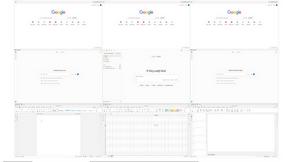

MD To Text
MD To Text is a free online Markdown to plain text converter. Paste Markdown and get clean readable text instantly, in your browser, no signup.

AUTOMATER.ai
A tray helper for every AI coding tool: one searchable library of past sessions, waiting alerts and usage across 9 providers.
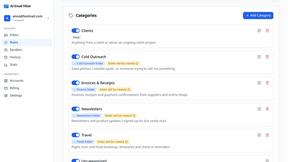
AI Email Filter
AI Email Filter sorts incoming mail into folders using plain-language prompts you write. Works with any IMAP mailbox; bring your own LLM if you want.


Product Launch Checklist
A free launch checklist for SaaS, apps, AI tools and more. Every step says why it matters and when you can skip it.
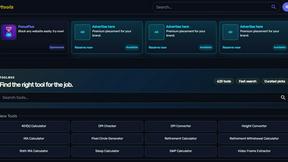
Kody Tools
Free collection of online developer utilities, code formatters, and digital converters designed to streamline your daily workflow.
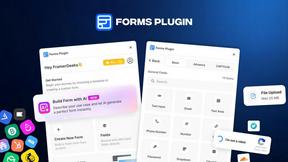
Forms Plugin
The #1 Native Form Builder Plugin for Framer - No Code, No Embeds, No External Platforms.



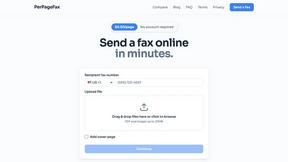
PerPageFax
PerPageFax lets you send a fax online from any browser for a flat $0.50 per page — no account, no subscription, no fax machine.

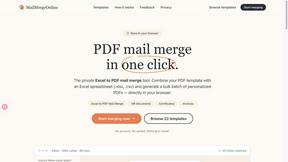
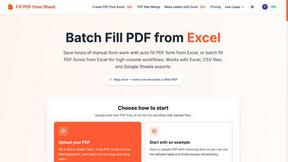
Fill PDF from Sheet
Fill PDF from Sheet automates the process of populating PDF forms from data in Excel, CSV, or Google Sheets.


About QuickSigner Alternatives
QuickSigner is an innovative solution in the realm of online eSigning, designed to simplify the process of signing, sending, and finalizing documents. As a part of the Productivity & Management category, it empowers users to transform lengthy, cumbersome workflows into swift, efficient transactions. With robust features, including Adobe Approved Trust List electronic signatures and ISO 27001 certification, QuickSigner stands out for its commitment to security and reliability. However, users often seek alternatives for various reasons, including pricing structures, desired features, or specific platform compatibility. When exploring alternatives, it's crucial to consider factors such as ease of use, integration capabilities with existing tools, and the level of customer support provided. Understanding individual needs and evaluating different options can help users unlock their potential and find a solution that aligns perfectly with their goals.
FAQs about QuickSigner Alternatives
What is QuickSigner?
QuickSigner is an online eSigning platform that facilitates the signing, sending, and finalizing of documents quickly and securely. It is designed to streamline the signing process, reducing the time typically spent in back-and-forth communications to mere minutes. With a focus on efficiency, QuickSigner offers a user-friendly interface that empowers individuals and businesses alike.
Who is QuickSigner for?
QuickSigner is designed for a diverse range of users, including businesses, freelancers, and anyone needing a reliable eSigning solution. It caters to professionals who prioritize efficiency and security in document handling, making it ideal for those in industries such as real estate, legal, finance, and more. Its intuitive features allow users from various backgrounds to seamlessly integrate eSigning into their workflows.
Is QuickSigner free?
QuickSigner offers various pricing plans tailored to meet the needs of different users, but it is not a free service. Users can explore different subscription options that align with their specific requirements and usage levels. Each plan is designed to provide value through robust features, ensuring that users have the tools they need for effective document management.
What are the main features of QuickSigner?
QuickSigner boasts a range of features designed to optimize the eSigning experience. Key functionalities include easy document upload, customizable templates, secure electronic signatures via the Adobe Approved Trust List, and compliance with ISO 27001 standards. These features collectively enhance user experience, ensuring that document signing is not only fast but also secure and legally binding.