

Alternatives to EditTextImage
EditTextImage lets you replace text in images online, keeping fonts and perspective intact, all in under 30 seconds.
Explore 20 alternatives to EditTextImage. Compare features, pricing, and find the best fit for your needs.

MyType FYI
Explore your visual type with ten free rounds of fictional faces, a base result and optional original portraits, posters or five-second videos.
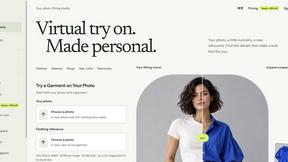
VirtualTryOn
Try on clothes, glasses, rings, hairstyles, and hair colors on your own photos with AI.
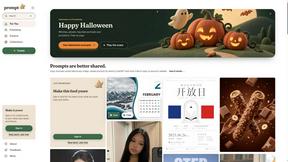
Promptclay
Free-to-copy AI image prompt library. Each prompt is shown next to the image it made.
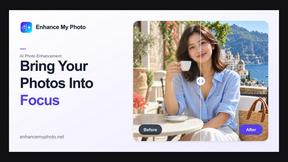
Enhance My Photo
Online AI photo enhancer that sharpens portraits, products, scenery, pets and text images and exports them as JPEG, PNG or WebP without watermarks.
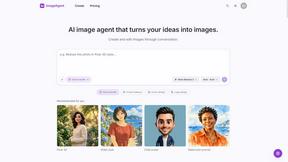
ImageAgent
Create and edit AI images through conversation, using text or reference images and refining results in chat.
GenX
All-in-one AI workspace to generate images, videos, and audio with multiple leading AI models.
AiAgeFilter
Free AI age filter: upload an adult portrait, add 10-40 years, meet your older self. No app needed.

AppIconGenerator
Generate iOS and Android app icons from any image and export all platform sizes for free.
YIX
AI image and video generation, photo editing, restoration and free prompt tools in one browser studio.
Nano AI
Create and edit AI images, generate videos, and compare models in one creative workbench.
RemoveObjectFromPhoto
AI-powered image text editor to edit, replace, fix, or translate text in images while preserving the original font, color, size, and style.
EditTextPhoto
AI-powered image text editor to edit, replace, fix, or translate text in images while preserving the original font, color, size, and style.
ImageGenerator
Create and edit AI images online with multiple models, text-to-image, image-to-image, background removal, and upscaling.
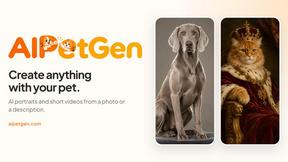
AIPetGen
AIPetGen turns a photo of your dog, cat, or other pet, or a written description, into a new picture or a short animation.
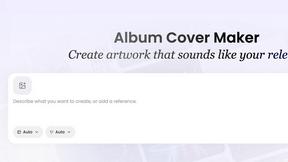
AI Album Cover Maker
Create release-ready album covers from a prompt or photo. Generate, refine, and export art for singles, EPs, mixtapes, and playlists.
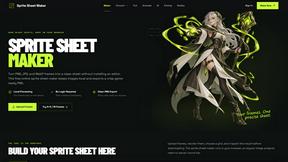
Sprite Sheet Maker
A free browser-based toolkit for creating, cutting, converting, and previewing sprite sheet animations.
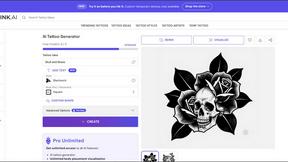
Vismuse
Create polished AI images and videos from prompts or references for social posts, ads, flyers, album covers, and campaigns.
About EditTextImage Alternatives
Unlocking the potential of your visual content has never been more essential, and EditTextImage stands as a transformative solution in the image generation and editing category. This game-changing tool allows you to edit text within any image seamlessly, replicating the original font, color, and layout without needing Photoshop, font files, or a subscription. By leveraging AI to sample typography directly from pixels, it solves the common pain point of losing original design files, enabling you to fix typos, swap dates, or A/B test headlines in about ten seconds. However, users often seek alternatives due to factors like pricing models, the need for unlimited edits, platform compatibility, or the desire for additional features such as batch processing or integration with other software. When evaluating an alternative, it is crucial to prioritize tools that maintain pixel-perfect accuracy for font, color, and perspective replication, as this is the core value of the category. Look for solutions that offer transparent pricing without hidden subscriptions, support for high-resolution output, and a streamlined workflow that doesn't require design expertise. Additionally, consider whether the tool provides robust security for uploaded images, supports a wide range of file formats, and offers a free trial or low-cost entry point to test its capabilities. The right alternative will empower you to edit images with the same speed and precision, unlocking your creative potential without the constraints of traditional design software.
FAQs about EditTextImage Alternatives
What is EditTextImage?
EditTextImage is a transformative online tool that edits text within images seamlessly by using AI to sample the typeface directly from the pixels. It replicates the original font, color, drop shadow, and perspective perfectly, even for paid fonts not installed on your system. This game-changing solution eliminates the need for Photoshop, font files, or subscriptions, allowing you to fix typos, swap dates, or update headlines on finished images in about ten seconds.
Who is EditTextImage for?
EditTextImage is designed for anyone who needs to edit text in images without access to the original design files, including marketers, content creators, small business owners, and designers. It is ideal for professionals who need to quickly fix typos on posters, update dates on screenshots, or A/B test headlines on product photos. The tool empowers users with no design background to achieve pixel-perfect text replacement in seconds, unlocking their potential for rapid visual iteration.
Is EditTextImage free?
Yes, EditTextImage offers a free first edit with no credit card required, allowing users to experience its game-changing capabilities risk-free. After that, it operates on a one-time payment model of $9.90 for 30 edits, with no recurring subscriptions or hidden fees. This transparent pricing makes it an accessible and cost-effective solution for occasional or project-based text editing needs.
What are the main features of EditTextImage?
The main features of EditTextImage include AI-powered text replacement that samples typography from image pixels, preserving font, color, layout, drop shadows, and perspective with pixel-perfect accuracy. It supports editing text in about ten seconds, outputs at 2K resolution, and works with paid fonts and hand-lettering without requiring font files. The tool requires no Photoshop, no subscription, and offers a seamless online workflow that transforms how you update visual content.