

EditTextImage
EditTextImage lets you replace text in images online, keeping fonts and perspective intact, all in under 30 seconds.
AI tool Details
Explore More
Alternatives
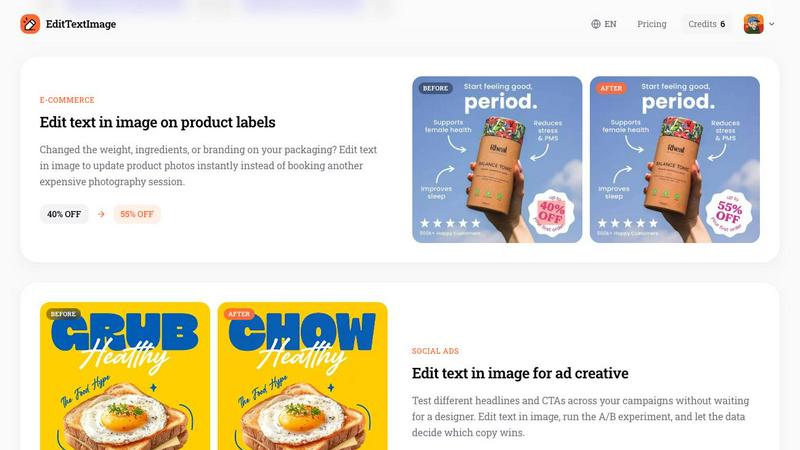
About EditTextImage
EditTextImage is a revolutionary AI-powered tool that transforms how you edit text in images, unlocking the potential to modify any text element without needing the original design file, Photoshop skills, or expensive software subscriptions. This game-changing solution allows you to upload any image containing text, specify the original text and your desired replacement, and watch as advanced AI technology seamlessly replaces the text while perfectly preserving the original font, color, size, perspective, drop shadows, and background details. Whether you are a marketer needing to update a promotional poster, a developer localizing app screenshots, a business owner fixing a typo on a product label, or a content creator refreshing social media ads, EditTextImage delivers pixel-perfect results in approximately ten seconds. The tool supports PNG, JPEG, and WebP formats up to 10 MB and outputs high-resolution 2K images. With a generous free first edit requiring no credit card, and affordable pay-as-you-go credits that never expire, this tool eliminates the frustration of lost source files and the complexity of traditional image editors. It represents a fundamental shift in how professionals and individuals handle image text modifications, making what was once a time-consuming, expensive process into a simple, instant, and accessible task for everyone.
Features
AI-Powered Font Sampling from Pixels
This transformative feature sets EditTextImage apart from every other image editing tool. Instead of requiring you to upload font files or manually match typefaces, the AI intelligently samples the typography directly from the image pixels. It analyzes the font style, weight, spacing, and even the unique characteristics of hand-lettering or paid fonts that are not installed on your system. This means you can edit text in images containing premium commercial fonts, custom logos, or artistic lettering without any licensing concerns or font identification guesswork. The result is a seamless replacement that matches the original typography so precisely that the edit becomes virtually undetectable.
Pixel-Perfect Preservation of Visual Properties
EditTextImage goes far beyond simple text swapping by meticulously preserving every visual property of the original text environment. The AI maintains the exact color values, ensuring the new text blends perfectly with the surrounding design. It intelligently handles complex elements like drop shadows, gradients, and text effects, recreating them with mathematical precision. Most impressively, the tool preserves perspective and lighting, meaning text on angled surfaces, curved objects, or images with complex lighting conditions remains perfectly aligned and shadowed. This level of accuracy ensures that edited images maintain their professional quality and authenticity.
Rapid Processing with High-Resolution Output
Speed and quality are not sacrificed with EditTextImage. The average processing time to edit text in an image is approximately twelve seconds, making it the fastest solution available for this task. Despite this incredible speed, the tool does not compromise on output quality. Every edited image is generated at 2K resolution, ensuring the final result is suitable for professional use, including printing, digital publishing, and high-resolution displays. This combination of lightning-fast processing and superior output resolution transforms workflow efficiency, allowing users to make multiple edits and iterations in minutes rather than hours.
No Subscription Model with Free Trial Access
EditTextImage breaks the mold of expensive, recurring subscription services that plague the creative software industry. The tool offers a completely free first edit with no credit card required, allowing users to experience its transformative capabilities without any financial commitment. After the free trial, users purchase credits at a one-time cost of $9.90 for thirty edits. These credits never expire, providing flexibility and value. This straightforward, transparent pricing model empowers users to pay only for what they need, making professional-grade text editing accessible to freelancers, small businesses, and individuals who cannot justify monthly software subscriptions.
Use Cases
Document Fixes and Corrections
EditTextImage revolutionizes document management by allowing users to edit text in image files of contracts, invoices, certificates, and official papers without the original source document. Imagine you have a signed contract with a typo in a client name, or an invoice screenshot with an incorrect date. Instead of tracking down the original file or recreating the entire document, simply upload the image, specify the text change, and the AI flawlessly updates the content while maintaining the exact font, formatting, and layout. This capability is invaluable for administrative professionals, legal assistants, and business owners who frequently work with scanned documents or image-based records.
Poster and Flyer Updates
Event organizers and marketers face constant last-minute changes to dates, venues, speakers, and pricing information on promotional materials. EditTextImage eliminates the panic and expense of redesigning posters and flyers from scratch. When a speaker cancels or a venue changes, simply upload the finished poster image, replace the outdated text, and download a perfectly updated version in seconds. This use case saves hundreds of dollars in design fees and hours of waiting time, allowing you to keep your marketing materials current and accurate without disrupting your workflow or budget.
App Screenshot Localization
App developers and product managers face the daunting task of creating localized screenshots for multiple app stores across dozens of languages. EditTextImage transforms this process by enabling rapid text replacement on existing UI screenshots. Instead of rebuilding every mockup for each language, upload the base screenshot and swap the text to the target language. The AI preserves the exact UI elements, button styles, and system fonts, delivering pixel-perfect localized screenshots instantly. This dramatically accelerates app launch timelines and reduces localization costs, making global app distribution more accessible than ever.
E-Commerce Product Image Updates
Online retailers and product managers constantly update product labels, pricing, ingredients, and promotional text on packaging images. EditTextImage eliminates the need for expensive reshoots or complex photo editing sessions. When a product changes weight, ingredients, or promotional discount, simply upload the existing product photo and edit the text in image directly. The tool maintains the lighting, shadows, and product surface texture, ensuring the updated image looks as professional as the original. This capability saves thousands of dollars in photography costs and allows for rapid A/B testing of promotional copy across product listings.
Pricing
EditTextImage offers a straightforward, user-friendly pricing model designed to provide maximum value without locking users into expensive subscriptions. New users receive one free credit immediately upon signing in with Google, requiring absolutely no credit card information. This free credit allows you to experience the full power of the tool on any image of your choice. After using your free credit, you can purchase a pack of thirty edits for a one-time payment of $9.90. These credits never expire, giving you complete flexibility to use them as needed over days, months, or even years. Commercial use is included in all credits, meaning you can edit images for business purposes, client projects, and commercial products without any additional licensing fees. This transparent, pay-as-you-go model ensures you never pay for more than you need and eliminates the financial burden of monthly subscriptions for professional image editing tools.
Frequently Asked Questions
What file formats and sizes does EditTextImage support?
EditTextImage supports PNG, JPEG, and WebP image formats with a maximum file size of 10 MB. These formats cover the vast majority of images used in professional and personal contexts, including screenshots, photographs, digital designs, and scanned documents. The 10 MB limit ensures fast upload and processing times while accommodating high-resolution images suitable for the 2K output resolution. If your image exceeds the size limit, you can compress it using standard image tools before uploading.
Is my first edit really free and do I need a credit card?
Yes, your first edit is completely free with absolutely no credit card required. EditTextImage believes in letting users experience the transformative power of the tool before making any financial commitment. Simply sign in with your Google account to receive one free credit. This credit never expires, so you can take your time exploring the tool. After using your free credit, you can purchase thirty additional edits for a one-time payment of $9.90, with no recurring subscriptions or hidden fees.
Can I edit text in images with complex backgrounds or perspective?
Absolutely. This is where EditTextImage truly excels and demonstrates its game-changing AI capabilities. The tool is specifically designed to handle complex backgrounds, angled text on curved surfaces, text with drop shadows and gradients, and images with varying lighting conditions. The AI analyzes the entire text environment, including the background texture behind the original text, and reconstructs it perfectly before inserting the new text. This ensures that even challenging edits, such as text on product packaging or signs photographed at an angle, result in natural, seamless outcomes.
What happens if I try to edit sensitive documents or deceptive images?
EditTextImage maintains strict acceptable use policies to prevent misuse of its technology. The tool explicitly prohibits processing IDs, passports, visa support letters, official seals, bank statements, or tampered receipts. Additionally, edits intended to deceive third parties, including visa or immigration submissions, fake refund or transaction proofs, and altered email or chat screenshots, are not permitted. Violations result in immediate account termination without refund, and request logs may be preserved and shared with law enforcement authorities. Users must confirm they own or are licensed to edit the image and that the edit is not deceptive.
Similar to EditTextImage
Sprite Sheet Maker
A free browser-based toolkit for creating, cutting, converting, and previewing sprite sheet animations.

Vismuse
Create polished AI images and videos from prompts or references for social posts, ads, flyers, album covers, and campaigns.
Imagine2
Private browser-based AI image generation and editing with text-to-image, targeted edits, and multi-image references.
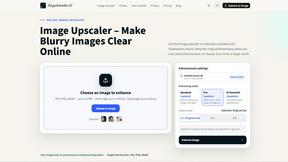
Kogashitsuka AI
An online AI image tool that enhances photos and illustrations at their original size or upscales them by 2x or 4x.
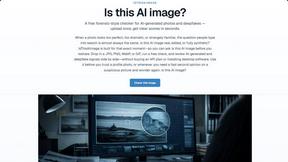
IsThisAIImage
Free AI image checker: upload a photo for AI-generated and deepfake scores, a clear verdict, and optional generator hints.
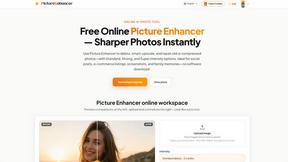
Picture Enhancer
Picture Enhancer uses AI to deblur, upscale, and restore your photos instantly in a browser with no software install.
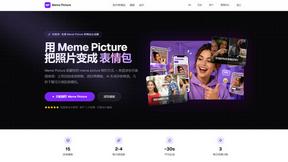
Meme Picture
Meme Picture transforms your selfies and pet photos into hilarious classic memes in seconds with free daily AI generations and no login required.