

Alternatives to Anime Maker
Transform any idea into stunning anime images, characters, and short videos with powerful AI, unlocking your creative potential.
Explore 20 alternatives to Anime Maker. Compare features, pricing, and find the best fit for your needs.

Bicep Heart
Turn one photo into a 7-second bicep heart video with outdoor, standing or seated scenes and a silent vertical MP4.

VirtualTryOn
Try on clothes, glasses, rings, hairstyles, and hair colors on your own photos with AI.
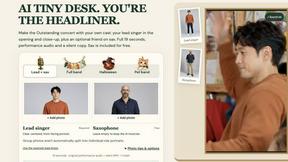
AI Tiny Desk
Make a 19-second desk-concert video with lead and sax, full band, Halloween or pet-band modes; audio and silent MP4.

Outstanding Tiny Desk AI
Upload photos of you and your friends and get a 15-second Outstanding Tiny Desk AI video with AI-generated sound, in 9:16 for TikTok and Reels.

Tip Toeing in My Jordans
Upload a photo and get a 12-second Tip Toeing in My Jordans video: you play the AI Rumpelstiltskin, a friend can play the woman in the hay.

AppScreenshots
Create professional App Store and Google Play screenshots with 3D device frames, templates and batch export.
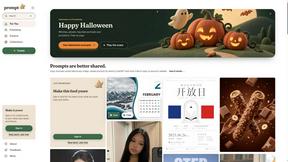
Promptclay
Free-to-copy AI image prompt library. Each prompt is shown next to the image it made.
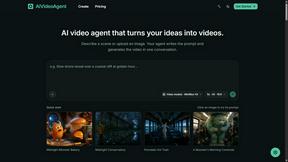
AIVideoAgent
Turn text ideas or reference images into videos through conversation, with agent-assisted prompts and a choice of video models.

AI Rap
AI rap generator that turns two portraits, or one photo of two people, into a short English duet rap video with original lyrics, vocals, and music.

Enhance My Photo
Online AI photo enhancer that sharpens portraits, products, scenery, pets and text images and exports them as JPEG, PNG or WebP without watermarks.

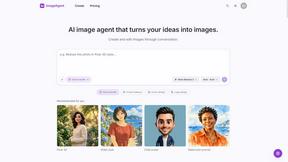
ImageAgent
Create and edit AI images through conversation, using text or reference images and refining results in chat.
GenX
All-in-one AI workspace to generate images, videos, and audio with multiple leading AI models.
AiAgeFilter
Free AI age filter: upload an adult portrait, add 10-40 years, meet your older self. No app needed.
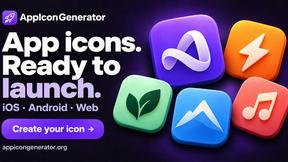
AppIconGenerator
Generate iOS and Android app icons from any image and export all platform sizes for free.

YIX
AI image and video generation, photo editing, restoration and free prompt tools in one browser studio.
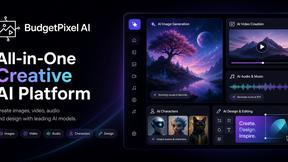
Budgetpixel AI
Create AI images, videos, music, and designs in one workspace with multiple models, powerful editing tools, and API access.
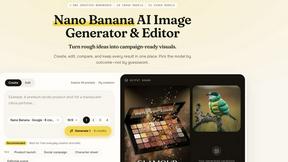
Nano AI
Create and edit AI images, generate videos, and compare models in one creative workbench.
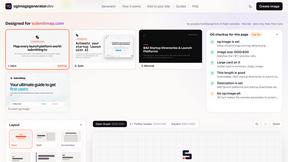
ogimagegenerator.dev
Paste a URL and AI designs on-brand Open Graph images from your page's colours, fonts and logo. Free, no sign-up.
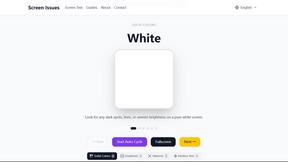
Screen Issues
Free Online Screen Test Tool - Instantly diagnose dead pixels, lines, color issues, and flickering. Multiple test modes, no download needed.
About Anime Maker Alternatives
Anime Maker is a transformative AI creative platform that belongs to the Content Creation and Design Tools category, specifically tailored for generating anime-style visuals from text prompts and photos. It empowers artists, game teams, marketers, and anime fans to produce original characters, logos, filters, and even image-to-video concepts within a focused browser workflow. While Anime Maker offers multiple generation modes and export-ready results, users commonly look for alternatives due to evolving needs such as more flexible pricing tiers, additional platform compatibility, or specialized features like advanced video editing or real-time collaboration. Others may seek tools that integrate more seamlessly with their existing design pipelines or offer unique capabilities like higher resolution outputs or broader style customization. When choosing an alternative, it is essential to evaluate the tool’s core generation quality, especially its ability to maintain consistent anime aesthetics across characters and scenes. Look for platforms that provide a smooth user experience with intuitive controls, robust export options, and clear licensing terms for commercial use. Consider whether the alternative supports the specific formats you need, such as PNG sequences for game assets or MP4 for video concepts. Pricing transparency, scalability for team workflows, and the availability of community support or tutorials are also critical factors to ensure the tool unlocks your creative potential without unexpected limitations.
FAQs about Anime Maker Alternatives
What is Anime Maker?
Anime Maker is an AI-powered creative platform designed to transform text prompts and photos into high-quality anime-style images, original characters, avatars, logos, filters, and image-to-video concepts. It belongs to the Content Creation and Design Tools category, offering a focused browser workflow for rapid visual ideation. The platform supports multiple generation modes and provides export-ready results, making it a game-changing tool for artists and creators.
Who is Anime Maker for?
Anime Maker is built for a diverse audience including artists, creators, game development teams, marketers, and anime fans who need to explore and produce anime-style visuals quickly. Its intuitive interface and versatile generation modes unlock potential for both professionals and hobbyists. Whether you are designing character concepts for a game or creating branded logos and filters, Anime Maker streamlines the creative process.
What are the main features of Anime Maker?
Anime Maker’s main features include text-to-image generation, photo-to-anime conversion, and the ability to create original characters, logos, and filters. It also offers image-to-video concept generation, allowing users to animate still visuals. The platform provides multiple generation modes for varied styles and export-ready results, enabling seamless integration into design workflows.
Is Anime Maker secure?
Anime Maker prioritizes user security by operating within a browser-based environment that does not require local software installation, reducing potential vulnerabilities. The platform typically employs standard encryption protocols for data transmission and storage. Users should review the specific privacy policy and terms of service for detailed information on data handling and security measures.