

Anime Maker
Transform any idea into stunning anime images, characters, and short videos with powerful AI, unlocking your creative potential.
AI tool Details
About Anime Maker
Anime Maker is a transformative AI creative platform that revolutionizes how artists, creators, game teams, marketers, and anime fans bring their visions to life. This game-changing tool empowers you to turn simple text prompts and ordinary photos into stunning anime-style images, original characters, avatars, logos, filters, and even image-to-video concepts. By providing a focused browser workflow for rapidly exploring visual ideas, Anime Maker unlocks your creative potential with multiple generation modes and export-ready results. Whether you want to generate a high-resolution 1024x1024 anime image from text, convert a photo into a brand new anime illustration, or create a dynamic 6 to 30 second video clip from a prompt with an optional reference frame, this platform delivers. With free starter access offering 10 credits for testing standard image generation after sign-up, Anime Maker makes professional-grade anime creation accessible to everyone. It is designed for anyone who needs to generate compelling anime visuals quickly and efficiently, from individual creators to large production teams, all within an intuitive browser-based interface that eliminates complex software requirements.
Features
Text to Anime Image Generation
Transform your imagination into stunning anime visuals by simply describing the subject, setting, style, lighting, and composition in a text prompt. This powerful feature interprets your words and generates a high-quality 1024x1024 anime image that captures every detail you specify, from cyberpunk heroines on rain-soaked rooftops to emotional fantasy landscapes at sunset.
Photo to Anime Converter
Upload any JPG, PNG, or WebP photo and guide the AI to create a completely new anime interpretation of your image. Unlike fixed filters or pixel-for-pixel copies, this feature generates a fresh illustration based on your description of linework, color treatment, lighting, mood, and background, giving you unprecedented creative control over the final result.
AI Anime Video Creator
Generate dynamic 6 to 30 second anime video clips from text prompts with the option to add a reference frame for visual direction. This game-changing feature lets you describe one main action and one camera direction, then choose the duration, aspect ratio, and output quality between 480p and 720p to produce professional motion studies.
Anime Character Generator
Create original anime characters from a focused text brief covering hair, clothing, expression, color palette, role, and setting. This feature enables you to quickly generate unique character designs that you can reuse for avatars, expression studies, or future scene references, streamlining your character development workflow.
Use Cases
Rapid Concept Art and Character Design
Game teams and concept artists can use Anime Maker to rapidly generate multiple character designs and scene concepts from text descriptions. By iterating on prompts that specify hair styles, clothing, expressions, and environments, creators can explore dozens of visual directions in minutes, accelerating the pre-production phase of any anime project.
Social Media Content Creation
Marketers and content creators can transform product photos, brand logos, or team portraits into engaging anime-style visuals for social media campaigns. The photo to anime converter allows for unique branded content that stands out in crowded feeds, while the text-to-image feature enables quick creation of custom anime illustrations for posts and stories.
Personal Avatar and Profile Creation
Anime fans and individual users can generate personalized anime avatars and profile pictures from their own photos or detailed text descriptions. Whether for gaming profiles, social media accounts, or virtual meeting platforms, this feature lets anyone create a unique anime identity that reflects their personality and style.
Short Form Video Production
Content creators can produce short anime video clips for platforms like TikTok, Instagram Reels, or YouTube Shorts using the image-to-video feature. By starting from a character frame or scene image and describing one main action with camera direction, users can quickly generate 6 to 30 second motion pieces with professional polish.
Pricing
Anime Maker offers free starter access with 10 credits for testing standard image generation after sign-up. For detailed pricing information on additional credits, premium features, and subscription plans, please visit the Pricing page on the Anime Maker website.
Frequently Asked Questions
How do I get started with Anime Maker?
Sign up for free and receive 10 starter credits to test standard image generation. Once logged in, you can immediately begin creating by describing an anime scene in the text prompt, uploading a photo for conversion, or selecting the video mode to generate short clips. The intuitive interface guides you through each generation mode.
What image formats are supported for photo to anime conversion?
Anime Maker supports JPG, PNG, and WebP image formats for the photo to anime converter feature. Simply upload your image in one of these formats, describe the desired linework, color treatment, lighting, mood, and background, and the AI generates a brand new 1024x1024 anime interpretation of your original photo.
Can I control the style and quality of the generated anime images?
Yes, you have extensive control over the output by crafting detailed text prompts that specify subject, setting, style, lighting, composition, and mood. For videos, you can choose duration between 6 to 30 seconds, aspect ratio, and output quality from 480p to 720p, giving you precise control over the final result.
What is the difference between text to image and photo to anime modes?
Text to image generates a completely new anime image from your written description, ideal for creating original scenes and characters from scratch. Photo to anime uses an uploaded photo as a starting point to guide a new anime illustration, resulting in a reinterpretation of your image rather than a direct filter or copy.
Similar to Anime Maker
AIPetGen
AIPetGen turns a photo of your dog, cat, or other pet, or a written description, into a new picture or a short animation.

MD To Text
MD To Text is a free online Markdown to plain text converter. Paste Markdown and get clean readable text instantly, in your browser, no signup.
AI Album Cover Maker
Create release-ready album covers from a prompt or photo. Generate, refine, and export art for singles, EPs, mixtapes, and playlists.
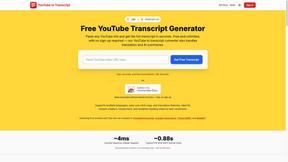
GetYouTubeTranscript
Free YouTube transcripts on the web, a Chrome extension, and an API + MCP server so AI assistants can read YouTube.
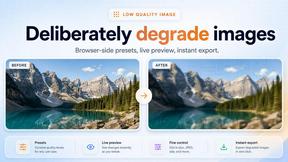
Low Quality Image Maker
Free online low quality image maker. Lower image quality with compression, downscaling, and pixelation right in your browser.
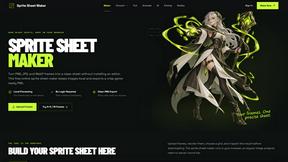
Sprite Sheet Maker
A free browser-based toolkit for creating, cutting, converting, and previewing sprite sheet animations.
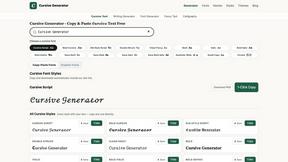
Cursive Text Generator
Cursive Text Generator is a free browser-based tool that converts regular text into beautiful cursive and stylish Unicode fonts. Users can instantly p