

Invoice Guru
Invoice Guru enables UK tradespeople to create, send, and track compliant invoices in under a minute, effortlessly.
AI tool Details
Explore More
Alternatives

About Invoice Guru
Invoice Guru is a revolutionary mobile-first invoicing application designed specifically for tradespeople and small service businesses. Recognizing that traditional invoicing tools often cater solely to desktop users, Invoice Guru bridges this gap by enabling professionals such as painters, plumbers, and electricians to create and send invoices directly from their mobile devices. The app is meticulously crafted with a focus on speed, simplicity, and automation, allowing users to generate invoices in mere seconds. With features like automatic accountant reports, bank integration with payment matching, and OCR receipt scanning for effortless expense management, Invoice Guru minimizes tedious administrative tasks. Built with compliance in mind, it adheres to UK MTD and Poland’s KSeF regulations, ensuring users can operate seamlessly without switching tools. Developed by a tradesperson who understands the daily challenges of managing a small business, Invoice Guru empowers its users to streamline their invoicing process and focus on what truly matters: their craft and customer satisfaction.
Features
Instant Invoice Creation
With Invoice Guru, creating and sending a professional invoice takes less than 60 seconds. Users can easily enter client details, add items, and customize their invoices with logos, VAT, payment terms, and due dates automatically populated. This feature eliminates the hassle of manual entry, allowing tradespeople to focus on their work.
Automatic Invoice Numbering
Invoice Guru keeps track of your invoices with automatic numbering and dating based on your fiscal year settings. This feature ensures that your invoicing remains organized and compliant, making it easy to manage records and adhere to financial regulations without extra effort.
OCR Receipt Scanner (AI)
Our innovative OCR (Optical Character Recognition) receipt scanner allows users to simply snap a photo of their receipts. The AI technology reads all relevant details and saves them as expense entries, eliminating the need for manual data entry and saving users valuable time on bookkeeping.
Smart Payment Tracking
Stay on top of your finances with Invoice Guru's smart payment tracking feature. It automatically matches incoming bank transactions to unpaid invoices, allowing users to effortlessly see which clients have paid and which invoices are overdue. This ensures better cash flow management and timely follow-ups.
Use Cases
On-Site Invoice Generation
Imagine finishing a job and being able to create and send an invoice right away from your mobile device. With Invoice Guru, tradespeople can instantly generate professional invoices on-site, ensuring timely billing and improving cash flow.
Streamlined Expense Management
For tradespeople who frequently deal with expenses, the OCR receipt scanner is a game-changer. Users can capture receipts on the go, allowing them to manage expenses in real-time without the burden of manual entry, significantly reducing administrative overhead.
Compliance with Tax Regulations
Invoices generated through Invoice Guru are designed to be fully compliant with UK MTD and Poland’s KSeF regulations. This feature allows businesses to operate without the fear of falling out of compliance, simplifying the invoicing process for tradespeople.
Enhanced Customer Communication
With the ability to track invoice statuses and receive notifications when invoices are viewed or paid, Invoice Guru enhances communication with clients. This transparency fosters trust and ensures that tradespeople can follow up promptly on outstanding payments.
Frequently Asked Questions
How does Invoice Guru ensure compliance with tax regulations?
Invoice Guru is built with UK MTD and Poland’s KSeF regulations in mind, ensuring that all invoices generated through the app meet the necessary legal standards. This feature allows users to operate confidently without switching to different tools.
Can I customize my invoices with my branding?
Yes, Invoice Guru allows users to add their logo, company name, address, and tax number automatically on each invoice. This feature ensures that your invoices reflect your brand, enhancing professionalism and brand recognition.
Is there a free version of Invoice Guru available?
Absolutely! Invoice Guru offers a free forever Starter Plan that allows users to create up to 10 invoices. This is perfect for those just starting or for small businesses looking to minimize costs while maintaining professional invoicing.
What payment methods does Invoice Guru support?
Invoice Guru integrates seamlessly with various payment methods, including bank transfers, PayPal, and Stripe. This flexibility allows users to offer their clients multiple payment options, improving the likelihood of timely payments.
Similar to Invoice Guru




IZIPAY
IZIPAY is a virtual and physical crypto card service that lets users top up with digital assets and pay online like with a regular card.
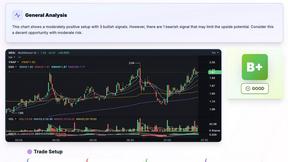
SnapPChart
SnapPChart grades a trading chart screenshot A+ to F, with an entry, stop, targets, and risk/reward. Works on stocks, forex, crypto, futures.
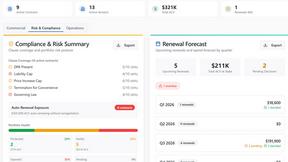
Venduris
Venduris is a renewal intelligence platform that gives mid-size companies control over SaaS & AI contract renewals before leverage disappears.
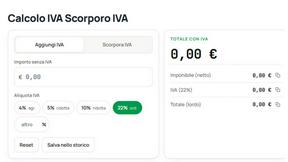
the calcolo iva
Free Italian VAT calculator and tax guides, built for freelancers and businesses.