
Speechable vs Tool.Video
Side-by-side comparison to help you choose the right AI tool.

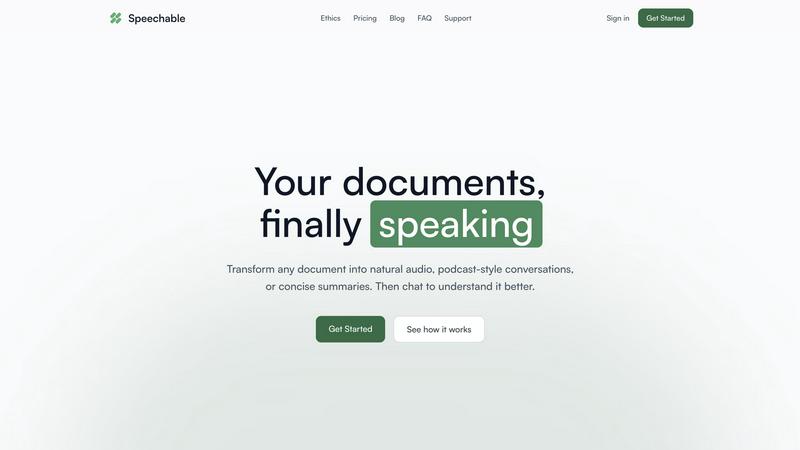
Speechable transforms any document into natural audio you can listen to and chat with.
Last updated: February 28, 2026

Tool.Video
Unlock your creative potential with the all-in-one AI toolkit for seamless video creation.
Last updated: March 1, 2026
Visual Comparison
Speechable
Tool.Video

Feature Comparison
Speechable
Intelligent Content Distillation
Speechable doesn't just read text aloud; it understands and refines it. The AI meticulously strips away all distracting elements like footnotes, page numbers, citations, and advertisements, leaving only the core content. This process transforms cluttered academic papers, busy web articles, and formatted documents into clean, coherent narratives that are perfectly structured for auditory consumption, ensuring you hear what matters most without any visual noise.
Dynamic Audio Formats (Podcast & Lecture Modes)
Move beyond monotonous playback. Choose how you want to experience your content. Podcast Mode ingeniously turns any document into a natural, two-voice conversation, allowing you to select the duration and language. Lecture Mode provides a TED-style explanatory breakdown, simplifying complex ideas into clear, digestible segments. These formats create a more immersive and human-like listening experience that enhances comprehension and retention.
Interactive Document Chat
Switch from passive listening to an active dialogue with your material. After processing a document, you can engage with it directly through a chat interface. Ask questions by typing or speaking, request clarifications on specific points, or explore tangential topics—all in your native language. This feature acts as a personal tutor, transforming static information into an interactive learning session tailored to your immediate curiosity.
Eco Mode (Local, Unlimited Processing)
This is a revolutionary approach to AI accessibility and sustainability. Eco Mode runs the entire advanced text-to-speech and processing pipeline locally on your device, requiring no cloud servers. This means unlimited, completely free usage with no credits or subscriptions, while consuming up to 20x less energy than standard cloud-based services. It’s unlimited precisely because it’s sustainable, putting powerful technology directly in your hands without cost or environmental compromise.
Tool.Video
Sora 2 Video Generation
Unlock the power of OpenAI's most advanced text-to-video model directly within the platform. Generate realistic, high-quality videos from simple text prompts, complete with natural motion, detailed scenes, and stunning visual coherence. This feature transforms your imaginative descriptions into dynamic visual content, providing a transformative tool for creating everything from cinematic scenes to product demonstrations with unprecedented ease and professional quality.
Nano Banana Pro Image Generation
Elevate your visual assets with this high-quality AI image generator. Featuring both text-to-image and image-to-image modes, Nano Banana Pro allows you to create stunning, unique visuals and storyboard frames in seconds. This powerful tool is essential for crafting compelling thumbnails, concept art, and any graphic element needed to support and enhance your video projects, all with cutting-edge AI technology.
Suno 5 AI Music Composition
Compose professional, original soundtracks and background music tailored to your video's mood and genre. Suno 5 is a powerful AI music generator capable of creating full songs with melodies, lyrics, and complex arrangements. This feature provides the perfect audio accompaniment for any project, eliminating the need for costly licensing or musical expertise and ensuring your videos have a polished, engaging auditory identity.
All-in-One Creative Workflow Tools
Tool.Video consolidates essential utilities into a seamless creative pipeline. This includes an AI Video Thumbnail Generator that intelligently selects the best frames, a Video Watermark Adder for branding, a Video Trimmer for editing, and specialized tools like a Sora Watermark Remover. This unified suite streamlines the entire post-production process, making professional video finishing efficient and accessible.
Use Cases
Speechable
Accessible Learning for Neurodiverse Individuals
For individuals with dyslexia, ADHD, or visual impairments, Speechable is a game-changer. It converts daunting walls of textbook text or study materials into manageable, engaging audio. The ability to chat with the document for instant explanations and to choose conversational podcast formats can dramatically reduce cognitive load, improve focus, and create a more personalized and effective learning pathway that accommodates different processing styles.
Professional Upskilling & Research On-The-Go
Busy professionals can reclaim their commute, workout, or household chores as productive time. Upload industry reports, lengthy research papers, or competitor analyses and listen to them as a podcast or summarized lecture. This allows for continuous learning and staying informed without being tied to a desk. The chat function lets you quickly query key takeaways or data points from a document you listened to earlier.
Academic Study & Research Acceleration
Students and academics can immerse themselves in their reading list more efficiently. Transform dense academic PDFs and journal articles into clear audio summaries or conversational formats to grasp core arguments faster. The chat feature acts as a study partner, allowing you to test your understanding by asking questions about the material, making revision sessions more interactive and effective.
Multilingual Content Consumption
Break down language barriers effortlessly. Speechable features built-in translation, allowing you to upload a document in one language and listen to it in another. This is perfect for language learners wanting to hear proper pronunciation of foreign texts, or for professionals needing to quickly understand the gist of international reports, news articles, or documents without manual translation.
Tool.Video
Marketing & Advertisement Creation
Transform your marketing campaigns by rapidly producing high-quality TV commercials (TVCs) and promotional videos. Marketers can use the AI TVC Generator and Sora 2 to create compelling ad content from a simple concept, complete with custom visuals and a tailored soundtrack. This slashes production time and cost, enabling agile, data-driven creative testing and deployment for maximum campaign impact.
Content Creator & Social Media Production
Empower social media influencers, YouTubers, and digital creators to consistently produce engaging, professional-grade content. From generating viral video concepts with Sora 2 to designing click-worthy thumbnails and adding unique background music, Tool.Video provides an entire production studio. This allows creators to maintain a high output volume without sacrificing quality or getting bogged down in complex software.
Prototyping & Storyboarding
Ideal for filmmakers, agencies, and product developers, Tool.Video accelerates the pre-visualization phase. Use Nano Banana Pro to quickly generate concept art and storyboard images, then animate key scenes with Sora 2 to create persuasive pitches or prototypes. This visualizes ideas instantly, facilitating better client communication, team alignment, and creative iteration before committing to full-scale production.
Developer Integration & App Enhancement
Developers can leverage Tool.Video's comprehensive API to integrate state-of-the-art AI video, image, and music generation directly into their own applications, platforms, or services. This use case enables SaaS products, editing software, or custom internal tools to offer advanced AI creation features, adding significant value and cutting-edge functionality without building the complex AI infrastructure from scratch.
Overview
About Speechable
Speechable is a transformative AI-powered platform that redefines how we interact with written information. It unlocks the potential of any document by converting static text into dynamic, engaging audio experiences. Simply upload a PDF, ebook, web article, or even a photo of text, and Speechable intelligently cleans up the noise—stripping away footnotes, citations, ads, and page numbers—to deliver pure, listenable content. But it goes far beyond simple text-to-speech playback. The platform empowers users to transform documents into podcast-style conversations with multiple voices or TED-style lecture breakdowns for complex topics. An integrated chat function allows for interactive Q&A, turning passive consumption into active, deep learning. Built on a foundation of ethics and accessibility, its revolutionary Eco Mode provides unlimited, free processing by running entirely locally in your browser, using up to 20x less energy than cloud alternatives. Speechable is a game-changing tool for students, professionals, lifelong learners, and anyone with dyslexia or ADHD, finally making the world's written knowledge effortlessly accessible and engaging through the power of your ears.
About Tool.Video
Tool.Video is a game-changing, all-in-one AI video generation platform that consolidates the most powerful creative models into a single, unified dashboard. This revolutionary toolkit is designed to unlock the full potential of digital creators, marketers, and developers by providing a seamless, end-to-end workflow for professional content creation. At its core, Tool.Video integrates cutting-edge technologies like OpenAI's Sora 2 for breathtaking text-to-video, Nano Banana Pro for stunning image generation, and Suno 5 for professional-grade music composition. This transformative approach eliminates the need to juggle multiple disparate services, simplifying the complex process of AI content creation. Whether you're generating a cinematic video from a simple text prompt, crafting the perfect thumbnail, or scoring an original soundtrack, Tool.Video empowers you to do it all within one cohesive interface. Its robust API further extends this power, allowing developers to seamlessly integrate these studio-grade capabilities into their own applications. For anyone looking to elevate their visual storytelling and break free from creative limitations, Tool.Video is the definitive, all-encompassing solution.
Frequently Asked Questions
Speechable FAQ
What file formats does Speechable support?
Speechable supports a wide range of formats to meet your needs. You can upload PDFs, Microsoft Word documents (.docx), ePub ebooks, and even paste web URLs directly. Furthermore, its advanced OCR (Optical Character Recognition) allows you to upload photos of text, such as images of handwritten notes or book pages, and have the content extracted and converted into speech seamlessly.
How many voices and languages are available?
The platform offers an extensive library of 52 natural-sounding, high-quality AI voices across 8 major languages, including English, Spanish, French, Mandarin, and Hindi. You can preview each voice to find the perfect match for your content, whether you prefer a specific accent or tone, and adjust the playback speed to suit your listening preference for optimal comprehension.
What is Eco Mode and how does it work?
Eco Mode is Speechable's groundbreaking, sustainable processing option. Instead of sending your data to remote cloud servers, all text-to-speech and AI analysis runs locally within your web browser on your own device. This uses up to 20x less energy, ensures complete data privacy, and provides unlimited, completely free usage. It requires a compatible desktop browser like Chrome 113+, Safari 17+, or Firefox 141+ with WebGPU support.
Can I really chat with my documents?
Absolutely. This is one of Speechable's most transformative features. After your document is processed, an interactive chat panel becomes available. Here, you can type or speak questions directly about the content. Ask for summaries of specific sections, clarifications on complex terms, examples, or further explanations. It's designed to foster a deeper, conversational understanding of the material, just like discussing it with an expert.
Tool.Video FAQ
What AI models does Tool.Video integrate?
Tool.Video integrates a suite of leading AI models to provide a comprehensive creative toolkit. This includes OpenAI's Sora 2 for advanced text-to-video generation, Nano Banana Pro for high-fidelity image creation, and Suno 5 for professional AI music composition. The platform acts as a unified gateway to these powerful technologies, along with additional utilities for a complete workflow.
Can I use Tool.Video for commercial projects?
Yes, content created using Tool.Video is intended for commercial use. The platform is designed to help professionals, marketers, and businesses generate content for advertisements, social media, client work, and other commercial applications. It is always recommended to review the specific terms of service for the latest information on usage rights and licensing.
Does Tool.Video offer an API for developers?
Absolutely. Tool.Video provides a robust API that allows developers to integrate its powerful AI generation capabilities—including video, image, and music creation—directly into their own applications, websites, or services. This makes it a versatile backend tool for building custom creative solutions and enhancing existing software with cutting-edge AI features.
How does the all-in-one workflow benefit me?
The all-in-one workflow consolidates the entire content creation process—from initial storyboarding with AI images, to video generation, adding music, and finalizing with thumbnails and edits—into a single platform. This eliminates the need to subscribe to, learn, and switch between multiple disparate services, saving significant time, reducing complexity, and lowering overall costs while streamlining your creative production.
Alternatives
Speechable Alternatives
Speechable is a transformative text-to-speech and audio learning platform that turns static documents into dynamic, listenable content. It belongs to the categories of education technology, study assistance, and accessibility tools, helping users absorb information through audio lectures, podcasts, and interactive conversations with their documents. Users often explore alternatives for various reasons, such as specific budget constraints, a need for different voice options or integration with other platforms, or a preference for mobile apps over browser-based tools. The search for the right tool is highly personal, driven by individual workflow and learning preferences. When evaluating alternatives, consider the core value you need. Key factors include the quality and naturalness of the speech synthesis, the ability to handle your specific document types, any advanced features like summarization or interactive Q&A, the overall cost structure, and crucially, the platform's commitment to privacy and accessibility.
Tool.Video Alternatives
Tool.Video is a revolutionary all-in-one AI video creation platform, consolidating advanced tools for generating video, images, and music into a single, seamless interface. It represents a game-changing leap in the AI video generation category, designed to unlock creative potential by simplifying complex workflows. Users often explore alternatives for various reasons, such as budget constraints, specific feature requirements not covered by a single platform, or the need for different integration capabilities. The search for the right tool is a natural part of finding the perfect fit for one's unique creative process and project demands. When evaluating other platforms, key considerations include the depth and quality of the core AI models, the flexibility of the workflow, and the overall value proposition. The goal is to find a solution that not only matches your technical needs but also empowers your vision, transforming how you bring ideas to life.