
HeyVid vs SupaSidebar
Side-by-side comparison to help you choose the right AI tool.

HeyVid is your all-in-one AI tool for effortlessly creating stunning videos and images, transforming ideas into professional content in minutes.
Last updated: April 4, 2026

SupaSidebar
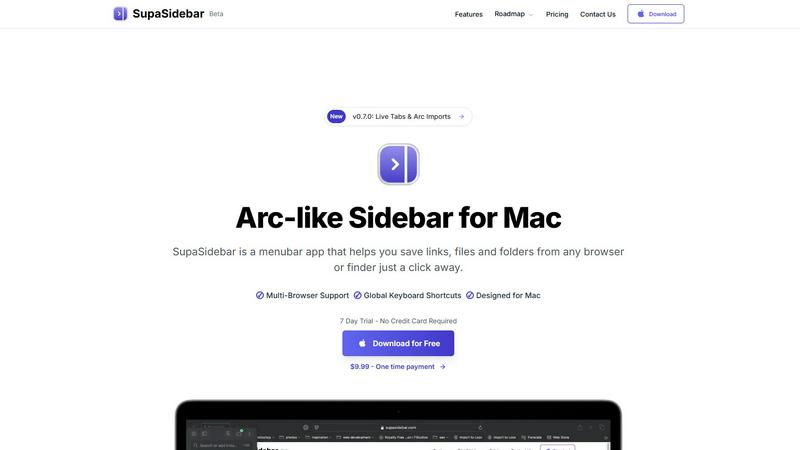
SupaSidebar transforms your Mac with an Arc-style sidebar for instant access to your favorite links, files, and folders.
Last updated: February 28, 2026
Visual Comparison
HeyVid

SupaSidebar
Feature Comparison
HeyVid
Text to Video
Transform your written content into engaging videos with the Text to Video feature. Simply input your text, and HeyVid’s AI will craft visually stunning videos that bring your narrative to life. This feature is perfect for content creators looking to enhance their storytelling.
Image to Video
With the Image to Video functionality, you can turn your static images into dynamic video content. Upload your images, and HeyVid AI will animate them, adding motion and effects that captivate viewers. This feature is ideal for social media posts and marketing campaigns.
AI Image to Image Refiner
Enhance and refine your images with the AI Image to Image Refiner. This feature allows you to take existing images and apply artistic styles or improvements, resulting in professional-quality visuals that stand out. Perfect for designers and marketers alike.
AI Music Integration
Add a unique auditory dimension to your videos with the AI Music feature. Generate custom music tracks that fit the mood and tone of your video content. This feature helps create a more immersive experience for your audience, enhancing emotional engagement.
SupaSidebar
Arc-Inspired Sidebar
The unique, Arc-inspired sidebar design offers a visually appealing and intuitive interface, giving you instant access to your favorite links, files, and applications without the clutter of traditional tab management.
Global Keyboard Shortcuts
SupaSidebar enhances your productivity with customizable global keyboard shortcuts, allowing you to save links and files or switch between applications with simple key combinations, making your workflow faster and smoother.
Recents Tracking
Keep track of your recent activity effortlessly. SupaSidebar automatically logs every website accessed in the last 48 hours, allowing you to find and revisit your work instantly, eliminating the frustration of lost tabs.
Unlimited Spaces in Pro Version
With the Pro version, users can create unlimited spaces to organize links and files according to personal preferences. This feature allows for a tailored experience, ensuring that you can access information exactly how you want it.
Use Cases
HeyVid
Marketing Campaigns
HeyVid is an invaluable tool for marketers looking to create impactful video ads and promotional content. With its AI capabilities, marketers can quickly produce high-quality videos that drive engagement and conversions across various platforms.
Educational Content Creation
Educators can leverage HeyVid to develop engaging tutorials, presentations, and training materials. The platform's AI tools make it easy to create informative videos that capture the attention of students and enhance the learning experience.
Social Media Content
Create eye-catching social media videos and images effortlessly with HeyVid. From Instagram reels to YouTube content, the platform empowers creators to produce visually appealing posts that increase visibility and audience interaction.
Product Launches
HeyVid is perfect for businesses planning product launches. Design captivating launch videos that showcase features, benefits, and brand narratives that resonate with potential customers and elevate your product's visibility in the market.
SupaSidebar
Efficient Research Workflow
Researchers can utilize SupaSidebar to save and organize numerous links and references, making it easier to access critical information quickly without switching between multiple tabs or applications.
Streamlined Creative Process
Creators benefit from the quick access to tools and resources that SupaSidebar provides. Whether it's links to design inspirations or files for ongoing projects, everything is just a keyboard shortcut away.
Developer Resource Management
For developers, SupaSidebar serves as a command center for managing coding resources, documentation, and frequently used tools, fostering a more efficient coding environment that reduces time spent searching for assets.
Simplified Daily Task Management
Anyone with a busy schedule can leverage SupaSidebar to keep important files and links at their fingertips. By organizing daily tasks and reminders in the sidebar, users can maintain focus and productivity throughout their workday.
Overview
About HeyVid
HeyVid is a revolutionary all-in-one AI video and image generator designed to empower creators, marketers, educators, and businesses with cutting-edge technology. With HeyVid AI, you can seamlessly generate high-quality videos and images that resonate with your audience. Whether you are looking to create engaging social media content, professional marketing videos, or educational materials, HeyVid offers the tools to turn your ideas into captivating visuals. Its intuitive interface allows users of all skill levels to produce professional-grade content quickly and effortlessly. By leveraging advanced AI models, HeyVid eliminates the complexities of traditional content creation, making it accessible for everyone. Unlock your creative potential with HeyVid and transform your ideas into stunning visual narratives that captivate and inspire.
About SupaSidebar
SupaSidebar is a revolutionary productivity tool meticulously designed for Mac users, aiming to enhance your digital efficiency and streamline your workflow. This innovative menubar app introduces an Arc-inspired sidebar that offers instant access to your essential links, files, folders, and applications—all within a beautifully crafted interface. SupaSidebar empowers researchers, creators, developers, and anyone who juggles multiple browsers and apps by eliminating the chaos of tab overload and cumbersome bookmark managers. With its core philosophy centered around profound simplicity, it provides a unified space that houses your entire digital context, all accessible through lightning-fast global keyboard shortcuts. Committed to user privacy, SupaSidebar ensures that your data remains secure on your Mac, while its native macOS design integrates seamlessly with your existing environment. Experience a paradigm shift in productivity, as SupaSidebar transforms how you interact with your computer, allowing you to stay organized, focused, and in your creative flow.
Frequently Asked Questions
HeyVid FAQ
What types of videos can I create with HeyVid?
HeyVid allows you to create a variety of video types, including promotional videos, educational tutorials, social media content, and more, all catered to your specific audience and purpose.
Is HeyVid suitable for beginners?
Absolutely! HeyVid is designed to be user-friendly, with an intuitive interface that allows beginners to create professional-quality content quickly, with no prior editing skills required.
Can I customize the videos generated by HeyVid?
Yes, you can customize various elements of your videos, including text, images, music, and overall style, ensuring that the final product aligns with your brand identity and vision.
What are the supported resolutions for video creation?
HeyVid supports multiple video resolutions, including 720P, 1080P, and 4K, allowing you to choose the quality that best fits your needs and the platforms where you plan to share your content.
SupaSidebar FAQ
Is SupaSidebar a browser extension?
No, SupaSidebar is a standalone menubar application designed specifically for macOS, providing seamless integration with all major browsers without needing a browser extension.
Which browsers does SupaSidebar work with?
SupaSidebar supports all major browsers including Safari, Chrome, Firefox, and Arc, ensuring that you can manage your links and files no matter your preferred browsing tool.
What macOS version do I need?
To use SupaSidebar, you need macOS version 13 or later, ensuring compatibility with the latest features and updates provided by the app.
Where is my data stored?
All user data is stored locally on your Mac, ensuring privacy and security. SupaSidebar does not transmit any data to external servers, maintaining a strong commitment to user confidentiality.
Alternatives
HeyVid Alternatives
HeyVid is an all-in-one AI video and image generator that empowers users to create stunning visual content quickly and efficiently. Falling under the productivity and management category, it streamlines the creative process, allowing for professional-quality outputs with minimal effort. However, users often seek alternatives to HeyVid for various reasons, such as pricing constraints, specific feature requirements, or the need for compatibility with certain platforms. As the digital landscape evolves, it’s essential to find solutions that align with unique workflows and visions. When exploring alternatives to HeyVid, consider several key factors. Look for platforms that offer similar capabilities in AI-driven content creation, ensuring they can deliver high-quality video and image outputs. Evaluate pricing models and whether they fit within your budget while still providing the features necessary for your projects. Additionally, assess the user experience and support options, as a seamless interface and responsive assistance can significantly enhance your creative journey.
SupaSidebar Alternatives
SupaSidebar is a revolutionary productivity tool designed exclusively for Mac users, featuring an elegant, Arc-style sidebar that streamlines access to links, files, folders, and applications. This innovative utility falls under the category of productivity and management software, catering to individuals who thrive on organization and efficiency in their digital workflows. Users often seek alternatives to SupaSidebar for various reasons, including pricing considerations, specific feature requirements, or compatibility with different platforms. When selecting an alternative, it is essential to evaluate its core functionalities, user interface, and how well it integrates into your existing workflow, ensuring it enhances your productivity rather than disrupts it.