
RocketShare vs SupaSidebar
Side-by-side comparison to help you choose the right AI tool.

RocketShare
RocketShare transforms file sharing with private, zero-knowledge encryption that even we cannot access.
Last updated: March 4, 2026

SupaSidebar
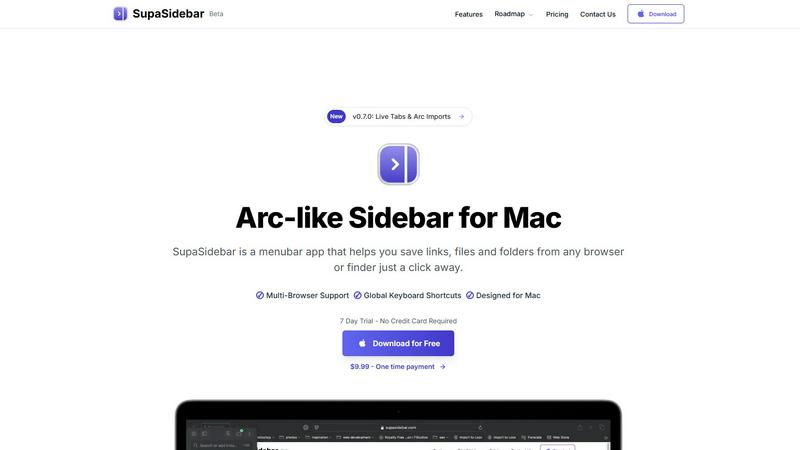
SupaSidebar transforms your Mac with an Arc-style sidebar for instant access to your favorite links, files, and folders.
Last updated: February 28, 2026
Visual Comparison
RocketShare

SupaSidebar
Feature Comparison
RocketShare
Zero-Knowledge End-to-End Encryption
This is the transformative core of RocketShare. Every file is encrypted on your local device using a unique key before it leaves for the internet. This means the encrypted data is unreadable to anyone during transfer and while at rest on servers, including RocketShare's own team. Only the intended recipient with the correct key can decrypt and access the original file, guaranteeing true privacy by design and eliminating any third-party access point.
Dual Sharing Modes: Cloud & Local
RocketShare provides unparalleled flexibility with two powerful sharing methods. The Cloud Share option allows you to upload encrypted files to secure EU-based servers for convenient, time-delayed access. For maximum speed and direct control, the Local Share feature enables a peer-to-peer transfer where files flow directly between devices without ever touching a central server, perfect for large files or when both parties are online simultaneously.
EU-Based Data Sovereignty
All data handled through RocketShare's cloud service is stored exclusively on servers located within the European Union. This provides users with strong legal protections under stringent EU data privacy regulations like the GDPR. It ensures that your encrypted information resides in a jurisdiction with some of the world's most robust privacy laws, adding a critical layer of legal and geographical security to the technical encryption.
Simple, Self-Serve Interface
Despite its powerful security architecture, RocketShare is designed for effortless use. The platform strips away complexity with an intuitive, clean interface where users can simply drag-and-drop files to begin the secure upload and sharing process. This democratizes top-tier encryption, making it accessible for professionals of all technical backgrounds without requiring extensive training or IT support.
SupaSidebar
Arc-Inspired Sidebar
The unique, Arc-inspired sidebar design offers a visually appealing and intuitive interface, giving you instant access to your favorite links, files, and applications without the clutter of traditional tab management.
Global Keyboard Shortcuts
SupaSidebar enhances your productivity with customizable global keyboard shortcuts, allowing you to save links and files or switch between applications with simple key combinations, making your workflow faster and smoother.
Recents Tracking
Keep track of your recent activity effortlessly. SupaSidebar automatically logs every website accessed in the last 48 hours, allowing you to find and revisit your work instantly, eliminating the frustration of lost tabs.
Unlimited Spaces in Pro Version
With the Pro version, users can create unlimited spaces to organize links and files according to personal preferences. This feature allows for a tailored experience, ensuring that you can access information exactly how you want it.
Use Cases
RocketShare
Legal Document Exchange
Law firms and legal professionals can securely share sensitive case files, contracts, and evidence with absolute confidentiality. RocketShare's zero-knowledge model ensures attorney-client privilege is technically enforced, as not even the platform provider can access the content, providing a transformative solution for legally mandated privacy and protecting intellectual property.
Healthcare Data Compliance
Healthcare providers, clinics, and researchers can exchange patient records, lab results, and medical imaging in full compliance with regulations like HIPAA. By encrypting data before transmission and storing it in secure EU jurisdictions, RocketShare provides a game-changing tool for maintaining patient privacy and meeting strict data protection standards in medical communications.
Creative Asset Delivery
Photographers, videographers, and designers can deliver high-resolution galleries, video footage, and design prototypes to clients with the confidence that their valuable intellectual property is protected. The platform prevents unauthorized access or interception, ensuring that creative work is only seen by intended recipients, safeguarding the artist's commercial interests.
Confidential Corporate Collaboration
Teams working on confidential projects, mergers, financial reports, or proprietary R&D can collaborate seamlessly. RocketShare allows for the secure transfer of large, sensitive files between departments or external partners, creating a private channel that mitigates the risk of corporate espionage and data leaks, transforming secure internal workflows.
SupaSidebar
Efficient Research Workflow
Researchers can utilize SupaSidebar to save and organize numerous links and references, making it easier to access critical information quickly without switching between multiple tabs or applications.
Streamlined Creative Process
Creators benefit from the quick access to tools and resources that SupaSidebar provides. Whether it's links to design inspirations or files for ongoing projects, everything is just a keyboard shortcut away.
Developer Resource Management
For developers, SupaSidebar serves as a command center for managing coding resources, documentation, and frequently used tools, fostering a more efficient coding environment that reduces time spent searching for assets.
Simplified Daily Task Management
Anyone with a busy schedule can leverage SupaSidebar to keep important files and links at their fingertips. By organizing daily tasks and reminders in the sidebar, users can maintain focus and productivity throughout their workday.
Overview
About RocketShare
RocketShare is a revolutionary file-sharing platform that fundamentally transforms how sensitive data is transferred. It is engineered for individuals and businesses for whom privacy is not just a feature, but the foundational principle of their digital operations. The platform's game-changing promise is simple yet profound: your files are completely private, even from RocketShare itself. This is achieved through a transformative zero-knowledge encryption model, where files are encrypted directly on your device before any upload occurs. The encryption key remains solely in your possession, often embedded within the share link, ensuring that servers only ever handle indecipherable, encrypted data. This delivers enterprise-grade security in an elegantly simple, self-serve package. Whether you are a legal professional safeguarding case files, a healthcare provider protecting patient records, a creative delivering high-value assets, or a team collaborating on confidential projects, RocketShare empowers you to share with absolute confidence. With versatile options for both cloud-based and direct peer-to-peer transfers, and all data securely stored within the EU, RocketShare unlocks the potential for seamless collaboration without ever compromising on world-class, uncompromising security.
About SupaSidebar
SupaSidebar is a revolutionary productivity tool meticulously designed for Mac users, aiming to enhance your digital efficiency and streamline your workflow. This innovative menubar app introduces an Arc-inspired sidebar that offers instant access to your essential links, files, folders, and applications—all within a beautifully crafted interface. SupaSidebar empowers researchers, creators, developers, and anyone who juggles multiple browsers and apps by eliminating the chaos of tab overload and cumbersome bookmark managers. With its core philosophy centered around profound simplicity, it provides a unified space that houses your entire digital context, all accessible through lightning-fast global keyboard shortcuts. Committed to user privacy, SupaSidebar ensures that your data remains secure on your Mac, while its native macOS design integrates seamlessly with your existing environment. Experience a paradigm shift in productivity, as SupaSidebar transforms how you interact with your computer, allowing you to stay organized, focused, and in your creative flow.
Frequently Asked Questions
RocketShare FAQ
How does zero-knowledge encryption work on RocketShare?
Zero-knowledge encryption means your files are encrypted on your own computer or device before they are uploaded. The encryption key is generated and stays with you, often as part of the shareable link. RocketShare's servers only receive and store the encrypted, scrambled data. Since the company never holds the key, it is mathematically impossible for them or any unauthorized third party to access your original files.
What is the difference between Cloud Share and Local Share?
Cloud Share involves uploading your encrypted files to RocketShare's secure servers in the EU, allowing recipients to download them at their convenience within a set time limit. Local Share establishes a direct, peer-to-peer connection between your device and the recipient's device for transfer; files are sent directly without being stored on a server, offering faster speeds for large files when both parties are online.
Where is my data stored?
For files shared via the Cloud Share option, all encrypted data is stored exclusively on servers located within the European Union. This ensures your data is protected under the EU's strong privacy frameworks. For Local Share transfers, files are never stored on our servers; they travel directly between the devices involved in the transfer.
Is a credit card required to start using RocketShare?
No, you can begin using RocketShare's core secure sharing features without providing a credit card. The platform offers a free tier to get started, emphasizing accessibility and allowing users to experience its transformative privacy-first approach before committing to a paid plan for expanded features.
SupaSidebar FAQ
Is SupaSidebar a browser extension?
No, SupaSidebar is a standalone menubar application designed specifically for macOS, providing seamless integration with all major browsers without needing a browser extension.
Which browsers does SupaSidebar work with?
SupaSidebar supports all major browsers including Safari, Chrome, Firefox, and Arc, ensuring that you can manage your links and files no matter your preferred browsing tool.
What macOS version do I need?
To use SupaSidebar, you need macOS version 13 or later, ensuring compatibility with the latest features and updates provided by the app.
Where is my data stored?
All user data is stored locally on your Mac, ensuring privacy and security. SupaSidebar does not transmit any data to external servers, maintaining a strong commitment to user confidentiality.
Alternatives
RocketShare Alternatives
RocketShare is a transformative player in the secure file-sharing and productivity space, built on the game-changing principle of zero-knowledge privacy. It empowers users to send files with the absolute confidence that no third party, including the service itself, can ever access the unencrypted content. This positions it as a top-tier solution for anyone handling sensitive intellectual property or confidential data. Users often explore alternatives to find a solution that perfectly aligns with their unique workflow. Common drivers include specific budget constraints, the need for integrated collaboration features like real-time editing, or requirements for particular storage locations and compliance certifications. The quest isn't for a lesser tool, but for the right tool that unlocks a team's full potential. When evaluating other platforms, focus on the core pillars that define this category: the underlying security model, data sovereignty guarantees, and ease of use. The most critical consideration is whether the service offers true end-to-end encryption, ensuring your data remains private not just in transit, but at rest on their servers. Balancing robust protection with a seamless user experience is key to unlocking secure, frictionless collaboration.
SupaSidebar Alternatives
SupaSidebar is a revolutionary productivity tool designed exclusively for Mac users, featuring an elegant, Arc-style sidebar that streamlines access to links, files, folders, and applications. This innovative utility falls under the category of productivity and management software, catering to individuals who thrive on organization and efficiency in their digital workflows. Users often seek alternatives to SupaSidebar for various reasons, including pricing considerations, specific feature requirements, or compatibility with different platforms. When selecting an alternative, it is essential to evaluate its core functionalities, user interface, and how well it integrates into your existing workflow, ensuring it enhances your productivity rather than disrupts it.