
Oneprofile vs Playwriter
Side-by-side comparison to help you choose the right AI tool.

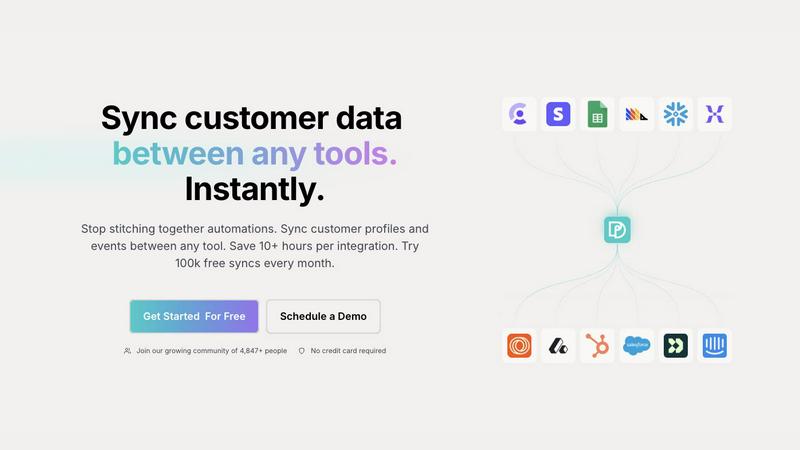
Oneprofile seamlessly syncs customer profiles and events across tools, ensuring consistent data and saving you time.
Last updated: February 28, 2026

Playwriter
Playwriter empowers your agents to control your existing Chrome browser effortlessly, leveraging AI for seamless automation and advanced debugging.
Last updated: March 18, 2026
Visual Comparison
Oneprofile
Playwriter

Feature Comparison
Oneprofile
Keep Customer Data Aligned Across Your Stack
Oneprofile excels at maintaining alignment of customer data across your entire technology stack. It ensures that as customer profiles and events change, all systems receive real-time updates. This means no more discrepancies or outdated information, leading to more informed decisions and interactions.
Unify Customer Profiles Across Tools
Oneprofile allows you to bring together customer data from various SaaS tools and databases into a cohesive model. By matching identities and fields across different systems, it ensures that every platform references the same consistent customer profile, eliminating confusion and enhancing collaboration across your teams.
Control How Data Moves Between Systems
With Oneprofile, you have complete control over how customer data flows between your tools. You can define the sync direction, map fields automatically or manually, and set rules for how updates propagate. This flexibility allows businesses to tailor the data synchronization process to meet their unique operational needs.
Custom Schedules for Syncing
Oneprofile offers the capability to set custom sync schedules, allowing you to determine when and how often data synchronization occurs. Whether you prefer recurring intervals or specific timings, this feature streamlines the data management process, ensuring that your team always has access to the freshest data.
Playwriter
Real Browser Session Access
Playwriter provides AI agents with direct access to your current browser session, complete with all logins, cookies, and extensions. This ensures that agents can interact with websites as a human user would, avoiding common pitfalls of fresh browser instances that lead to bot detection and authentication failures.
Full Automation API
With a single execute tool, Playwriter offers access to the complete Playwright API. This means that agents can execute any Playwright code without the need for cumbersome wrappers or limitations. This streamlined approach enhances performance profiling and network request interception, allowing for potent automation capabilities.
Collaborative Interface
Playwriter fosters real-time collaboration between human users and AI agents. As agents perform tasks in your browser, you can actively monitor their actions, intervene when necessary, and resolve issues like captchas or consent walls instantly. This shared browsing experience enhances workflow efficiency and empowers teams to work smarter.
Powerful Debugging and Snapshotting
The integrated debugger with breakpoints and live code editing capabilities enables developers to troubleshoot issues on the fly. Coupled with accessibility snapshots, which are significantly smaller in size than traditional screenshots, Playwriter allows for efficient monitoring of UI changes while maintaining performance.
Use Cases
Oneprofile
Enhanced Customer Support
Customer support teams can leverage Oneprofile to access the most accurate and up-to-date customer information, enabling them to resolve issues quickly and effectively. By having a unified view of customer profiles, support agents can provide personalized assistance, leading to improved customer satisfaction.
Streamlined Marketing Campaigns
Marketing teams can utilize Oneprofile to ensure that their campaigns are based on consistent data across all platforms. By syncing customer profiles and events, marketers can target the right audience with the right message, increasing conversion rates and engagement.
Improved Sales Efficiency
Sales teams can benefit from Oneprofile by having real-time access to customer information across multiple systems. This means they can quickly identify prospects and tailor their pitch based on the most current data, leading to increased sales efficiency and higher close rates.
Data-Driven Decision Making
With Oneprofile, executives and decision-makers can rely on accurate and synchronized data to inform their strategies. By eliminating data silos and discrepancies, businesses can make informed decisions that drive growth and improve overall performance.
Playwriter
Automated Testing
Playwriter can be utilized for automated testing of web applications, allowing teams to script tests that run within a real browser session. This guarantees that tests are performed under genuine conditions, leading to more reliable outcomes.
Data Scraping
For businesses needing to gather data from various web sources, Playwriter enables agents to navigate sites as authenticated users, effectively scraping data without the typical barriers associated with web scraping tools.
Workflow Automation
Playwriter can streamline repetitive tasks by allowing agents to handle mundane web interactions, freeing up human team members to focus on more strategic initiatives. This efficiency boost can significantly enhance productivity.
Real-Time Monitoring
With its collaborative capabilities, Playwriter can be used to monitor web applications in real time. Teams can observe agent interactions, making immediate adjustments or troubleshooting as needed, leading to quicker resolution of issues.
Overview
About Oneprofile
Oneprofile is a revolutionary tool designed to streamline and unify customer data across various systems, transforming how businesses manage their customer relationships. By eliminating the traditional disarray of fragmented customer profiles scattered across different platforms, Oneprofile ensures that every interaction with a customer is based on the most accurate and up-to-date information. Whether your organization relies on CRMs, analytics tools, support platforms, or marketing software, Oneprofile seamlessly synchronizes customer profiles and events, guaranteeing consistency and accuracy. This level of synchronization not only saves valuable time but also enhances decision-making and customer engagement. With Oneprofile, businesses can say goodbye to manual data updates and integration issues, allowing them to focus on what truly matters: delivering exceptional customer experiences.
About Playwriter
Playwriter is a groundbreaking tool designed to empower AI agents by providing them with real-time access to your actual browser session. Unlike traditional AI agents that are limited by headless browsing or fixed toolsets, Playwriter allows agents to function seamlessly within your existing Chrome environment. This unique approach eliminates bot detection issues and memory overhead by utilizing your current logins, extensions, and cookies. Ideal for developers, testers, and teams looking to leverage automation, Playwriter transforms the way agents interact with web applications. Its comprehensive feature set—including accessibility snapshots, a powerful debugger, and live code editing—enables a new level of collaboration and efficiency. With Playwriter, you can ensure your agents are equipped to handle real-world scenarios, making them invaluable assets in any project.
Frequently Asked Questions
Oneprofile FAQ
What types of tools can Oneprofile sync with?
Oneprofile can sync with a wide variety of tools, including CRMs, marketing platforms, analytics software, and customer support systems. This versatility ensures that you can unify customer data from all the tools your business relies on.
How does Oneprofile ensure data accuracy?
Oneprofile employs real-time synchronization of customer profiles and events, ensuring that any changes made in one system are immediately reflected across all platforms. This eliminates discrepancies and maintains data accuracy across the board.
Is there a limit to how many syncs I can perform?
Oneprofile offers a generous plan that includes 100,000 free syncs each month, allowing businesses to manage their customer data without incurring additional costs. This allows you to maximize the value you gain from the platform.
Can I customize the sync settings?
Absolutely! Oneprofile provides flexible options for customizing how data moves between systems. You can set sync directions, schedule sync intervals, and map fields according to your specific business processes. This adaptability ensures that Oneprofile works seamlessly with your existing workflows.
Playwriter FAQ
How does Playwriter connect to my browser?
Playwriter connects to your browser through a Chrome extension that opens a WebSocket to a local relay. This setup allows your agents to interact with your browser in real time without requiring any remote servers.
What kind of environments does Playwriter support?
Playwriter is designed to work with any MCP client, including popular tools like Cursor, Claude, and VS Code. This versatility makes it suitable for a wide range of development and automation scenarios.
Is Playwriter secure?
Yes, Playwriter operates entirely on your local machine, meaning no data leaves your device. The local WebSocket relay ensures that all interactions remain secure and private.
Can I customize the agent's behavior?
Absolutely! Playwriter allows you to install skills that teach your agents specific behaviors, such as which selectors to use or how to handle timeouts, enabling a tailored automation experience.
Alternatives
Oneprofile Alternatives
Oneprofile is an innovative solution designed to sync customer profiles and events across a multitude of tools, falling under the category of analytics and data. By ensuring that all systems operate with a unified view of customer information, Oneprofile eliminates discrepancies and enhances operational efficiency. Users often seek alternatives to Oneprofile for various reasons, such as pricing, feature sets, or specific platform needs that may align better with their organizational goals. When searching for an alternative, it's crucial to consider factors like integration capabilities, ease of use, and the ability to seamlessly manage customer data across different platforms. Additionally, assessing the level of support and customization options can help ensure that the chosen solution will meet evolving business requirements and drive impactful results.
Playwriter Alternatives
Playwriter is a cutting-edge automation tool designed to control Chrome using AI via CLI or MCP. It empowers users by providing actual browser sessions, allowing AI agents to access their logged-in environments seamlessly. This unique capability makes Playwriter stand out in the automation category, catering to those who require sophisticated web interactions without the limitations of traditional AI browsing. Users often seek alternatives to Playwriter due to factors like pricing, feature sets, and specific platform compatibility needs. When searching for the right replacement, it's crucial to consider the breadth of automation capabilities, ease of integration with existing tools, and the overall user experience. The ideal alternative should not only match or exceed the features of Playwriter but also align with the unique demands of your workflow.