
Hush Touch | Voice-to-Text for MacOS vs QuickImg
Side-by-side comparison to help you choose the right AI tool.

Hush Touch | Voice-to-Text for MacOS
Experience smarter on-device dictation for Mac, transforming speech into text with unmatched accuracy and privacy.
Last updated: February 28, 2026

QuickImg
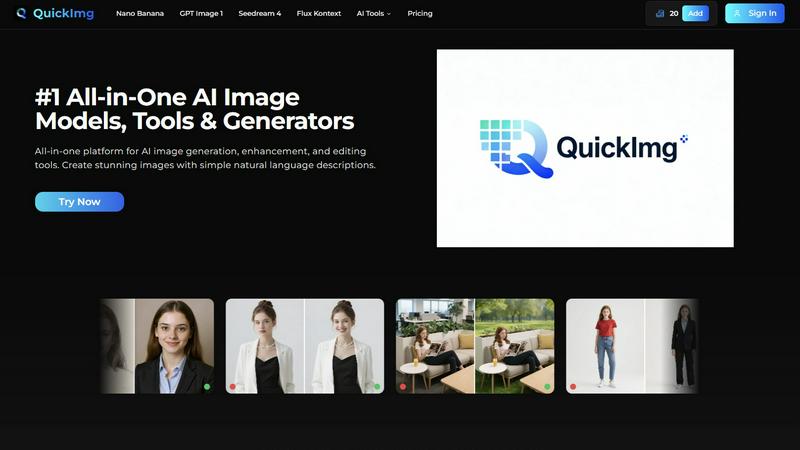
QuickImg empowers you to effortlessly create, enhance, and edit stunning images using intuitive AI tools.
Last updated: February 28, 2026
Visual Comparison
Hush Touch | Voice-to-Text for MacOS

QuickImg
Feature Comparison
Hush Touch | Voice-to-Text for MacOS
Dual-Engine Recognition
Hush Touch employs a unique dual-engine recognition system that combines DictationTranscriber and SFSpeechRecognizer. This allows for natural flow and accurate punctuation while also understanding and incorporating your custom vocabulary. By blending these two powerful Apple engines, the app delivers unparalleled accuracy and responsiveness in real-time dictation.
Custom Vocabulary
Hush Touch supports a custom vocabulary feature that allows users to add up to 500 terms. This is especially beneficial for professionals in specialized fields such as medicine or technology, where specific jargon is common. The app learns from corrections you make during dictation, adapting to your unique language preferences over time.
Smart Text Processing
The app's smart text processing capabilities enhance the dictation experience by removing filler words, auto-correcting common mistakes, and formatting text as you dictate. Voice snippets for repeated phrases and numbered list formatting are processed locally and in real-time, ensuring a smooth and efficient writing experience without interruptions.
100% On-Device Privacy
With Hush Touch, your privacy is paramount. The app processes all voice data locally on your Mac, eliminating any reliance on cloud services. This means zero data collection and complete control over your information, providing peace of mind while dictating sensitive content.
QuickImg
Effortless AI Image Generation
QuickImg allows users to generate images effortlessly by utilizing advanced AI models. Simply input a natural language description of your desired image, and let the platform do the rest, turning your words into stunning visuals without requiring any professional prompts.
Comprehensive Editing Tools
With a suite of powerful editing tools, QuickImg enables users to modify images with precision. Whether you want to change background colors, remove unwanted text, or upscale images, QuickImg offers innovative features that simplify complex workflows while delivering high-quality outcomes.
Diverse AI Models
The platform hosts multiple AI models, including Nano Banana, GPT Image 1, and Seedream 4, each optimized for specific tasks. This gives users the flexibility to choose the right model for their project, ensuring optimal results tailored to their unique needs.
Ready-to-Use Templates
QuickImg provides a wide collection of professionally designed templates for various scenarios, from product photography to social media posts. Users can instantly access these templates, enabling them to kick-start their projects with minimal effort and maximum impact.
Use Cases
Hush Touch | Voice-to-Text for MacOS
Drafting Emails
Hush Touch is an excellent tool for busy professionals looking to draft emails quickly and efficiently. With hands-free dictation and customizable command phrases, users can send messages seamlessly without the need to type, allowing for more focus on the content of the email.
Taking Notes
Students and professionals alike can benefit from Hush Touch when taking notes during lectures or meetings. The ability to dictate notes in real-time allows for a more natural flow of information and ensures that important details are captured effortlessly, enhancing productivity.
Writing Documents
Whether it's a report, article, or creative writing piece, Hush Touch transforms the writing process. Users can dictate entire documents without the constraints of traditional typing, fostering creativity and allowing thoughts to flow freely.
Coding and Technical Writing
For software developers and technical writers, Hush Touch’s dual-engine recognition is invaluable. The app can accurately transcribe complex terminology and code commands, making it easier to document processes or communicate technical concepts without the hassle of typing.
QuickImg
Create Marketing Materials
QuickImg is perfect for marketers looking to produce eye-catching visuals. Generate promotional images or social media graphics that capture attention and drive engagement, all while saving time and resources.
Enhance Personal Photos
Casual users can elevate their personal photography experiences by enhancing images with QuickImg. Transform everyday snapshots into stunning visuals, perfect for sharing with friends and family or preserving cherished memories.
Artistic Transformations
Artists and creative individuals can utilize QuickImg to convert their standard images into unique artistic styles. Whether you want to apply a painting effect or turn a photo into an anime character, QuickImg provides the tools to unleash your creativity.
Streamlined Workflow for Designers
Professional designers can benefit from QuickImg's comprehensive toolkit, which simplifies the image generation and editing process. By utilizing ready-to-use templates and advanced editing features, designers can focus on their creative vision while QuickImg handles the technical aspects.
Overview
About Hush Touch | Voice-to-Text for MacOS
Hush Touch is a revolutionary voice-to-text application designed specifically for macOS, prioritizing natural dictation, speed, and privacy. Ideal for professionals, writers, and anyone who values efficient communication, Hush Touch operates entirely on-device, ensuring that your voice data remains secure and private. With a lightweight installation of just 5.5 MB, it launches quickly and integrates seamlessly into your daily writing processes. The app utilizes two advanced Apple transcription engines combined with an Apple Intelligence final pass, resulting in remarkably accurate and clean text output. Users can easily dictate emails, notes, and documents hands-free, thanks to customizable command phrases and smart auto-insertion features. Hush Touch is perfect for those seeking a dependable dictation solution without reliance on cloud services, making it an essential tool for anyone who values both privacy and efficiency in their workflow.
About QuickImg
QuickImg is the ultimate all-in-one platform for AI image generation, enhancement, and editing, crafted to unlock the creative potential of users across all skill levels. Whether you are a professional designer seeking to elevate your projects or a casual user wanting to enhance personal photos, QuickImg's advanced technology allows you to create stunning visuals effortlessly. The platform leverages multiple cutting-edge AI models, enabling users to generate images simply by describing their vision in natural language. This innovative approach eliminates the need for technical skills or complex prompts, making high-quality image creation accessible to everyone. From captivating marketing materials to unique artistic transformations, QuickImg empowers content creators, social media managers, and visual storytellers to bring their ideas to life with ease. With an intuitive interface and powerful capabilities, it stands as an essential resource for anyone looking to create and manipulate images, ensuring that professional-grade results are just a few clicks away.
Frequently Asked Questions
Hush Touch | Voice-to-Text for MacOS FAQ
How does Hush Touch ensure privacy?
Hush Touch guarantees privacy by processing all voice data entirely on your Mac. There is no reliance on cloud services or external servers, ensuring your information remains confidential and secure.
Can I customize the vocabulary?
Yes, Hush Touch allows users to add up to 500 custom terms to its vocabulary. It learns from your corrections, adapting to your specific language needs and improving accuracy over time.
Is there a trial available for Hush Touch?
Absolutely! Hush Touch offers a 7-day free trial with no credit card required. You can experience the app's functionality and performance firsthand before making a purchase.
What is the cost of Hush Touch?
Hush Touch is available for a one-time payment of $20, providing users with a lifetime license. This eliminates the need for monthly subscriptions, making it a cost-effective solution for voice-to-text dictation.
QuickImg FAQ
What types of images can I create with QuickImg?
QuickImg allows you to create a wide variety of images, including marketing materials, personal photos, artistic transformations, and more, through simple natural language descriptions.
Do I need any technical skills to use QuickImg?
No, QuickImg is designed for users of all skill levels. You can generate and edit images effortlessly by simply describing what you want in plain language, eliminating the need for technical expertise.
How does QuickImg ensure high-quality results?
QuickImg utilizes advanced AI models that are specifically optimized for different tasks. This ensures that users can achieve professional-quality images, regardless of their experience level.
Are there templates available for quick image creation?
Yes, QuickImg offers a wide array of ready-to-use templates for various scenarios, making it easy for users to start their projects quickly and efficiently, without needing to design from scratch.
Alternatives
Hush Touch | Voice-to-Text for MacOS Alternatives
Hush Touch | Voice-to-Text for MacOS is an innovative voice-to-text application designed specifically for macOS users. It leverages advanced on-device processing, utilizing two Apple transcription engines followed by an Apple Intelligence final pass, ensuring faster and more accurate text conversion without the need for internet connectivity. As part of the AI Assistants category, it caters to individuals seeking seamless dictation experiences. Users often seek alternatives to Hush Touch due to various reasons, including pricing, feature sets, compatibility with different platforms, and specific user requirements. When selecting an alternative, it's essential to consider factors such as ease of use, the ability to work offline, transcription accuracy, and how well the software integrates into existing workflows. Additionally, assessing privacy measures and overall cost-effectiveness can significantly influence the decision-making process.
QuickImg Alternatives
QuickImg is your all-in-one AI platform designed for generating, enhancing, and editing stunning images effortlessly. It falls within the realm of AI Assistants, making image creation accessible to both professionals and casual users. As users explore their creative options, they often seek alternatives due to factors such as pricing, specific feature sets, and the compatibility of platforms with their unique needs. When selecting an alternative to QuickImg, consider critical aspects like the variety of AI models available, the ease of use, and the support for natural language processing. These features can significantly influence your overall experience and the quality of results you achieve, ensuring that your creative vision is realized without unnecessary obstacles.