
Hush Touch | Voice-to-Text for MacOS vs Prompt Builder
Side-by-side comparison to help you choose the right AI tool.

Hush Touch | Voice-to-Text for MacOS
Experience smarter on-device dictation for Mac, transforming speech into text with unmatched accuracy and privacy.
Last updated: February 28, 2026

Prompt Builder
Generate, optimize, test, and manage AI prompts in one place. Turn an idea into a ready-to-use prompt in seconds.
Visual Comparison
Hush Touch | Voice-to-Text for MacOS

Prompt Builder
Overview
About Hush Touch | Voice-to-Text for MacOS
Hush Touch is a revolutionary voice-to-text application designed specifically for macOS, prioritizing natural dictation, speed, and privacy. Ideal for professionals, writers, and anyone who values efficient communication, Hush Touch operates entirely on-device, ensuring that your voice data remains secure and private. With a lightweight installation of just 5.5 MB, it launches quickly and integrates seamlessly into your daily writing processes. The app utilizes two advanced Apple transcription engines combined with an Apple Intelligence final pass, resulting in remarkably accurate and clean text output. Users can easily dictate emails, notes, and documents hands-free, thanks to customizable command phrases and smart auto-insertion features. Hush Touch is perfect for those seeking a dependable dictation solution without reliance on cloud services, making it an essential tool for anyone who values both privacy and efficiency in their workflow.
About Prompt Builder
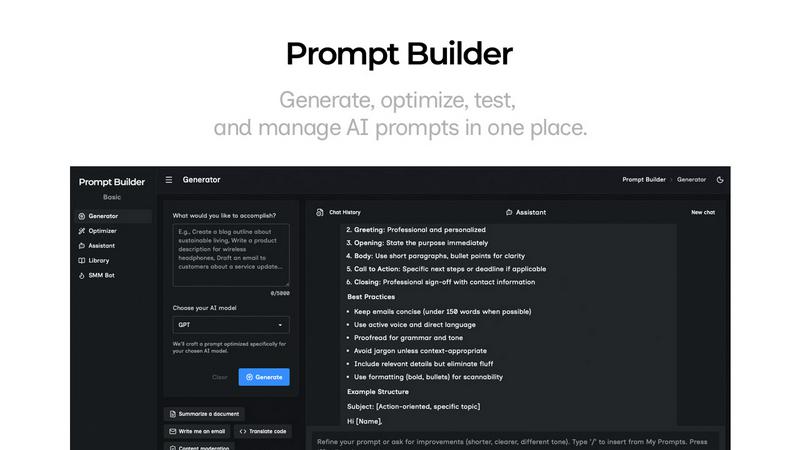
Prompt Builder is a prompt engineering workspace for writing, testing, and saving prompts. Describe the task in plain English, and it helps you create a prompt that matches the model you choose. Start with a draft, refine it in chat, save or pin versions, then run them when you are ready. It works with GPT, Claude, Gemini, Llama, Mistral, DeepSeek, Grok, Perplexity, and more. You also get an Optimizer, an assistant for quick tests, and a library of reusable prompts and templates from the community. Turn an idea into a ready-to-use prompt in seconds. Refine it in chat, save it to your Library, and run it anytime.