
DodoDirectory vs HTML to PNG Converter
Side-by-side comparison to help you choose the right AI tool.

DodoDirectory.com is a business and web app directory where startups, SaaS tools, and companies list products to gain visibility, backlinks, and SEO e

HTML to PNG Converter
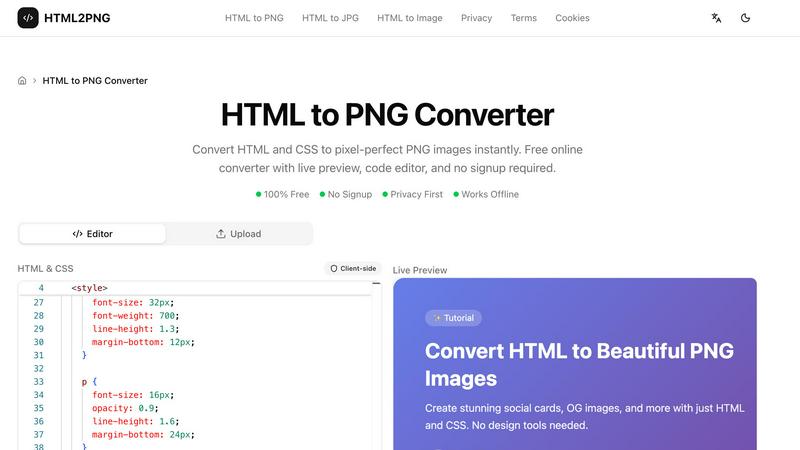
Convert HTML and CSS to pixel-perfect PNG images instantly. Free online converter with live preview, code editor, and no signup required.
Visual Comparison
DodoDirectory
HTML to PNG Converter
Overview
About DodoDirectory
DodoDirectory.com is a business and web app directory that helps companies, startups, SaaS platforms, and digital tools gain greater online visibility. The platform allows businesses to submit their websites, products, or web applications to be featured in a structured directory focused on modern online services and innovative software.
The directory highlights a wide range of digital solutions, including SaaS products, marketing tools, developer platforms, AI tools, productivity apps, and startup projects. Listings are organized into clear categories, making it easy for users to discover useful web apps and business services.
Each listing includes a keyword-rich description, relevant categories, and a direct link to the website, helping search engines better understand and index the business. DodoDirectory also provides permanent dofollow backlinks, which can help improve domain authority, strengthen SEO, and increase search engine visibility.
By combining structured listings with optimized descriptions, DodoDirectory acts both as a discovery platform for useful web apps and as a promotional tool for businesses looking to grow their online presence and reach new users.
About HTML to PNG Converter
HTML2PNG.org — Free HTML to PNG Converter
HTML2PNG.org is a free online tool that converts HTML and CSS into PNG, JPG, or WebP images directly in your browser. No signup, no uploads, no server processing — your code stays on your device and conversions run locally using html2canvas.
Features: The tool includes a Monaco-based code editor with syntax highlighting and live preview, so you see changes in real time. It supports modern CSS (Flexbox, Grid, gradients, shadows, transforms, Google Fonts) and exports at 1x, 2x, or 3x scale for retina displays. You can export with transparent backgrounds, choose PNG (lossless), JPG (smaller files), or WebP (good compression), and use built-in templates for social cards, OG images, code snippets, and invoices.
Use cases: Create Open Graph images for social sharing, design social media cards and banners, turn code snippets into styled images for docs or social posts, preview HTML email templates as images, and convert HTML invoices and certificates to PNG for sharing and archiving. The tool is suitable for developers, designers, marketers, and content creators who need fast, programmatic image generation.
Privacy & performance: All conversion happens client-side. Your HTML and CSS are never sent to a server, so there are no rate limits, no watermarks, and no signup. The tool works offline and is free to use.