
DataPhotos.AI vs RemoveTexts
Side-by-side comparison to help you choose the right AI tool.

DataPhotos.AI
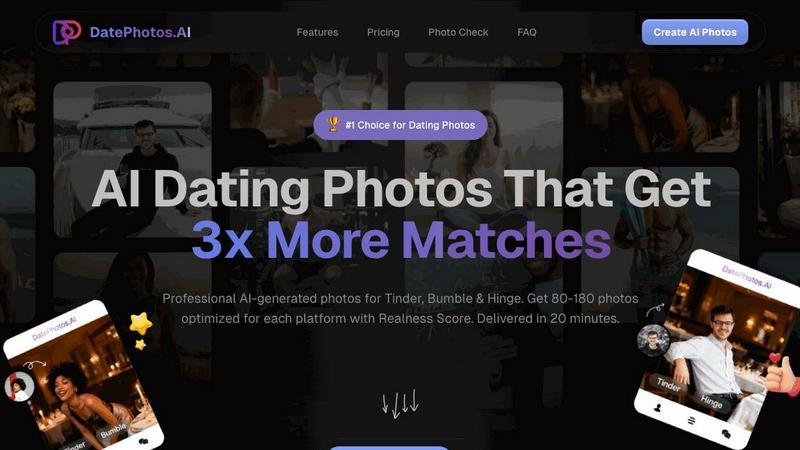
Elevate your dating game with AI-generated photos that boost your matches threefold in just 20 minutes.
Last updated: February 28, 2026

RemoveTexts
Effortlessly erase text and watermarks from images in seconds with RemoveTexts, the AI-powered tool that requires no design skills.
Last updated: March 11, 2026
Visual Comparison
DataPhotos.AI
RemoveTexts

Feature Comparison
DataPhotos.AI
Rapid Photo Generation
DataPhotos.AI allows users to upload 5-20 selfies and receive 80-180 AI-generated dating photos in just 20 minutes. This fast turnaround time eliminates the need for lengthy photo shoots, making it an efficient solution for busy individuals.
Realness Score
Every photo produced by DataPhotos.AI is assigned a realness score from 0-100, enabling users to easily identify and select the most authentic-looking images. This feature ensures that the photos blend seamlessly with real-life images, increasing the likelihood of successful matches.
Diverse Scene Selection
The platform offers over 40 unique scenes, from coffee shops and gyms to urban streets and outdoor adventures. Each scene includes multiple poses, allowing users to showcase different facets of their personality and lifestyle, ensuring their profiles stand out.
Free Photo Regeneration
If users are not satisfied with their generated photos, DataPhotos.AI provides a free regeneration option. Users can regenerate their photos up to 10 times per project at no additional cost, ensuring they receive images they love.
RemoveTexts
Paint to Remove
This feature allows users to have precise control over the text removal process. By simply brushing over the specific text areas they want to eliminate, users can ensure that only the intended sections are erased, leaving the rest of the image intact.
Auto Remove All
Leveraging the power of AI, this feature automatically detects and removes every text element in an image with just one click. This time-saving option is ideal for users who need to quickly clean up images without the hassle of manual selection.
Edit & Replace Text
With this feature, users can not only remove text but also edit and replace existing text in images. RemoveTexts intelligently matches the original font style, ensuring that any changes blend perfectly into the image, maintaining its visual integrity.
Remove Objects
Beyond text removal, this feature allows users to erase unwanted objects, logos, or visual elements from their images. This versatility makes RemoveTexts a powerful tool for enhancing photos, whether for personal use or professional projects.
Use Cases
DataPhotos.AI
Enhancing Online Dating Profiles
DataPhotos.AI is ideal for individuals looking to boost their online dating profiles. With an assortment of high-quality, diverse photos, users can attract more potential matches on popular dating apps.
Quick Photo Solutions for Busy Professionals
For busy professionals who may not have the time or resources to schedule traditional photo shoots, DataPhotos.AI offers a quick and efficient alternative to obtain striking images without the hassle.
Social Media Image Enhancement
Beyond dating apps, users can utilize DataPhotos.AI to create eye-catching images for their social media profiles. The platform’s diverse scene options allow for a well-rounded social media presence.
Event Preparation
Individuals preparing for events, such as weddings or parties, can use DataPhotos.AI to generate stunning profile photos that capture their essence and personality, making them memorable in any social context.
RemoveTexts
Cleaning Screenshots
Professionals often need to share screenshots for presentations or reports. RemoveTexts allows them to quickly eliminate unnecessary text or watermarks, ensuring that only relevant information is showcased, enhancing clarity and professionalism.
E-commerce Image Optimization
E-commerce sellers can use RemoveTexts to clean product images by removing distracting text elements, logos, or watermarks. This leads to polished visuals that attract customers and promote better sales.
Social Media Content Creation
Content creators on platforms like Instagram and Facebook can benefit from RemoveTexts to quickly refine their images. By removing unwanted text or overlays, creators can produce visually appealing posts that engage their audience without distractions.
Legal Document Redaction
Legal professionals often need to redact sensitive information from documents. RemoveTexts enables them to efficiently remove text without leaving traces, ensuring confidentiality while maintaining the document's overall layout and appearance.
Overview
About DataPhotos.AI
DataPhotos.AI is a groundbreaking platform that transforms how individuals create dating profile photos by harnessing the power of advanced AI technology. Tailored for anyone looking to elevate their online dating experience, this innovative tool provides a swift and cost-effective solution to produce high-quality images suitable for popular dating apps like Tinder, Bumble, and Hinge. The standout feature of DataPhotos.AI is its ability to generate between 80 to 180 captivating photos in a mere 20 minutes, a remarkable improvement over traditional photography, which can take weeks and cost hundreds of dollars. Users simply upload a selection of selfies, and in return, they receive a diverse array of lifestyle images that reflect their unique personality, significantly enhancing their chances of making meaningful connections. With features such as platform optimization and a Realness Score, DataPhotos.AI ensures that users receive not only stunning photos but also images that align with dating app algorithms to maximize visibility and engagement.
About RemoveTexts
RemoveTexts is an innovative AI-powered online tool designed to effortlessly remove unwanted text from images. It simplifies the image editing process by allowing users to upload images and eliminate text without requiring any prior design skills. Whether you're dealing with watermarks, meme text, subtitles, or branded overlays, RemoveTexts harnesses advanced deep learning technology to detect and erase text while seamlessly reconstructing the original background. This tool is perfect for a wide range of users, including designers, marketers, and everyday individuals needing clean visuals quickly. With the capability to process images in various formats and languages, RemoveTexts delivers high-quality results in under 30 seconds, making it an essential tool for anyone looking to enhance their visual content efficiently.
Frequently Asked Questions
DataPhotos.AI FAQ
How does DataPhotos.AI work?
Users upload 5-20 selfies, and within 20 minutes, they receive 80-180 AI-generated dating photos across various scenes. The platform uses sophisticated AI algorithms to create realistic images tailored for dating apps.
Is my data safe with DataPhotos.AI?
DataPhotos.AI prioritizes user privacy and data security. They have robust measures in place to protect personal information, which is detailed in their privacy policy.
Can I regenerate photos if I’m not satisfied?
Yes! DataPhotos.AI allows users to regenerate their photos for free, up to 10 times per project. This feature ensures that users can find images they are happy with without incurring extra costs.
What is the average realness score of the photos?
The average realness score for photos generated by DataPhotos.AI is 92/100, indicating that most images look natural and authentic. This high score helps users select the best photos for their profiles.
RemoveTexts FAQ
How does RemoveTexts work?
RemoveTexts uses advanced AI technology to analyze images and intelligently reconstruct backgrounds where text has been removed. It utilizes deep learning inpainting techniques to ensure seamless results.
What file formats does RemoveTexts support?
RemoveTexts accepts images in JPG, PNG, and WebP formats, accommodating a variety of image types for user convenience.
Is there a limit to the image size I can upload?
Yes, images must be up to 10 MB in size for optimal processing. This ensures that the tool can efficiently handle the uploads without compromising quality.
Can I use RemoveTexts for commercial projects?
Absolutely! RemoveTexts is trusted by many professionals, including marketers and designers, making it suitable for commercial use in various industries.
Alternatives
DataPhotos.AI Alternatives
DataPhotos.AI is an innovative platform that transforms dating profiles by generating AI-enhanced photos in a swift and efficient manner. As a tool within the dating category, it offers users the ability to significantly improve their online dating presence with professional-quality images that can increase their match potential. However, users often seek alternatives for various reasons, such as pricing considerations, specific feature needs, or compatibility with different platforms. When evaluating alternatives to DataPhotos.AI, it is essential to consider factors such as the quality of generated images, the diversity of available scenes, and how well the service aligns with the algorithms of popular dating apps. Additionally, users should assess delivery times and overall affordability to ensure they find a solution that meets their needs without compromising on effectiveness.
RemoveTexts Alternatives
RemoveTexts is an innovative AI-powered tool designed to streamline the process of removing unwanted text from images. Falling under the category of image and photo editing, this tool allows users to effortlessly clean screenshots, eliminate watermarks, and erase any distracting text elements with remarkable efficiency. Users often seek alternatives to RemoveTexts due to various reasons, including pricing structures, specific feature requirements, or compatibility with different platforms. When searching for an alternative, consider factors such as ease of use, the precision of text removal, and the ability to maintain image quality. Additionally, evaluate the range of features offered, such as object removal and language support, to ensure the chosen solution aligns with your specific needs and enhances your creative workflows.