
ChatIMG.io vs RemoveTexts
Side-by-side comparison to help you choose the right AI tool.

ChatIMG.io
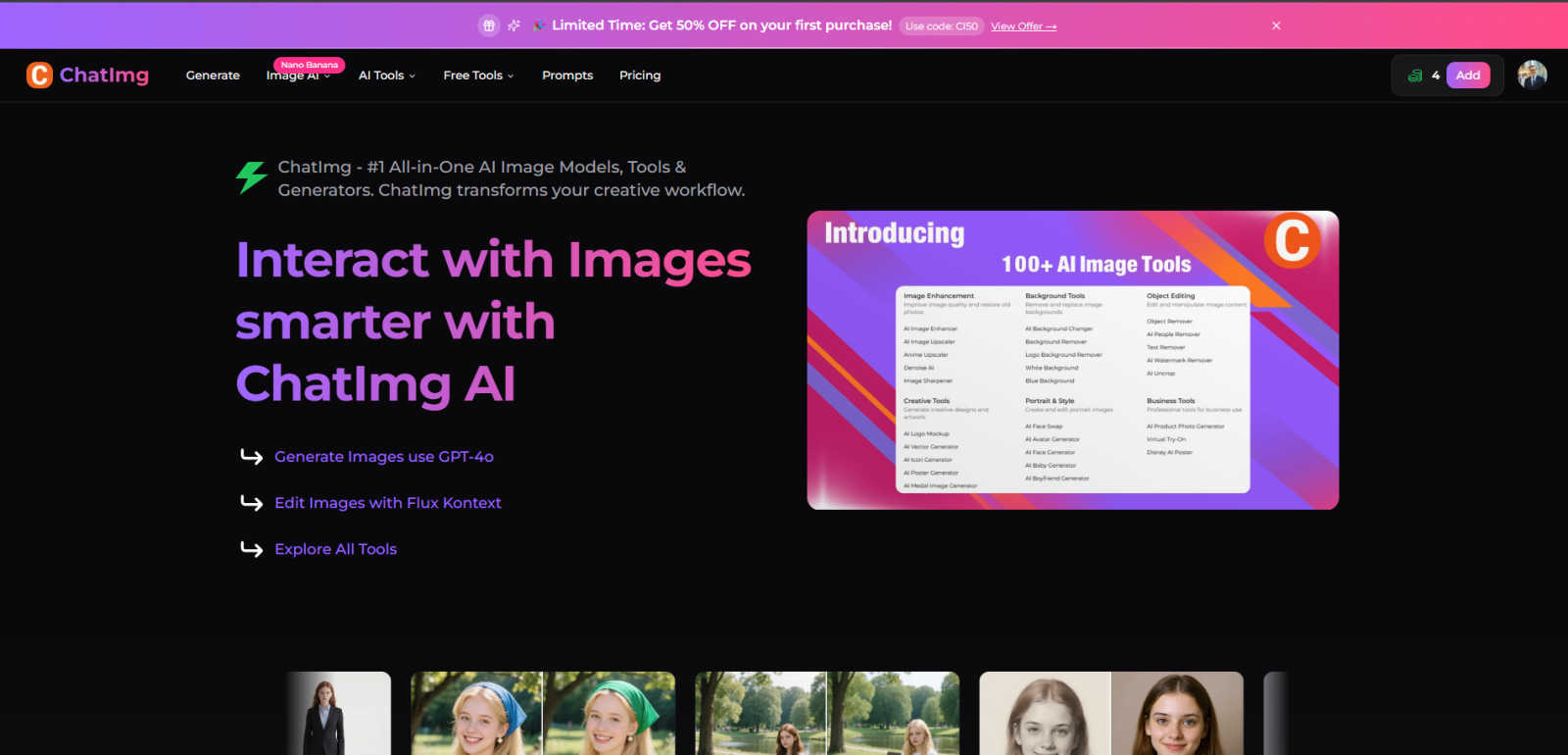
ChatIMG.io transforms your creativity with AI tools for image generation, editing, and enhancement in one powerful.
Last updated: March 1, 2026

RemoveTexts
Effortlessly erase text and watermarks from images in seconds with RemoveTexts, the AI-powered tool that requires no design skills.
Last updated: March 11, 2026
Visual Comparison
ChatIMG.io
RemoveTexts

Feature Comparison
ChatIMG.io
AI-Powered Image Generation
ChatIMG.io utilizes cutting-edge AI models like GPT-4o to generate high-resolution images from simple text prompts. Users can create visually stunning graphics in seconds, empowering them to bring their ideas to life without extensive design skills.
Real-Time Image Editing
With the Flux Kontext feature, users can edit images using natural language instructions. This innovative tool enables real-time adjustments, allowing for intuitive and user-friendly customization while maintaining a professional quality.
Diverse AI Tools
ChatIMG.io offers a comprehensive suite of tools that cater to various creative needs. From the AI Hairstyle Changer to the Background Remover, users can effortlessly manipulate and enhance images, ensuring they have everything they need for their projects in one platform.
Community & Support
Join a thriving community of over 2 million creators with ChatIMG.io. Users benefit from 24/7 support and access to tutorials that enhance their skills and foster collaboration, creating a vibrant ecosystem of creativity and innovation.
RemoveTexts
Paint to Remove
This feature allows users to have precise control over the text removal process. By simply brushing over the specific text areas they want to eliminate, users can ensure that only the intended sections are erased, leaving the rest of the image intact.
Auto Remove All
Leveraging the power of AI, this feature automatically detects and removes every text element in an image with just one click. This time-saving option is ideal for users who need to quickly clean up images without the hassle of manual selection.
Edit & Replace Text
With this feature, users can not only remove text but also edit and replace existing text in images. RemoveTexts intelligently matches the original font style, ensuring that any changes blend perfectly into the image, maintaining its visual integrity.
Remove Objects
Beyond text removal, this feature allows users to erase unwanted objects, logos, or visual elements from their images. This versatility makes RemoveTexts a powerful tool for enhancing photos, whether for personal use or professional projects.
Use Cases
ChatIMG.io
Marketing and Advertising
Marketers can leverage ChatIMG.io to create eye-catching visuals for social media campaigns, blog posts, and advertisements. With the ability to generate high-quality images quickly, teams can accelerate their content creation process and maintain a consistent online presence.
Content Creation for Blogs
Content creators can use ChatIMG.io to produce unique images that complement their written material. By transforming text descriptions into engaging visuals, bloggers can enhance their storytelling and captivate their audience more effectively.
Professional Headshots
Businesses and professionals can utilize ChatIMG.io for creating polished headshots. Whether for LinkedIn profiles or corporate websites, users can generate professional images that convey a strong brand identity and enhance personal branding.
Artistic Exploration
Artists can experiment with ChatIMG.io's diverse tools to explore new styles and concepts. The ability to generate artistic images and edit them in real-time allows for a unique creative process that can lead to innovative artistic expressions.
RemoveTexts
Cleaning Screenshots
Professionals often need to share screenshots for presentations or reports. RemoveTexts allows them to quickly eliminate unnecessary text or watermarks, ensuring that only relevant information is showcased, enhancing clarity and professionalism.
E-commerce Image Optimization
E-commerce sellers can use RemoveTexts to clean product images by removing distracting text elements, logos, or watermarks. This leads to polished visuals that attract customers and promote better sales.
Social Media Content Creation
Content creators on platforms like Instagram and Facebook can benefit from RemoveTexts to quickly refine their images. By removing unwanted text or overlays, creators can produce visually appealing posts that engage their audience without distractions.
Legal Document Redaction
Legal professionals often need to redact sensitive information from documents. RemoveTexts enables them to efficiently remove text without leaving traces, ensuring confidentiality while maintaining the document's overall layout and appearance.
Overview
About ChatIMG.io
ChatIMG.io is an innovative AI-powered image generator and editor that redefines the way visuals are created from text prompts. It empowers users, regardless of their design expertise, to transform simple ideas into stunning images. This tool is perfect for a diverse audience, including marketers, content creators, artists, and businesses aiming to enhance their visual storytelling. Its main value proposition lies in the seamless integration of advanced AI technology that streamlines the creative process, enabling users to generate professional-grade images quickly and efficiently. With features like real-time editing and a variety of AI models, ChatIMG.io not only generates images but also fosters creativity and boosts productivity, making it an essential tool for anyone looking to elevate their visual content. The platform's commitment to user-friendly design and high-quality outputs ensures that creativity knows no bounds, inviting users to explore their artistic potential.
About RemoveTexts
RemoveTexts is an innovative AI-powered online tool designed to effortlessly remove unwanted text from images. It simplifies the image editing process by allowing users to upload images and eliminate text without requiring any prior design skills. Whether you're dealing with watermarks, meme text, subtitles, or branded overlays, RemoveTexts harnesses advanced deep learning technology to detect and erase text while seamlessly reconstructing the original background. This tool is perfect for a wide range of users, including designers, marketers, and everyday individuals needing clean visuals quickly. With the capability to process images in various formats and languages, RemoveTexts delivers high-quality results in under 30 seconds, making it an essential tool for anyone looking to enhance their visual content efficiently.
Frequently Asked Questions
ChatIMG.io FAQ
What kind of images can I create with ChatIMG.io?
ChatIMG.io allows users to create a wide variety of images ranging from marketing visuals to artistic pieces. You can generate images based on text prompts, edit existing photos, and utilize specific tools for tasks like background removal and object manipulation.
Is ChatIMG.io user-friendly for beginners?
Absolutely! ChatIMG.io is designed with ease of use in mind. Its intuitive interface and real-time editing capabilities make it accessible for users of all skill levels, enabling anyone to create stunning visuals without the need for extensive design knowledge.
Can I use ChatIMG.io for commercial purposes?
Yes, images generated with ChatIMG.io can be used for commercial purposes. The high-quality outputs are suitable for marketing, advertising, and any professional applications, ensuring that users can leverage their creations in a business context.
What support options are available for ChatIMG.io users?
ChatIMG.io provides 24/7 support along with a wealth of tutorials and resources to help users maximize their experience. Whether you have technical questions or need creative tips, the community and support team are there to assist you.
RemoveTexts FAQ
How does RemoveTexts work?
RemoveTexts uses advanced AI technology to analyze images and intelligently reconstruct backgrounds where text has been removed. It utilizes deep learning inpainting techniques to ensure seamless results.
What file formats does RemoveTexts support?
RemoveTexts accepts images in JPG, PNG, and WebP formats, accommodating a variety of image types for user convenience.
Is there a limit to the image size I can upload?
Yes, images must be up to 10 MB in size for optimal processing. This ensures that the tool can efficiently handle the uploads without compromising quality.
Can I use RemoveTexts for commercial projects?
Absolutely! RemoveTexts is trusted by many professionals, including marketers and designers, making it suitable for commercial use in various industries.
Alternatives
ChatIMG.io Alternatives
ChatIMG.io is a revolutionary platform that harnesses the power of AI to streamline the image creation and editing process, making it accessible for users of all skill levels. As a leader in the generative art and image enhancement category, it transforms simple text prompts into stunning visuals, catering to a diverse range of creative needs. However, users often seek alternatives due to varying preferences for pricing, feature sets, or specific platform requirements that better align with their individual or professional projects. When searching for an alternative, it's essential to consider factors such as ease of use, the breadth of features offered, and the level of customer support available. A good alternative should not only provide similar capabilities for image generation and editing but also enhance your creative workflow. Look for platforms that foster a supportive community and offer robust resources for users to maximize their creative potential.
RemoveTexts Alternatives
RemoveTexts is an innovative AI-powered tool designed to streamline the process of removing unwanted text from images. Falling under the category of image and photo editing, this tool allows users to effortlessly clean screenshots, eliminate watermarks, and erase any distracting text elements with remarkable efficiency. Users often seek alternatives to RemoveTexts due to various reasons, including pricing structures, specific feature requirements, or compatibility with different platforms. When searching for an alternative, consider factors such as ease of use, the precision of text removal, and the ability to maintain image quality. Additionally, evaluate the range of features offered, such as object removal and language support, to ensure the chosen solution aligns with your specific needs and enhances your creative workflows.