
Bantr: Offline & Unlimited TTS for Mac vs Speechable
Side-by-side comparison to help you choose the right AI tool.

Bantr: Offline & Unlimited TTS for Mac
Bantr transforms your Mac into a private, unlimited offline text-to-speech studio.
Last updated: February 28, 2026

Speechable transforms any document into natural audio you can listen to and chat with.
Last updated: February 28, 2026
Visual Comparison
Bantr: Offline & Unlimited TTS for Mac

Speechable
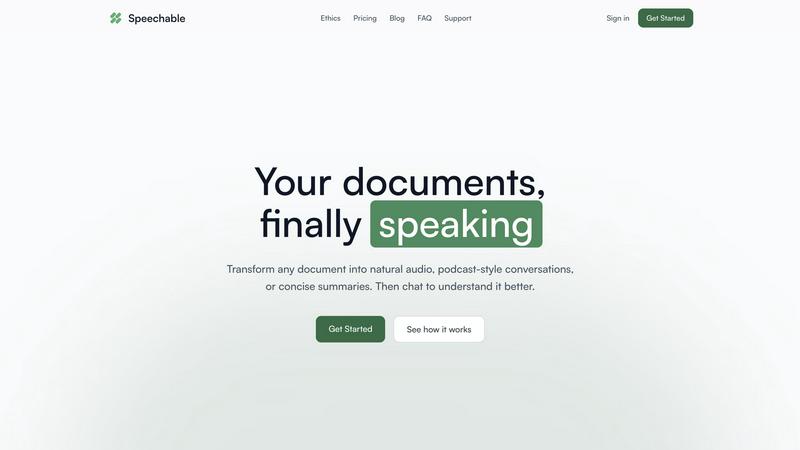
Feature Comparison
Bantr: Offline & Unlimited TTS for Mac
100% Offline & Private Operation
Bantr delivers a paradigm shift in AI audio by processing all text-to-speech generation directly on your Mac. By leveraging Apple's MLX framework and your computer's Apple Silicon chip (M1, M2, M3, M4, M5...), it eliminates any need for an internet connection. This ensures absolute privacy, as your text, projects, and generated audio never leave your device. There is no data collection, no corporate model training with your inputs, and no risk of exposure, giving you peace of mind and complete creative freedom without compromise.
Unlimited Access with a One-Time Purchase
Break free from the subscription trap. Bantr operates on a simple, transparent lifetime license model. You pay once and own the software forever, including all future updates and enhancements. This means no recurring fees, no login quotas, and no surprise limits on how much audio you can generate. It's a cost-effective, game-changing approach that empowers you to create as much content as you need, whenever inspiration strikes, without ever worrying about hitting a paywall.
Expressive Library of 150+ Voices
Access a rich and diverse soundboard of over 150 natural-sounding voices directly within the app. This extensive library caters to virtually any project requirement, from professional documentary narration and friendly tutorial guides to dramatic character performances for games and animations. Each voice is designed with expressive depth, providing you with the flexibility to find the perfect tone, accent, and style to match your creative vision and captivate your audience.
Compelling Roadmap of Future Innovations
Your investment in Bantr is an investment in a continuously evolving creative platform. The development is driven by a clear and exciting roadmap based on user feedback. Forthcoming transformative features include the ability to clone custom voices and emotions from short audio samples, upload and narrate entire documents (PDFs, EPUBs, DOCX), generate multi-speaker dialogues, add support for additional languages, and introduce improved project management tools. Bantr is built to grow with your needs.
Speechable
Intelligent Content Distillation
Speechable doesn't just read text aloud; it understands and refines it. The AI meticulously strips away all distracting elements like footnotes, page numbers, citations, and advertisements, leaving only the core content. This process transforms cluttered academic papers, busy web articles, and formatted documents into clean, coherent narratives that are perfectly structured for auditory consumption, ensuring you hear what matters most without any visual noise.
Dynamic Audio Formats (Podcast & Lecture Modes)
Move beyond monotonous playback. Choose how you want to experience your content. Podcast Mode ingeniously turns any document into a natural, two-voice conversation, allowing you to select the duration and language. Lecture Mode provides a TED-style explanatory breakdown, simplifying complex ideas into clear, digestible segments. These formats create a more immersive and human-like listening experience that enhances comprehension and retention.
Interactive Document Chat
Switch from passive listening to an active dialogue with your material. After processing a document, you can engage with it directly through a chat interface. Ask questions by typing or speaking, request clarifications on specific points, or explore tangential topics—all in your native language. This feature acts as a personal tutor, transforming static information into an interactive learning session tailored to your immediate curiosity.
Eco Mode (Local, Unlimited Processing)
This is a revolutionary approach to AI accessibility and sustainability. Eco Mode runs the entire advanced text-to-speech and processing pipeline locally on your device, requiring no cloud servers. This means unlimited, completely free usage with no credits or subscriptions, while consuming up to 20x less energy than standard cloud-based services. It’s unlimited precisely because it’s sustainable, putting powerful technology directly in your hands without cost or environmental compromise.
Use Cases
Bantr: Offline & Unlimited TTS for Mac
Professional Video & Tutorial Production
Transform your video content with studio-quality voiceovers generated instantly on your Mac. Create engaging narrations for YouTube tutorials, online courses, product demos, and explainer videos. The offline nature allows for rapid iteration and editing, while the variety of professional voices ensures your content sounds polished and authoritative, all without the high cost and scheduling hassles of hiring voice actors.
Game Development & Animation Voice Acting
Breathe life into your digital creations by generating unique voices for game characters, animated shorts, and interactive projects. With over 150 voices at your disposal, you can quickly prototype dialogue, create barks for NPCs, or produce final audio assets entirely in-house. The privacy guarantee is crucial for protecting unreleased storylines and character designs during development.
Accessible Content Creation & Learning Aid
Make written content more accessible by converting articles, documents, and books into audio format. This is invaluable for individuals with dyslexia, visual impairments, or those who prefer auditory learning. Educators and students can create audio summaries or narrated study guides. Since Bantr works offline and respects privacy, it can be used with sensitive or proprietary texts without security concerns.
Rapid Prototyping for Podcasts & Audio Ads
Accelerate your audio production workflow by using Bantr for rapid prototyping. Draft podcast segments, script readings for audio advertisements, or radio spots before committing to a recording studio session. The ability to quickly generate different voice options and adjust pacing allows for efficient client reviews and creative experimentation, streamlining the entire pre-production process.
Speechable
Accessible Learning for Neurodiverse Individuals
For individuals with dyslexia, ADHD, or visual impairments, Speechable is a game-changer. It converts daunting walls of textbook text or study materials into manageable, engaging audio. The ability to chat with the document for instant explanations and to choose conversational podcast formats can dramatically reduce cognitive load, improve focus, and create a more personalized and effective learning pathway that accommodates different processing styles.
Professional Upskilling & Research On-The-Go
Busy professionals can reclaim their commute, workout, or household chores as productive time. Upload industry reports, lengthy research papers, or competitor analyses and listen to them as a podcast or summarized lecture. This allows for continuous learning and staying informed without being tied to a desk. The chat function lets you quickly query key takeaways or data points from a document you listened to earlier.
Academic Study & Research Acceleration
Students and academics can immerse themselves in their reading list more efficiently. Transform dense academic PDFs and journal articles into clear audio summaries or conversational formats to grasp core arguments faster. The chat feature acts as a study partner, allowing you to test your understanding by asking questions about the material, making revision sessions more interactive and effective.
Multilingual Content Consumption
Break down language barriers effortlessly. Speechable features built-in translation, allowing you to upload a document in one language and listen to it in another. This is perfect for language learners wanting to hear proper pronunciation of foreign texts, or for professionals needing to quickly understand the gist of international reports, news articles, or documents without manual translation.
Overview
About Bantr: Offline & Unlimited TTS for Mac
Unlock a new era of audio creation where your privacy is paramount and your potential is limitless. Bantr is a transformative text-to-speech application built exclusively for Apple Silicon Macs, engineered to shatter the constraints of cloud-dependent tools. This game-changing software harnesses the raw power of your local hardware via Apple's MLX framework to generate stunningly natural and expressive voiceovers entirely offline. Forget about monthly subscriptions, usage quotas, and the hidden cost of your data. Bantr operates on a revolutionary one-time purchase model, granting you unlimited, private access to a vast library of over 150 high-quality voices. Designed for a diverse range of visionaries—from video producers and game developers to educators, writers, and privacy-conscious creators—Bantr puts studio-grade audio production directly on your desktop. You maintain complete control, enabling you to craft narration for videos, tutorials, animations, and character dialogues without ever sending a single byte of sensitive information to the cloud. This is more than just a tool; it's a declaration of independence for creators, offering continuous enhancements based on community feedback and a compelling roadmap of future features.
About Speechable
Speechable is a transformative AI-powered platform that redefines how we interact with written information. It unlocks the potential of any document by converting static text into dynamic, engaging audio experiences. Simply upload a PDF, ebook, web article, or even a photo of text, and Speechable intelligently cleans up the noise—stripping away footnotes, citations, ads, and page numbers—to deliver pure, listenable content. But it goes far beyond simple text-to-speech playback. The platform empowers users to transform documents into podcast-style conversations with multiple voices or TED-style lecture breakdowns for complex topics. An integrated chat function allows for interactive Q&A, turning passive consumption into active, deep learning. Built on a foundation of ethics and accessibility, its revolutionary Eco Mode provides unlimited, free processing by running entirely locally in your browser, using up to 20x less energy than cloud alternatives. Speechable is a game-changing tool for students, professionals, lifelong learners, and anyone with dyslexia or ADHD, finally making the world's written knowledge effortlessly accessible and engaging through the power of your ears.
Frequently Asked Questions
Bantr: Offline & Unlimited TTS for Mac FAQ
What are the system requirements for Bantr?
Bantr requires a Mac with Apple Silicon (M1, M2, M3, M4, M5, or later chips) and is compatible with macOS 15 (Sequoia) and above. The application is designed to leverage the Neural Engine and GPU of these processors for fast, efficient, and high-quality offline speech synthesis.
How does the one-time purchase and update model work?
When you purchase Bantr, you receive a lifetime license for the application on your Mac. This single payment grants you access to the current version and all future feature updates and improvements at no additional cost. The developer is committed to enhancing the app based on the published roadmap and community feedback.
Is my data really private with Bantr?
Yes, absolutely. Bantr's core, game-changing value is its complete offline operation. All text processing and audio generation happen locally on your Mac using Apple's MLX framework. No text you input, no audio you generate, and no project data is ever sent to external servers or the cloud, ensuring total privacy and security.
What file formats can I export the generated audio to?
Based on user reviews and common functionality for TTS tools, Bantr allows you to export your generated speech as standard audio files. You can typically save your voiceovers in formats like MP3 or WAV, making them ready to import directly into your video editing software (Final Cut Pro, Premiere Pro), audio workstation, game engine, or any other multimedia project.
Speechable FAQ
What file formats does Speechable support?
Speechable supports a wide range of formats to meet your needs. You can upload PDFs, Microsoft Word documents (.docx), ePub ebooks, and even paste web URLs directly. Furthermore, its advanced OCR (Optical Character Recognition) allows you to upload photos of text, such as images of handwritten notes or book pages, and have the content extracted and converted into speech seamlessly.
How many voices and languages are available?
The platform offers an extensive library of 52 natural-sounding, high-quality AI voices across 8 major languages, including English, Spanish, French, Mandarin, and Hindi. You can preview each voice to find the perfect match for your content, whether you prefer a specific accent or tone, and adjust the playback speed to suit your listening preference for optimal comprehension.
What is Eco Mode and how does it work?
Eco Mode is Speechable's groundbreaking, sustainable processing option. Instead of sending your data to remote cloud servers, all text-to-speech and AI analysis runs locally within your web browser on your own device. This uses up to 20x less energy, ensures complete data privacy, and provides unlimited, completely free usage. It requires a compatible desktop browser like Chrome 113+, Safari 17+, or Firefox 141+ with WebGPU support.
Can I really chat with my documents?
Absolutely. This is one of Speechable's most transformative features. After your document is processed, an interactive chat panel becomes available. Here, you can type or speak questions directly about the content. Ask for summaries of specific sections, clarifications on complex terms, examples, or further explanations. It's designed to foster a deeper, conversational understanding of the material, just like discussing it with an expert.
Alternatives
Bantr: Offline & Unlimited TTS for Mac Alternatives
Bantr: Offline & Unlimited TTS for Mac is a transformative AI assistant that redefines text-to-speech on macOS. It delivers studio-quality, natural voiceovers entirely offline, powered by Apple's MLX framework for unparalleled privacy and unlimited use without subscriptions. This positions it as a game-changing tool for creators, educators, and professionals who demand control and quality. Users often explore alternatives for various reasons. Some may seek different pricing models, such as free tiers or subscription-based services with different feature sets. Others might require specific platform compatibility beyond macOS, need different voice styles or languages, or prioritize certain workflow integrations that align with their unique creative or professional processes. When evaluating other text-to-speech solutions, key considerations should guide your choice. Prioritize the core value of offline operation for data security and reliability. Assess the voice quality and library diversity to ensure it meets your project's tone. Finally, scrutinize the cost structure—whether it's a sustainable one-time purchase or a recurring fee—and the developer's commitment to future updates and feature enhancements based on user feedback.
Speechable Alternatives
Speechable is a transformative text-to-speech and audio learning platform that turns static documents into dynamic, listenable content. It belongs to the categories of education technology, study assistance, and accessibility tools, helping users absorb information through audio lectures, podcasts, and interactive conversations with their documents. Users often explore alternatives for various reasons, such as specific budget constraints, a need for different voice options or integration with other platforms, or a preference for mobile apps over browser-based tools. The search for the right tool is highly personal, driven by individual workflow and learning preferences. When evaluating alternatives, consider the core value you need. Key factors include the quality and naturalness of the speech synthesis, the ability to handle your specific document types, any advanced features like summarization or interactive Q&A, the overall cost structure, and crucially, the platform's commitment to privacy and accessibility.