
AI Detector vs Prompt Builder
Side-by-side comparison to help you choose the right AI tool.

AI Detector
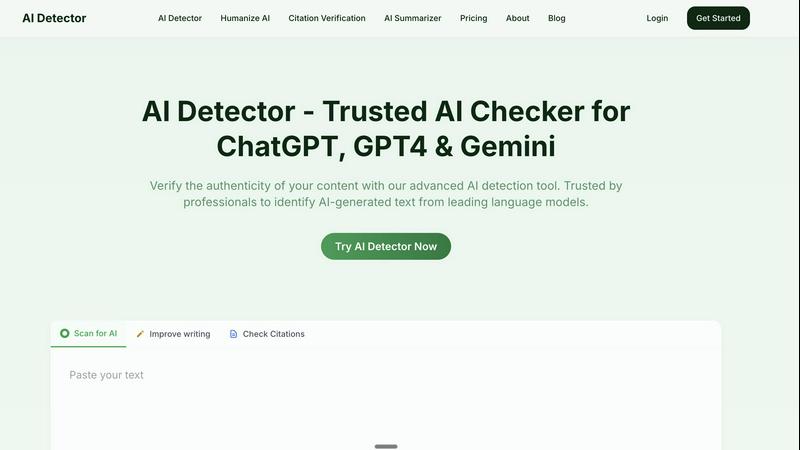
AI Detector verifies content authenticity by accurately identifying AI-generated text from leading language models.
Last updated: March 1, 2026

Prompt Builder
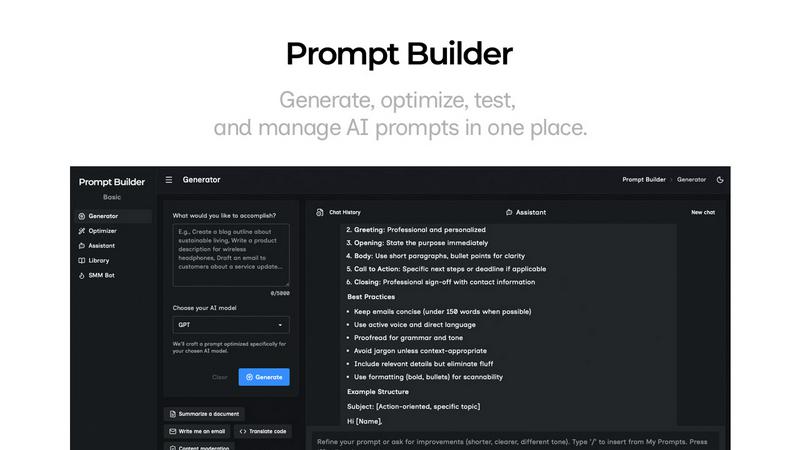
Generate, optimize, test, and manage AI prompts in one place. Turn an idea into a ready-to-use prompt in seconds.
Visual Comparison
AI Detector
Prompt Builder
Overview
About AI Detector
AI Detector is a revolutionary tool designed to authenticate content and identify AI-generated text from leading language models such as ChatGPT, GPT-4, and Gemini. This state-of-the-art solution empowers professionals, educators, and content creators to verify the originality of their work with unparalleled accuracy. Trusted by millions, AI Detector ensures that users can confidently submit their projects, whether they are corporate reports, academic papers, or blog entries, without the fear of unintentionally including AI-generated language. Its advanced features offer in-depth analytics, including sentence-level breakdowns, confidence scores, and AI probability metrics. The tool’s multilingual support expands its usability across diverse contexts, making it an essential asset for various sectors. With a strong commitment to privacy, AI Detector guarantees that all user content remains confidential and secure, fostering a trustworthy environment for all users.
About Prompt Builder
Prompt Builder is a prompt engineering workspace for writing, testing, and saving prompts. Describe the task in plain English, and it helps you create a prompt that matches the model you choose. Start with a draft, refine it in chat, save or pin versions, then run them when you are ready. It works with GPT, Claude, Gemini, Llama, Mistral, DeepSeek, Grok, Perplexity, and more. You also get an Optimizer, an assistant for quick tests, and a library of reusable prompts and templates from the community. Turn an idea into a ready-to-use prompt in seconds. Refine it in chat, save it to your Library, and run it anytime.