

Alternatives to QuickTextTools
QuickTextTools unlocks your potential with 76+ transformative free utilities to instantly process text and optimize your workflow.
Explore 20 alternatives to QuickTextTools. Compare features, pricing, and find the best fit for your needs.

MD To Text
MD To Text is a free online Markdown to plain text converter. Paste Markdown and get clean readable text instantly, in your browser, no signup.

AUTOMATER.ai
A tray helper for every AI coding tool: one searchable library of past sessions, waiting alerts and usage across 9 providers.
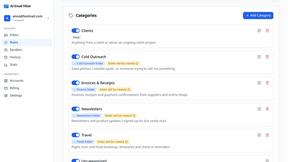
AI Email Filter
AI Email Filter sorts incoming mail into folders using plain-language prompts you write. Works with any IMAP mailbox; bring your own LLM if you want.

Product Launch Checklist
A free launch checklist for SaaS, apps, AI tools and more. Every step says why it matters and when you can skip it.

Kody Tools
Free collection of online developer utilities, code formatters, and digital converters designed to streamline your daily workflow.
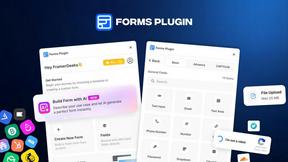
Forms Plugin
The #1 Native Form Builder Plugin for Framer - No Code, No Embeds, No External Platforms.




PerPageFax
PerPageFax lets you send a fax online from any browser for a flat $0.50 per page — no account, no subscription, no fax machine.

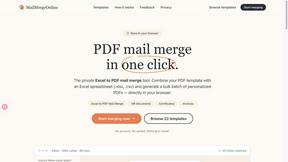
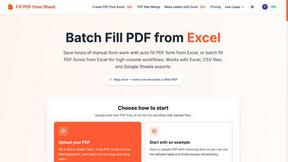
Fill PDF from Sheet
Fill PDF from Sheet automates the process of populating PDF forms from data in Excel, CSV, or Google Sheets.


Glanced
Follow news, blogs, newsletters, and podcasts in a free RSS reader, with AI summaries, top stories, full-text search, saved searches, and a catalog.

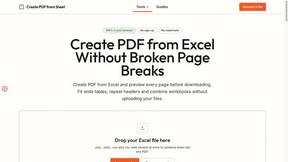
Create PDF from Excel Online
Create PDF from Excel online and preview every page before downloading. Fit wide sheets, repeat headers, and combine workbooks privately.


About QuickTextTools Alternatives
Unlocking potential begins with the right toolkit, and QuickTextTools has established itself as a transformative game-changer in the productivity and management space. This free, browser-based platform offers over 76 utilities designed to supercharge workflows for writers, marketers, developers, and SEO professionals, allowing users to format text, analyze keywords, and optimize content without ever downloading software. However, even the most powerful tools can leave users seeking a different unlock—whether due to a desire for more specialized features, a need for advanced automation, a different pricing model for premium capabilities, or a platform that integrates more seamlessly with existing workflows. The quest for an alternative is often driven by the need to scale productivity in a way that feels uniquely tailored to an individual’s creative or analytical process. When evaluating a replacement for any productivity suite, the key is to identify what truly unlocks your potential. Look for a platform that offers a comprehensive range of utilities without sacrificing speed or simplicity, ensuring that every tool feels like a natural extension of your work. Privacy and security should be non-negotiable, as your data and content are the foundation of your success. Additionally, consider the user experience—a transformative tool should be intuitive, requiring no learning curve, and should provide a seamless flow from one task to the next. Whether you need deeper SEO analysis, more robust writing assistants, or a more extensive library of developer utilities, the right alternative will empower you to work smarter, not harder, turning mundane tasks into effortless victories.
FAQs about QuickTextTools Alternatives
What is QuickTextTools?
QuickTextTools is a free, user-friendly online platform that features over 76 browser-based tools designed to enhance productivity for writers, marketers, developers, students, SEO professionals, and content creators. It offers a comprehensive toolkit including text formatting utilities, SEO analysis tools, writing assistants, keyword management features, and developer utilities, all aimed at simplifying workflows and saving time. The platform operates entirely in your browser, eliminating the need for complicated setups or software downloads, making it an instantly accessible resource for optimizing text and boosting efficiency.
Who is QuickTextTools for?
QuickTextTools is designed for a wide range of professionals and creatives, including writers, marketers, SEO professionals, developers, students, and content creators. Anyone who regularly works with text, needs to analyze or optimize content for search engines, or requires quick formatting and conversion tools will find immense value in its utility. The platform is particularly beneficial for individuals who want to streamline repetitive tasks without investing in expensive software, making it a game-changing resource for both beginners and seasoned experts.
Is QuickTextTools free?
Yes, QuickTextTools is completely free to use. The platform offers all 76+ utilities without any paywalls, subscription fees, or hidden costs, making it an accessible solution for everyone from students on a budget to professional teams. This commitment to being free allows users to unlock their full productivity potential without financial barriers, ensuring that powerful text optimization and analysis tools are available to anyone who needs them.
What are the main features of QuickTextTools?
The main features of QuickTextTools include a diverse array of over 76 online utilities, such as text formatting tools for case conversion and cleaning, SEO analysis utilities for meta tag evaluation and keyword management, and writing assistants to improve the writing process. It also provides developer utilities for code formatting and data transformation, all designed to work quickly and efficiently within your browser. The platform is privacy-focused, ensuring that your data remains secure and is never stored or shared, allowing you to work with confidence.