

Alternatives to Luminus Tools
Luminus Tools combines client-side calculators and web utilities for people handling finance, health, and development tasks.
Explore 20 alternatives to Luminus Tools. Compare features, pricing, and find the best fit for your needs.
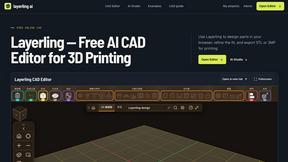
Layerling
Layerling is a browser-based CAD tool for designing 3D printed enclosures, refining fit, and exporting STL or 3MF files.

southparkmaker
Build a South Park-inspired character with a live browser editor, or use credit-based AI generation from a description or photo.
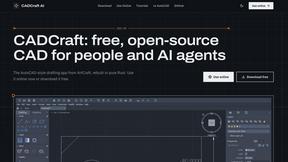
CADCraft
CADCraft is free, open-source 2D CAD software with browser access and command interfaces for scripting and AI-assisted drafting.

VidSyndicate
VidSyndicate combines podcast episode and RSS management with social scheduling for creators distributing audio and video across channels.

Rhinobird
Rhinobird creates product images and videos for ecommerce listings, ads and packaging concepts using product photos and artwork.
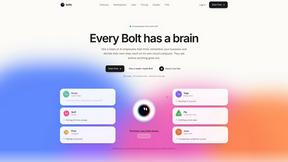
Bolts
Bolts has been retired; former users can download their data until 28 December 2026, and no further charges will be made.

GigUp
GigUp combines Upwork job alerts with optional MCP and REST API access for users who want matches available in AI assistants or their own tools.

AIVideoAgent
Generate videos from text or images with an agent that drafts the prompt, while you select the model and output settings.

LaunchIntel
LaunchIntel helps founders submit products to software directories using an AI agent, tested guides, and a local dashboard.

Quotelyo
Quotelyo provides browser-based calculators for money planning, with adjustable inputs, visible formulas and tools for loans, savings and more.

Jomatter
Jomatter is a free browser toolkit with no signup for common developer tasks across JSON, CSS, HTML, XML, and JavaScript.

CloneWebsite
CloneWebsite captures web pages in Chrome, removes trackers, and exports editable Figma layers or a self-contained ZIP for offline work.

GenX.art
GenX.art combines AI image, video, and audio creation in one workspace with model choices, workflow controls, and credit estimates.

Bloom
Bloom turns a learning goal or personal documents into an AI-guided course with focused lessons, passage questions, and learner feedback.

OG Image Generator
Create editable social images for shared links using AI that reads a page's content and brand, with metadata checks and implementation snippets.

Screen Issues
Screen Issues combines a free browser-based display test with practical guides for diagnosing common screen defects.

RemoveObjectFromPhoto
Brush away photo distractions with an AI eraser that works in your browser and lets you check the reconstructed image before downloading.

EditTextPhoto
EditTextPhoto is an AI photo text editor for replacing visible words while retaining the image's surrounding style and composition.

FreeVideoGenerator
Create short AI videos from text or photos, with model choices and a visible credit quote before you generate.

Flying Car AI
Create fictional flying Roadster videos from a written scene or optional photo, with one-time payment and 5 to 30 second vertical MP4s.
About Luminus Tools Alternatives
A dedicated application can be a better fit if you need a specialized workflow or explicitly documented methodology. Compare geographic coverage, formulas, and whether processing is local. Luminus Tools favors a varied collection of browser utilities with client-side calculations.
FAQs about Luminus Tools Alternatives
When should I choose a specialized calculator?
Choose one when its scope or documented assumptions better match the decision you need to make.
What is useful to compare?
Review regional coverage, calculation inputs, and where processing occurs.