

Alternatives to BlitzCut
Blitzcut instantly transforms raw clips into viral videos by auto cutting silence and adding captions.
Explore 20 alternatives to BlitzCut. Compare features, pricing, and find the best fit for your needs.

Bicep Heart
Turn one photo into a 7-second bicep heart video with outdoor, standing or seated scenes and a silent vertical MP4.

AI Tiny Desk
Make a 19-second desk-concert video with lead and sax, full band, Halloween or pet-band modes; audio and silent MP4.

Outstanding Tiny Desk AI
Upload photos of you and your friends and get a 15-second Outstanding Tiny Desk AI video with AI-generated sound, in 9:16 for TikTok and Reels.

Tip Toeing in My Jordans
Upload a photo and get a 12-second Tip Toeing in My Jordans video: you play the AI Rumpelstiltskin, a friend can play the woman in the hay.
Safe Outreach
AI-powered platform that evaluates the safety of LinkedIn automation tools and helps reduce the risk of account restrictions.
AIVideoAgent
Turn text ideas or reference images into videos through conversation, with agent-assisted prompts and a choice of video models.

AI Rap
AI rap generator that turns two portraits, or one photo of two people, into a short English duet rap video with original lyrics, vocals, and music.
GenX
All-in-one AI workspace to generate images, videos, and audio with multiple leading AI models.

YIX
AI image and video generation, photo editing, restoration and free prompt tools in one browser studio.
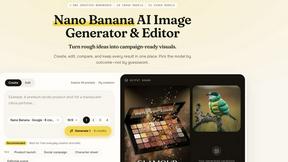
Nano AI
Create and edit AI images, generate videos, and compare models in one creative workbench.

BuildingNow Podcast
BuildingNow shares founder conversations and practical lessons on building products, finding customers, and growing a business.


Leadeon
AI growth tool for X and LinkedIn: write posts in your voice, schedule at your best times, find leads on X and see what works.
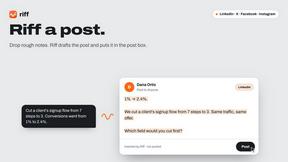
Riff
Free Chrome extension. Paste your rough point and Chrome's built-in AI writes a fresh reply for that post on X, LinkedIn, Facebook or Instagram.

Raindance AI Video Generator
Turn two photos into the Raindance AI pier video with the soundtrack included
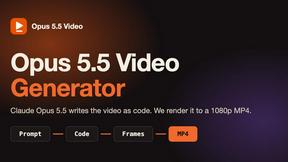
Opus 5.5 Video Generator
Turn a prompt into a 1080p motion-graphics MP4 planned and coded by Claude Opus 5.5

About BlitzCut Alternatives
BlitzCut is a transformative AI-powered video editor designed for the modern content creator. It belongs to the rapidly evolving category of automated content creation tools, specifically engineered to turn raw footage into polished, shareable videos in minutes by handling tedious tasks like silence removal and captioning. Users often explore alternatives for various reasons, such as budget constraints, the need for different feature sets like advanced color grading or multi-track editing, or compatibility with specific operating systems like Windows or Android. The quest for the right tool is a personal one, driven by unique workflow demands and creative goals. When evaluating other options, focus on the core value that tools like BlitzCut provide: time savings. Look for solutions that genuinely automate the heavy lifting—accurate auto-transcription, intuitive editing interfaces, and efficient export processes. The goal is to find a platform that aligns with your posting frequency and quality standards, unlocking more time for the creative work that truly matters.
FAQs about BlitzCut Alternatives
What is BlitzCut?
BlitzCut is an AI-powered video editor that automatically removes silences, transcribes speech, and burns styled subtitles to help creators produce viral-ready videos incredibly fast.
Who is BlitzCut for?
It's built for social media content creators who need to edit and post videos daily, prioritizing speed and a mobile-first workflow to sustain a consistent posting schedule.
What are the main features of BlitzCut?
Key features include automatic silence removal, AI-generated captions with over 95% accuracy, text-based editing from transcripts, and a complete 2-minute workflow from import to export.
Why choose BlitzCut?
Choose BlitzCut to automate tedious editing tasks, reducing video preparation from 30-40 minutes down to just 2 minutes, so you can focus on creating content rather than editing it.