

Ultimate Forms
Ultimate Forms empowers everyone to effortlessly create no-code solutions in SharePoint with flexible forms and.
AI tool Details
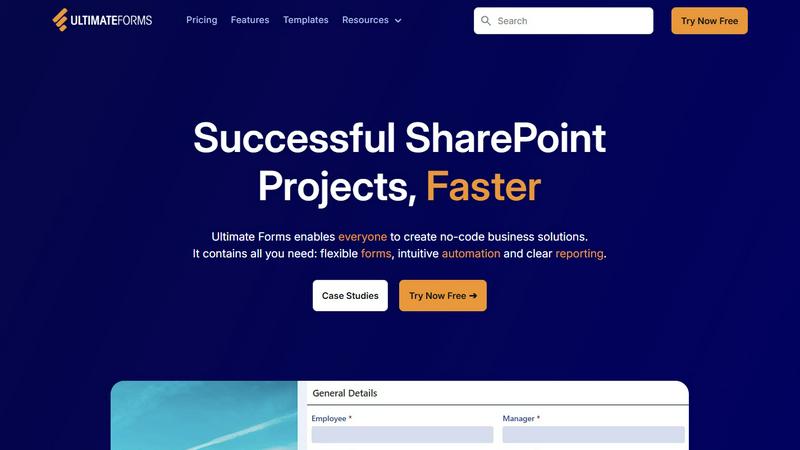
About Ultimate Forms
Ultimate Forms is a revolutionary forms and automation platform that is specifically designed for Microsoft SharePoint and Microsoft 365. This no-code solution empowers organizations to fully harness their SharePoint investment by allowing users at all skill levels to create sophisticated business applications. Targeted towards business users, department heads, and SharePoint administrators, it eliminates the complexities typically associated with coding and developer dependencies. The platform enables users to construct dynamic forms, automate multi-step processes, and generate insightful reports through an intuitive, visual interface. By securely keeping all data within the SharePoint ecosystem, and seamlessly integrating with essential tools like Microsoft Teams, Exchange, and SQL Server, Ultimate Forms significantly accelerates project delivery. It transforms SharePoint from a mere document repository into a powerful engine for enhancing business efficiency, improving data quality, and promoting accountability organization-wide.
Features
Flexible Forms
Ultimate Forms allows users to create responsive modern forms that include features such as tabs, section and column permissions, dynamic rules, and electronic signatures. This flexibility ensures that all data remains securely stored within SharePoint while enhancing user experience and improving data quality.
Intuitive Automation
The platform simplifies automation by replacing complex SharePoint and Power Automate workflows with versatile Actions. Users can effortlessly create and update data within SharePoint and integrate with applications like Exchange and Teams, thus reducing the learning curve and empowering more people in the organization to manage business solutions effectively.
Clear Reporting
Ultimate Forms transforms data into actionable insights through detailed shareable reports, dashboards, and KPIs. This feature enables every user to visualize information easily, improving responsiveness and accountability across teams and departments.
Pre-built Solution Templates
With a vast library of pre-built solution templates, users can quickly create, replicate, and distribute forms and automation-enhanced business solutions. This feature allows organizations to build once and deploy multiple times across various sites and tenants, significantly saving time and effort.
Use Cases
Project Management
Ultimate Forms can be used to manage and track customers, projects, tasks, and work hours effectively. This streamlines project workflows and enhances visibility into project statuses, ensuring timely deliverables.
HR Recruitment
Organizations can leverage Ultimate Forms to create a multi-stage portal designed for processing, evaluating, and hiring candidates. This solution simplifies the hiring process and improves the quality of applicant tracking.
Leave Request Management
The platform allows companies to manage employee leave requests and approvals efficiently. By automating this process, organizations reduce administrative overhead and improve the employee experience.
Asset Tracking
Ultimate Forms can be utilized for asset tracking within SharePoint. This helps organizations maintain an accurate inventory, ensuring that assets are accounted for and managed effectively.
Frequently Asked Questions
What is Ultimate Forms?
Ultimate Forms is a no-code platform that enables users to create forms and automate processes within Microsoft SharePoint and Microsoft 365, enhancing business operations without needing coding expertise.
Who can use Ultimate Forms?
Ultimate Forms is designed for business users, department heads, and SharePoint administrators who wish to streamline processes and improve data management without requiring technical skills.
How does Ultimate Forms improve data quality?
The platform enhances data quality by providing flexible forms that include input validation and dynamic rules, ensuring that only accurate and relevant data is captured.
Can Ultimate Forms integrate with other applications?
Yes, Ultimate Forms offers deep integration with various applications such as Microsoft Teams, Exchange, and SQL Server, allowing users to streamline workflows across different platforms.