

Sprite-AI
Sprite-AI transforms your imagination into pixel-perfect game sprites in seconds, unlocking game development without any drawing skills.
AI tool Details
Explore More
Alternatives

About Sprite-AI
Sprite-AI is a game-changing, AI-powered pixel art generator that unlocks the potential for indie game developers, hobbyists, and prototypers to create stunning 2D assets in seconds. Imagine describing a fire-breathing dragon or a medieval knight with a sword and shield in plain English, and the app instantly produces a clean, game-ready pixel art image. This transformative tool generates sprites in perfectly sized dimensions of 32x32, 64x64, or 128x128 pixels, tailored for specific roles like icons, items, characters, or hero and boss art. Once a sprite is generated, a built-in pixel editor empowers you to paint, erase, fill, and color-pick, giving you complete control to fine-tune every single pixel. The final result is a transparent PNG that drops straight into leading game engines like Unity, Godot, GameMaker, or Unreal, making the workflow seamless and efficient. Sprite-AI is designed for anyone who needs high-quality pixel art fast, without requiring any drawing skills. The platform also includes a vibrant community gallery for inspiration, comprehensive prompt guides to master text-to-sprite creation, and a flexible token-based pricing model so you only pay for what you generate. This is the ultimate tool for transforming your game ideas into visual reality, unlocking your creative potential with every sprite you create.
Features
AI-Powered Text-to-Sprite Generation
This core feature unlocks the transformative ability to describe any sprite in plain English and watch it come to life instantly. Whether you need a cute slime monster, a wizard staff with a magical crystal, or a ninja with spiky yellow hair, simply type your prompt and the AI generates a pixel-perfect sprite in seconds. This eliminates the need for any drawing skills, allowing you to focus on your game's design and prototyping.
Built-In Pixel Editor for Fine-Tuning
Once a sprite is generated, you are not locked into the result. The integrated pixel editor is a game-changing tool that gives you full creative control. You can paint new details, erase unwanted pixels, fill large areas with color, and use a color-picker to match specific palettes. This feature ensures that every sprite can be meticulously refined to meet your exact vision before export.
Seamless Game Engine Export
Sprite-AI is built for the modern game development pipeline. Every generated and edited sprite can be exported as a transparent PNG, ready to be dropped directly into Unity, Godot, GameMaker, or Unreal Engine. This seamless integration eliminates the hassle of file conversion or resizing, allowing you to import your pixel art assets and start building your game world immediately.
Flexible Token-Based Pricing Model
Unlike rigid subscription services, Sprite-AI offers a transformative token-based pricing model that aligns with your actual usage. You only pay for the sprites you generate, making it an incredibly cost-effective solution for indie developers and hobbyists. This flexible approach ensures you have access to high-quality pixel art generation without committing to a fixed monthly fee for assets you might not need.
Use Cases
Rapid Prototyping for Game Jams
For game jams where time is the most critical resource, Sprite-AI is a game-changer. You can quickly generate a full set of assets, including characters, items, and icons, in a matter of minutes. Describe a "knight warrior with sword and shield" or a "golden magic lamp with sparkles" and have a prototype-ready sprite instantly, allowing you to focus on gameplay and mechanics rather than art creation.
Creating a Consistent Art Style for Indie Games
Indie developers often struggle to maintain a cohesive pixel art style across dozens of sprites. Sprite-AI unlocks the potential for a unified aesthetic by generating all assets from a consistent AI model. You can use similar prompts and refine them with the pixel editor to ensure that your hero, enemies, items, and environment elements all share a harmonious look and feel, elevating the overall quality of your game.
Generating Unique Icons and UI Elements
User interface design requires a vast number of small, distinct icons for items, abilities, and status effects. Sprite-AI is perfect for generating these 32x32 or 16x16 pixel icons. Whether you need a "flaming sword icon," a "gold coin shiny pixel art," or a "magic wand with star tip," you can produce a library of unique, game-ready icons in seconds, transforming your UI from placeholder to polished.
Building a Portfolio of Pixel Art for Hobbyists
For hobbyists and aspiring pixel artists, Sprite-AI serves as an incredible learning and creation tool. It unlocks the ability to generate complex pixel art that would otherwise take hours to create by hand. You can explore different themes, from "japanese kitsune fox mask" to "alien invader pixel art retro," build a diverse portfolio, and share your creations in the community gallery for feedback and inspiration.
Pricing
Sprite-AI offers flexible pricing plans designed to unlock your creative potential at every level, from hobbyists to professional teams.
Starter (Hobby) - $5/month
For game jams and side projects. Includes 8 game-ready sprites every month, direct export to any game engine, and the ability to share in the community gallery. Cancel anytime.
Creator - $8/month (Launch pricing, 38% off, regularly $13)
Best value for indie devs shipping real games. Includes everything in Hobby, plus 20 unique sprites every month, PNG and SVG export, private and uncensored generations. Lock in this price forever.
Studio - $24/month (Launch pricing, 38% off, regularly $39)
For teams and serious production. Includes everything in Creator, plus 75 sprites a month for full production workflows. Lock in this price forever.
Frequently Asked Questions
What file formats does Sprite-AI support for export?
Sprite-AI supports exporting your pixel art as a transparent PNG, which is the standard format for game sprites. This file type is universally compatible with all major game engines, including Unity, Godot, GameMaker, and Unreal Engine, ensuring a seamless integration into your development workflow. The transparent background is preserved, allowing you to place sprites directly into your game scenes.
Can I edit the sprites after they are generated?
Yes, absolutely. Sprite-AI includes a powerful built-in pixel editor that allows you to fine-tune every aspect of your generated sprite. You can paint new pixels, erase existing ones, use a fill tool for large areas, and employ a color-picker to match specific colors. This feature gives you complete creative control to perfect your assets before final export.
What sprite sizes can I generate?
You can generate sprites in three perfectly sized dimensions: 32x32, 64x64, and 128x128 pixels. These sizes are specifically chosen for different game roles. For example, 32x32 is ideal for icons and small items, 64x64 works well for characters and enemies, and 128x128 is perfect for hero, boss, or detailed prop art.
How does the token-based pricing work?
Sprite-AI uses a flexible token-based pricing model where you only pay for the sprites you generate. You purchase a bundle of tokens, and each sprite generation consumes a set number of tokens. This model is designed for indie developers and hobbyists who need to manage their budget efficiently, ensuring you never pay for a subscription you don't fully utilize.
Similar to Sprite-AI

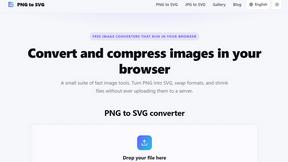
PNG to SVG
Free, private image conversion tools that run entirely in your browser.

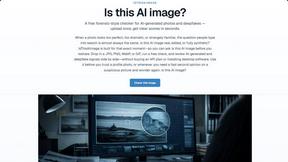
IsThisAIImage
Free AI image checker: upload a photo for AI-generated and deepfake scores, a clear verdict, and optional generator hints.
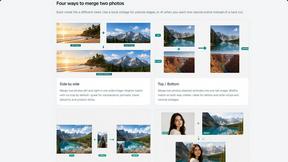
Merge Two Photos
Merge two photos free in your browser: side by side, stacked, overlay, or AI. Download a clean PNG, no watermark.
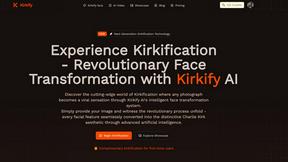
Kirkify
Kirkify AI instantly transforms any photo into viral, Kirkified memes using advanced face-swap and AI video tools for creators and marketers.
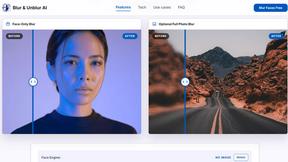
Blur & Unblur AI
Free online face blur and unblur tool with local browser processing.
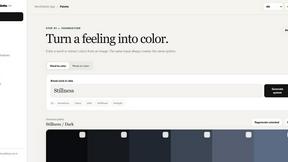
WordPalette Brand Kit
Turn any word or image into a complete brand identity system that stays private and runs entirely in your browser.