
Sketch To
Effortlessly transform your images into stunning sketches with Sketch To’s advanced AI converter for every creative.
AI tool Details
Explore More
Alternatives
About Sketch To
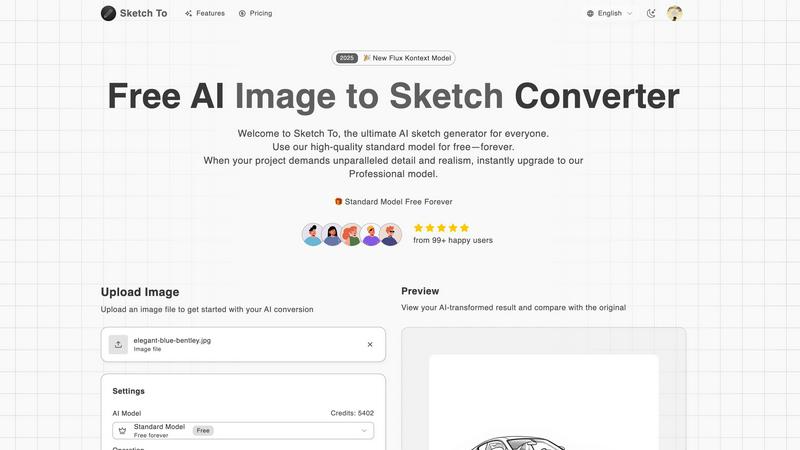
Sketch To is a revolutionary AI-powered tool designed to transform the way we create and visualize art. Perfectly suited for artists, designers, and hobbyists alike, this innovative platform allows users to effortlessly convert images into captivating sketches and vice versa. Whether you're looking to enhance your artistic portfolio, brainstorm unique design concepts, or simply indulge in a creative hobby, Sketch To provides an intuitive and user-friendly interface to meet your needs. The platform features a dual functionality: you can either turn any photograph into a detailed sketch or breathe life into your sketches by converting them into photorealistic images. With a focus on accessibility, Sketch To offers a free standard model for casual users and a professional model for those seeking unparalleled detail and realism. Its instant processing capabilities ensure that your creative journey is swift and seamless, allowing you to produce high-quality artwork without the burden of subscription fees. Unleash your creativity with Sketch To and discover the limitless possibilities of artistic expression.
Features
AI Image to Sketch Conversion
Transform your photos into beautiful pencil sketches using advanced AI technology. This feature is ideal for artists and designers who want to create stunning visual presentations or social media content effortlessly.
Sketch to Image AI
With the ability to convert sketches into realistic images, this feature provides incredible detail and accuracy. Perfect for professional projects, it allows artists to showcase their sketches as high-quality visuals, enhancing their portfolios.
Free Trial Credits
New users can take advantage of trial credits with the standard model. This feature allows hobbyists and casual users to explore the platform's capabilities without any initial investment, making it easier to get started.
Instant Processing
Experience the power of rapid image conversion with Sketch To's cloud-based AI processing infrastructure. Users can generate high-quality results in seconds, streamlining the creative process and enabling quick iterations.
Use Cases
Social Media Content Creation
Artists and influencers can utilize Sketch To to produce engaging visuals for social media platforms. By transforming photos into striking sketches, users can create unique posts that capture attention and convey artistic flair.
Professional Portfolios
Designers can enhance their portfolios by converting their sketches into photorealistic images. This feature allows them to showcase their creative range and attract potential clients with high-quality visuals.
Educational Projects
Students and educators can use Sketch To for school projects that require artistic elements. Whether it's creating illustrations for reports or enhancing presentations, the tool simplifies the process of adding artistic value.
Gift Creation
Hobbyists can transform cherished photos into custom sketches as unique gifts for friends and family. This personal touch elevates any occasion, making memories last longer through beautiful artistic creations.
Frequently Asked Questions
What types of images can I upload to Sketch To?
Sketch To supports multiple image formats, allowing users to upload a variety of files for conversion. This flexibility enables you to work with the images that best suit your creative vision.
Can I use Sketch To for commercial purposes?
Yes, Sketch To offers a Professional Model designed specifically for commercial use. This model provides superior detail and realism, making it suitable for professional projects and business needs.
How do I access the free trial credits?
New users can simply sign up on the Sketch To platform to receive trial credits. This allows you to explore the standard model's features without any cost, making it easy to get started.
Is there a limit to the size of images I can upload?
Yes, the maximum file size for uploads is 5MB. This limit ensures optimal processing speed and efficiency while maintaining high-quality results in the conversions you create.
Similar to Sketch To
Magic Eraser
AI photo editor for removing objects and backgrounds, enhancing images, and creating polished visuals.
Imagine2
Private browser-based AI image generation and editing with text-to-image, targeted edits, and multi-image references.
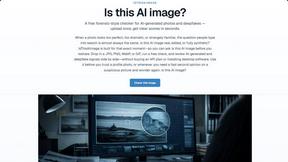
IsThisAIImage
Free AI image checker: upload a photo for AI-generated and deepfake scores, a clear verdict, and optional generator hints.

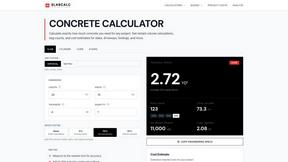
SlabCalc Crack Analyzer
Upload a photo of any concrete crack for an instant AI diagnosis that reveals its failure mode, severity score, and whether to DIY or call an.
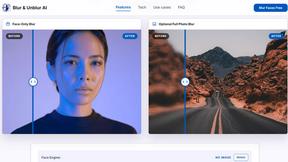
Blur & Unblur AI
Free online face blur and unblur tool with local browser processing.
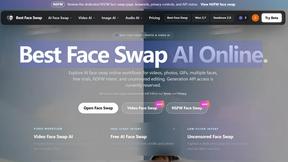
Best Face Swap
Best Face Swap unlocks game-changing potential by enabling seamless, frame-consistent AI face replacement in both photos and videos.
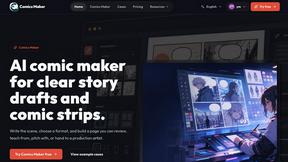
Comics Maker
Comics Maker transforms your raw scene ideas into structured comic drafts, letting you plan beats, generate panels, and arrange pages for review or.