Quickfix AI
Quickfix AI instantly diagnoses system issues and provides clear, actionable insights to enhance performance.
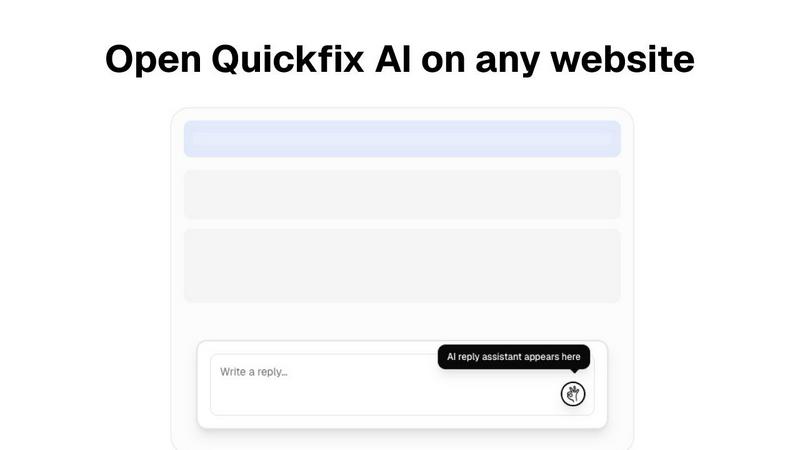
About Quickfix AI
Quickfix AI is a game-changing desktop application that transforms how you understand and optimize your computer's health and performance. This powerful, AI-driven diagnostics tool provides instant, comprehensive insight into your system's core vitals—from CPU and memory usage to storage health, battery life, security status, and network performance. Gone are the days of confusing technical reports. With a single click, Quickfix AI runs a full system scan and delivers a clear, actionable report in under a minute. Its revolutionary AI assistant then explains the findings in plain English, offering specific, tailored recommendations to resolve issues or enhance performance. Designed for everyone from everyday users and tech enthusiasts to professional IT support teams, Quickfix AI unlocks the hidden potential of your machine, ensuring it runs smoothly, securely, and at peak efficiency. It’s the ultimate tool for proactive system care and effortless troubleshooting.
Features
Comprehensive One-Click Diagnostics
Quickfix AI delivers a complete snapshot of your system's health in a single operation. The tool automatically scans and analyzes critical components including CPU performance, memory pressure, GPU load, storage disk health and capacity, battery condition, firewall status, and network connection speeds. All this vital data is compiled into an intuitive, easy-to-read dashboard, eliminating the need for multiple disparate utilities and providing unparalleled clarity at a glance.
AI-Powered Explanations & Recommendations
This is where Quickfix AI truly becomes transformative. Its integrated AI assistant reads your full diagnostic report and allows you to ask questions about your system in plain English. You receive clear, jargon-free explanations of any issues and get specific, actionable recommendations. For instance, it can pinpoint exactly which applications are slowing down your Mac and suggest immediate steps, turning complex technical data into simple, understandable guidance.
Secure Remote Diagnostics with Sharing Codes
Quickfix AI revolutionizes remote IT support. Instead of complicated remote desktop sessions, support teams can simply generate a sharing link. The user runs the scan agent themselves and enters the provided code, granting the technician instant, secure, and read-only access to the comprehensive diagnostic report. This facilitates swift, accurate troubleshooting on any machine without compromising user privacy or security.
Cross-Platform Support & Rapid Analysis
The tool is engineered for universal accessibility and speed. It offers dedicated versions for both Windows and macOS, ensuring broad compatibility for personal and professional use. The entire process—from download to completed diagnostic report—takes under a minute. This rapid analysis ensures you spend zero time waiting and all your time acting on the insights to optimize your system's performance.
Use Cases
Proactive Troubleshooting for Everyday Users
When your computer feels slow, makes strange noises, or behaves erratically, Quickfix AI is your first line of defense. Users without technical expertise can instantly diagnose the root cause—be it a failing drive, memory overload, or a misbehaving application—through the AI's plain-English explanations. It empowers anyone to identify and resolve common computer issues before they escalate into major problems.
Performance Optimization for Tech Enthusiasts
Gamers, developers, content creators, and power users demand peak performance from their systems. Quickfix AI provides the deep, granular insights needed to fine-tune their machines. By monitoring temperatures, GPU utilization, memory pressure, and background processes, enthusiasts can identify bottlenecks, optimize settings, and ensure their hardware is running at its absolute best for any demanding task.
Streamlined Support for IT Professionals
IT support teams and managed service providers can drastically reduce resolution times and improve service quality. By sending a secure sharing link, technicians can instantly view a client's full diagnostic report without needing physical access. This allows for accurate, first-contact diagnosis of issues ranging from performance degradation to security misconfigurations, transforming the efficiency of remote support operations.
System Security & Health Auditing
For individuals and businesses concerned with security and longevity, Quickfix AI acts as a regular health check. It audits critical security settings like firewall and encryption status, assesses storage drive health to warn of potential failures, and monitors battery degradation. This use case is essential for maintaining data integrity, ensuring system security, and planning hardware upgrades before critical failures occur.
Frequently Asked Questions
Is Quickfix AI free?
Yes, Quickfix AI offers a free version that includes the core one-click system diagnostics scan and access to the AI assistant for explanations and basic recommendations. This allows users to comprehensively understand their system's health at no cost. The website also mentions "Pricing" and "Enterprise" sections, indicating that advanced features or professional plans may be available for more extensive needs.
Is my data secure?
Absolutely. Security and privacy are foundational to Quickfix AI. The diagnostic scan runs locally on your machine. When using the sharing code feature for remote support, the data transmitted is a read-only report; technicians cannot control your computer. The company emphasizes data protection, with links to its Privacy Policy and Data Processing Agreement (DPA) for transparency.
Do I need technical knowledge?
Not at all. Quickfix AI is specifically designed for users of all technical levels. The interface presents information clearly, and the groundbreaking AI assistant exists to explain everything in simple, plain English. You can ask questions about your report as you would ask a person, and receive clear answers and specific recommendations without any prior technical expertise.
What platforms are supported?
Quickfix AI provides full native support for both major desktop operating systems. You can download dedicated versions for Windows and macOS. This cross-platform compatibility ensures that whether you use a PC or a Mac, for personal or professional purposes, you can leverage Quickfix AI's transformative diagnostic capabilities.
Similar to Quickfix AI

AI Email Filter
AI Email Filter sorts incoming mail into folders using plain-language prompts you write. Works with any IMAP mailbox; bring your own LLM if you want.

Product Launch Checklist
A free launch checklist for SaaS, apps, AI tools and more. Every step says why it matters and when you can skip it.
Kody Tools
Free collection of online developer utilities, code formatters, and digital converters designed to streamline your daily workflow.

layahost
Moderation, routing, intent and scoring for any text over one Jev-compatible API, hosted in the EU.

laya.tools
A free directory of 950+ projects built on Laya, the open-source decision model. Updated daily.
Sprite Sheet Maker
A free browser-based toolkit for creating, cutting, converting, and previewing sprite sheet animations.
Forms Plugin
The #1 Native Form Builder Plugin for Framer - No Code, No Embeds, No External Platforms.