AI tool Details
Explore More
Alternatives

About Push My App
Push My App is the revolutionary all-in-one platform that transforms the way indie developers and studios prepare, optimize, and submit their mobile app listings to the App Store and Google Play. This game-changing tool eliminates the launch-week grind by automating every tedious step of the submission process, allowing developers to ship their releases up to five times faster than traditional manual methods. At its core, Push My App leverages cutting-edge artificial intelligence to write search-optimized metadata, including app names, keywords, descriptions, and release notes, all tailored for maximum App Store Optimization (ASO) impact in mere seconds. Beyond AI-generated content, the platform features a powerful Pre-Flight Rejection Scanner that analyzes your build and listing against over 80 known Apple and Google rejection reasons, flagging potential issues before you submit. Developers can drop their .ipa, .apk, or .aab files directly into the dashboard, where the system automatically extracts bundle IDs, versions, and icons, validates compliance, and enables one-click submission to both App Store Connect and Google Play. Additionally, Push My App automates screenshot resizing across every required device size, translates full listings into 14 languages with re-optimized keywords per locale, and even generates a dedicated website and support mailbox for your app. Built specifically for developers who would rather be coding than wrestling with store listings, this platform turns what used to take days into a confident afternoon of work.
Features
AI-Generated ASO Metadata
This transformative feature harnesses the power of artificial intelligence to generate your entire app store metadata in seconds, not afternoons. Push My App creates high-conversion app names, subtitles, keywords, descriptions, and release notes that are fully optimized for discoverability across both the App Store and Google Play. Each element is scored against industry benchmarks, with titles rated out of 30, keywords out of 100, and subtitles out of 30, giving you instant feedback on your listing's potential performance. The AI analyzes current trends and best practices to ensure your app stands out in crowded marketplaces.
Pre-Flight Rejection Scanner
This game-changing tool acts as your personal submission guardian by scanning your build and listing against over 80 known Apple and Google rejection reasons before you ever hit submit. The scanner identifies critical blockers, such as missing privacy manifests or compliance issues, that could otherwise result in frustrating rejections and days of delays. By catching these problems early, you can fix them proactively and submit with complete confidence that your app meets all store requirements.
App File Scanner and Direct Submission
Drop your .ipa, .apk, or .aab file into the dashboard, and Push My App instantly extracts the bundle ID, version number, and app icon while validating compliance with store guidelines. This seamless integration eliminates the need for manual data entry and reduces the risk of errors. With one click, you can submit directly to App Store Connect and Google Play, complete with pre-submission validation that ensures everything is in order before the file leaves your control.
Screenshot Resizer and App Translator
Upload a single set of screenshots, and Push My App automatically generates every required device size for both the App Store and Google Play, complete with device frames and dynamic marketing text overlays. This eliminates the tedious manual resizing process that typically takes an hour or more. Additionally, the platform translates your full listing into 14 languages, including Spanish, German, French, Japanese, and Portuguese, while re-optimizing keywords per locale to maintain search visibility across global markets.
Use Cases
Solo Indie Developer Launching a New App
An independent developer working alone can transform their app launch from a stressful, multi-day ordeal into a streamlined afternoon session. By leveraging AI-generated metadata and automated screenshot resizing, the developer can focus on coding and refining the app experience rather than wrestling with store requirements. The rejection scanner provides peace of mind, ensuring that common pitfalls are avoided before submission.
Small Studio Managing Multiple App Versions
A small development studio handling updates for several apps across iOS and Android can use Push My App as a centralized command center. The platform tracks version history automatically, eliminating the need for spreadsheets and manual logs. With one-click submissions and automatic status tracking, the studio can ship updates for multiple apps simultaneously, dramatically increasing their release velocity.
Freelance Developer Working with Global Clients
A freelance developer who builds apps for international clients can leverage the App Translator feature to localize listings into 14 languages without hiring translators or spending hours on manual translation. The re-optimized keywords per locale ensure that each version of the listing performs well in its target market, helping clients achieve better organic discovery worldwide.
Team Using Continuous Integration and Deployment
Development teams that rely on CI/CD pipelines with tools like Xcode, Android Studio, Expo, Fastlane, or GitHub Actions can integrate Push My App into their existing workflows. The platform's direct submission capabilities and file scanning features complement automated build processes, allowing teams to push new releases from development straight to the stores with minimal manual intervention.
Pricing
Push My App offers a free Starter plan that requires no credit card, allowing you to explore the platform's core capabilities without any financial commitment. For developers and studios ready to unlock the full transformative power of the platform, there is a 30-day Growth trial that provides access to all premium features including unlimited AI-generated metadata, comprehensive rejection scanning, multi-language translations, and direct submissions. After the trial period, the Growth plan continues with a subscription model designed to deliver exceptional value compared to the hours of manual work it replaces. Detailed pricing information for specific plans and tiers is available on the Push My App website, where you can also compare features and choose the option that best fits your development workflow and budget.
Frequently Asked Questions
What file formats does Push My App support for app uploads?
Push My App supports .ipa files for iOS apps and .apk or .aab files for Android apps. When you drop your file into the dashboard, the platform automatically extracts the bundle ID, version number, and app icon while validating compliance with both Apple and Google store guidelines. This streamlined process eliminates manual data entry and reduces the risk of submission errors.
How does the Pre-Flight Rejection Scanner work?
The Pre-Flight Rejection Scanner analyzes your build and listing against over 80 known Apple and Google rejection reasons before you submit. It checks for common issues such as missing privacy manifests, incorrect metadata, compliance violations, and other factors that frequently lead to rejections. The scanner provides clear feedback on any blockers found, allowing you to fix them proactively and submit with confidence.
Can I use Push My App if I already have existing app listings?
Absolutely. Push My App is designed to handle both new app submissions and updates to existing listings. The platform includes a Review and Confirm step that shows a diff against your last submission, allowing you to see exactly what has changed. This makes it easy to update metadata, screenshots, or build files for apps that are already live on the stores.
Does Push My App support team collaboration?
Yes, Push My App is built for teams shipping with popular development environments including Xcode, Android Studio, Expo, Fastlane, and GitHub Actions. The platform provides a centralized dashboard where multiple team members can view app profiles, track version history, and manage submissions. This collaborative approach ensures everyone stays aligned throughout the release process.
Similar to Push My App
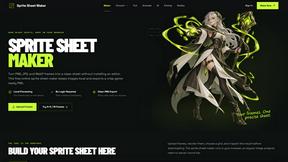
Sprite Sheet Maker
A free browser-based toolkit for creating, cutting, converting, and previewing sprite sheet animations.
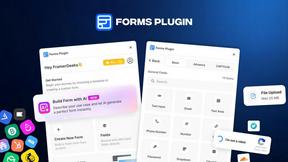
Forms Plugin
The #1 Native Form Builder Plugin for Framer - No Code, No Embeds, No External Platforms.