

Pullsy
Pullsy's AI organizes your inbox and drafts replies in your tone to save you time.

About Pullsy
Pullsy is a transformative AI-powered inbox assistant designed to liberate busy professionals, entrepreneurs, and small teams from the tyranny of email. It is a game-changing solution for anyone who feels their day is dictated by an overflowing inbox. By seamlessly integrating with Gmail and Microsoft 365 (Outlook), Pullsy acts as an intelligent layer over your existing email workflow, turning chaos into clarity. Its core mission is to give you back control, enabling you to move through your inbox up to three times faster. Instead of manually organizing, drafting replies, and searching for information, Pullsy automates these tasks with sophisticated AI. It intelligently labels and prioritizes incoming messages, drafts context-aware replies in your unique voice, and allows you to instantly summarize threads or extract key data from attachments. With a clean interface, simple setup, and a robust free trial, Pullsy redefines email from a daily burden into a streamlined, AI-driven command center, empowering you to focus on what truly matters.
Features
Smart Inbox & Intelligent Prioritization
Pullsy's AI doesn't just organize your inbox; it transforms it into a smart dashboard. It automatically analyzes your incoming messages to identify and surface what's truly important, such as urgent requests, time-sensitive tasks, or communications from key contacts. This intelligent prioritization filters out the noise, ensuring you never miss critical emails while relegating less important ones to a secondary view. You start your day with a clear, actionable overview, saving hours previously spent on manual triage and searching.
AI-Drafted Replies in Your Voice
This feature is the heart of Pullsy's time-saving power. The AI doesn't generate generic responses; it crafts context-aware replies tailored to the specific content of each email. It intelligently detects questions, tasks, scheduling needs, and document requests within the thread. You can then select your preferred tone—Professional, Friendly, or Quick—and Pullsy will draft a nuanced, appropriate response that you can review, tweak if needed, and send with a single click, maintaining your personal touch effortlessly.
"Ask Pullsy" & Inbox Chat
Go beyond simple organization with Pullsy's conversational AI capability. The "Ask Pullsy" feature allows you to chat directly with your inbox. You can ask it to summarize long email threads, extract specific action items or dates from a conversation, or even analyze the content of attached PDFs to pull out key insights. This turns your inbox into a searchable, intelligent knowledge base, helping you find information and understand context faster than ever before.
Daily Digest & Meeting Preparedness
Pullsy provides a personalized "Day at a Glance" summary that consolidates crucial information. This dashboard gives you a quick overview of new messages, your top tasks extracted from emails, and all upcoming meetings with relevant details. By centralizing this context, Pullsy ensures you are fully prepared for your day and every important call, eliminating last-minute scrambles to find meeting links or recall agenda points buried in your email history.
Use Cases
The Overwhelmed Executive
For executives and leaders inundated with high-volume communication, Pullsy is a game-changer. It automatically highlights emails from board members, direct reports, and key clients, ensuring critical messages are never buried. The AI reply drafting allows them to maintain consistent, professional communication across dozens of threads in minutes, not hours, freeing up time for strategic decision-making.
The Entrepreneur Wearing Multiple Hats
Entrepreneurs and solopreneurs juggle sales, support, and operations from their inbox. Pullsy helps them instantly switch contexts by summarizing client request threads, drafting friendly follow-ups, and extracting tasks from vendor emails. This allows them to respond promptly and professionally to every stakeholder without letting any ball drop, effectively scaling their personal communication efforts.
The Small Team Coordinator
For team leads or project managers, Pullsy streamlines collaboration. It can quickly summarize lengthy team email chains for status updates, identify action items promised to clients (catching "broken promises"), and draft clear, task-confirming replies. This ensures everyone is aligned, deadlines are clear, and communication is efficient, reducing internal friction and missed details.
The Professional in Back-to-Back Meetings
For consultants, salespeople, or anyone with a calendar full of meetings, Pullsy's daily digest is transformative. Before each meeting, they can use "Ask Pullsy" to get a instant summary of the related email thread, including key decisions and attachments. This allows them to walk into every call fully prepared and informed, projecting confidence and competence without pre-meeting cramming.
Frequently Asked Questions
What is Pullsy and how does it work?
Pullsy is an AI-powered inbox management tool that connects directly to your Gmail or Microsoft 365 account, along with your calendar. Once connected, its AI engine works in the background to automatically organize your messages, highlight high-priority emails, and suggest intelligent, context-aware replies. It transforms your inbox from a passive list into an active assistant, helping you clear your inbox faster and with significantly less mental effort.
Is Pullsy safe to use?
Absolutely. Data security is Pullsy's top priority. The platform is built with enterprise-grade security standards. It is Google OAuth Verified, has completed CASA (Cloud Application Security Assessment), and is GDPR compliant. Furthermore, Pullsy is currently undergoing the SOC 2 Type 2 compliance process, which is a rigorous audit of its security controls. Your data is protected and never used for training public AI models.
Can Pullsy draft replies for me?
Yes, this is one of Pullsy's core capabilities. Its AI analyzes the content of an email thread to understand the context—identifying questions, tasks, and requests—and then drafts a complete, appropriate reply. You can select a tone (Professional, Friendly, Quick) and then review, edit if desired, and send the response with a single click. It learns from your adjustments to better match your style over time.
What tools can I integrate with Pullsy?
Currently, Pullsy offers seamless native integration with Gmail and Microsoft 365 (Outlook), which includes connecting to your associated calendar for meeting insights. The product roadmap indicates that integration with Slack is coming soon, which will further extend its ability to centralize and manage your communication workflow across platforms.
Similar to Pullsy
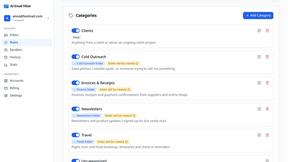
AI Email Filter
AI Email Filter sorts incoming mail into folders using plain-language prompts you write. Works with any IMAP mailbox; bring your own LLM if you want.
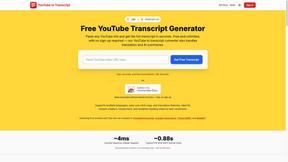
GetYouTubeTranscript
Free YouTube transcripts on the web, a Chrome extension, and an API + MCP server so AI assistants can read YouTube.
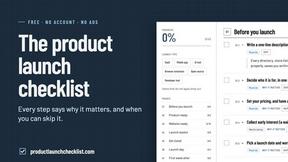
Product Launch Checklist
A free launch checklist for SaaS, apps, AI tools and more. Every step says why it matters and when you can skip it.
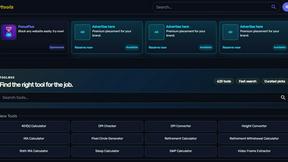
Kody Tools
Free collection of online developer utilities, code formatters, and digital converters designed to streamline your daily workflow.

layahost
Moderation, routing, intent and scoring for any text over one Jev-compatible API, hosted in the EU.


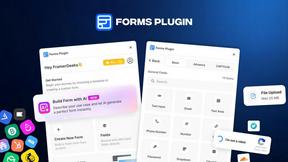
Forms Plugin
The #1 Native Form Builder Plugin for Framer - No Code, No Embeds, No External Platforms.