MindMap AI
MindMap AI transforms your ideas into dynamic, editable mind maps with reliable AI co-creation.
About MindMap AI
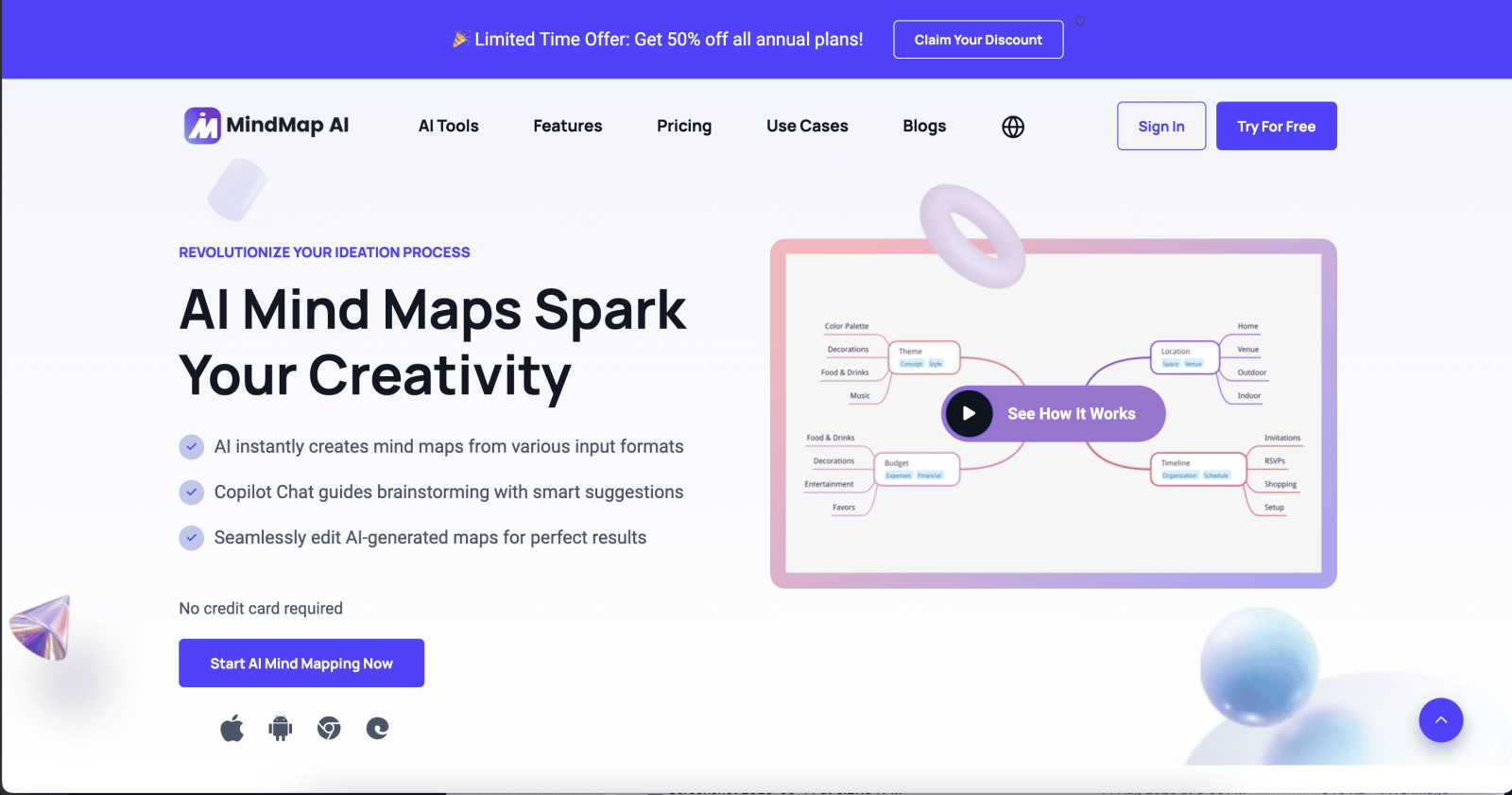
MindMap AI is a transformative, game-changing platform that redefines visual thinking and collaborative ideation. It is the premier AI-powered mind mapping software meticulously engineered for professionals, teams, students, and researchers who demand clarity from complexity. This powerful tool instantly converts chaos into structured, actionable visual maps by processing a vast array of inputs—including text, PDFs, documents, slides, images, audio, and video. At its core, MindMap AI features an intelligent "New Brain" that uses step-by-step reasoning to understand context, hierarchy, and relationships, ensuring every generated map is meaningful and accurate from the first attempt. It serves as an interactive, co-editing workspace where human creativity and artificial intelligence collaborate seamlessly. With robust support for over 25 languages, flexible chart views, and total design customization, it empowers over a million thinkers to brainstorm, plan, strategize, and organize with unprecedented speed and precision. MindMap AI unlocks your team's potential by transforming scattered thoughts into a clear, shareable, and dynamic visual strategy, all while respecting your manual input and preserving your unique workflow.
Features
The New Brain: AI Thinking Mode
This is the revolutionary reasoning engine behind MindMap AI. Unlike standard AI that generates random branches, it meticulously analyzes your input's context, hierarchy, and relationships in a step-by-step process before constructing the map. This ensures every mind map is logically structured, deeply accurate, and meaningful on the very first try, providing a solid foundation for real thinking instead of noise.
File-to-Map Instant Conversion
Unlock the ability to transform virtually any content into a beautiful, editable mind map in seconds. Simply upload texts, PDFs, images, audio recordings, videos, Markdown, CSV, or other documents. The AI instantly digests the material and outputs a clean, visual structure, freeing you from manual formatting so you can dive straight into deeper analysis, planning, and creative expansion.
MindMark Stability & Co-Editing
Experience reliable AI collaboration that respects your work. With MindMark Stability, your manual edits, custom layouts, and personal structures remain completely untouched. The AI expands and suggests ideas around your work without ever overwriting it. This allows for seamless co-creation where you and the AI can brainstorm, summarize, add connections, and reorganize together in real-time.
Flexible Multi-Format Layouts
Visualize your ideas from every perspective without rebuilding your work. Seamlessly switch between Mind Map, Organizational Chart, and Logic Chart views with a single click. Your project's core structure and data remain perfectly aligned across all layouts, enabling you to explore relationships, present to different audiences, and gain new insights from the same set of ideas.
Use Cases
Strategic Project Planning & Management
Teams can transform chaotic project briefs, meeting notes, and strategy documents into clear, actionable visual plans. By converting project requirements into a central mind map, managers can define tasks, set priorities with flags and due dates, visualize dependencies, and share a single source of truth with stakeholders, streamlining execution and ensuring alignment.
Academic Research & Learning
Students and researchers can instantly condense complex textbooks, research papers, lecture recordings, and articles into structured mind maps. This visual summarization aids in faster comprehension, better retention of information, and easier identification of key themes and relationships, turning overwhelming study material into a clear study guide.
Creative Brainstorming & Ideation
Marketing teams, writers, and product developers can use MindMap AI as a dynamic brainstorming canvas. Starting with a seed idea, teams can collaboratively use the AI Co-Pilot to rapidly expand concepts, explore different creative angles, and organize thoughts into coherent campaigns, story outlines, or product feature sets, fostering innovation in real-time.
Business Development & Negotiation Strategy
Professionals can deconstruct complex negotiations or client proposals by mapping out all parties, interests, options, and potential outcomes. This visual strategy tool helps in anticipating counter-arguments, uncovering hidden insights within documents, and preparing a clear, adaptable plan that can be refined with AI input to secure successful deals.
Frequently Asked Questions
What makes MindMap AI different from other mind mapping tools?
MindMap AI is fundamentally different because it combines powerful, context-aware AI generation with unwavering respect for user control. Its "New Brain" ensures accurate, logical maps from any input, while its "MindMark Stability" guarantees the AI never overwrites your manual edits. This unique co-editing partnership, alongside multi-language support and instant multi-format conversion, makes it a tool for serious thinking, not just diagramming.
How does the free plan work?
MindMap AI offers a generous free tier that requires no credit card to start. Users receive 50 free AI credits every month, which can be used to generate and expand mind maps from various files. This allows individuals to fully experience the core AI-powered features and assess the tool's transformative potential for their workflow before considering an upgrade.
Can I edit the mind maps after the AI creates them?
Absolutely. Full editability is a cornerstone of MindMap AI. Once the AI generates a map, you have complete manual control. You can drag and drop nodes, change text, customize colors and fonts, add new branches, draw connection arrows, and apply widgets. The AI can then assist you further in expanding or refining the map without disrupting your changes.
What formats can I export my mind maps to?
Your ideas are designed to be shared and presented effortlessly. MindMap AI supports multi-format exports, allowing you to download your visual maps as editable documents (Word, PPTX), universal files (PDF), high-quality images (PNG), developer-friendly formats (Markdown), and more. This ensures seamless integration into reports, presentations, and collaborative workflows.
Similar to MindMap AI

Context Board
Context Board brings your numbers, docs, clients, content and day into one workspace that Claude and Codex can read and update.

@fuck.it - email with attitude
Private email. Pure. Secure. Exclusive. No ads, no tracking, no data selling. GDPR compliant, EU-hosted.

Verla AI
Verla is an AI academic assistant for university and college students, combining AI essay writing, academic research, AI detection, AI humanization
Novastart
Apps and files on an infinite canvas where people and AI agents work together.

MD To Text
MD To Text is a free online Markdown to plain text converter. Paste Markdown and get clean readable text instantly, in your browser, no signup.

AUTOMATER.ai
A tray helper for every AI coding tool: one searchable library of past sessions, waiting alerts and usage across 9 providers.