

File Studio
Transform your workflow with File Studio's powerful offline tools to convert, edit, and manage files and PDFs privately.
AI tool Details
Explore More
Alternatives

About File Studio
File Studio is an innovative desktop application crafted for users who demand a powerful yet secure solution for managing PDFs and images entirely offline. Designed for photographers, freelancers, and remote workers, it empowers individuals to handle sensitive documents such as passports, IDs, and contracts without the risks associated with cloud storage. The application's core value lies in its comprehensive toolset, which allows users to merge, split, reorder, rotate, and password-protect PDFs while also converting files among more than 20 formats, including HEIC, WebP, AVIF, and various RAW types. With a straightforward one-time purchase model, File Studio eliminates the hassle of subscriptions and accounts, making it accessible for both Mac and Windows users. Embrace the freedom of offline processing and safeguard your privacy with File Studio's robust capabilities.
Features
Comprehensive PDF Management
File Studio offers a full suite of PDF tools, allowing users to merge multiple PDFs, split them into individual pages, reorder and rotate spreads, and remove passwords without ever uploading a document to the cloud. This ensures that all your sensitive PDF management remains private and secure.
Versatile Image Handling
Supporting over 20 image formats, including HEIC, WebP, and various RAW types, File Studio provides powerful tools for converting, resizing, and compressing images. Users can effortlessly enhance their workflow with batch processing features, ensuring they can handle multiple files simultaneously while maintaining high-quality results.
100% Offline Functionality
One of the standout features of File Studio is its commitment to privacy. All processing occurs locally on your device, meaning no uploads or accounts are necessary. Your files remain on your Mac or Windows PC, providing peace of mind for users dealing with sensitive information.
User-Friendly Interface
File Studio is designed for simplicity and efficiency. Users can drag and drop files directly into the application, select the desired tool, and complete their tasks in just a few clicks. This intuitive workflow minimizes distractions and maximizes productivity, making it ideal for busy professionals.
Use Cases
Secure Document Management
File Studio is perfect for individuals who need to manage sensitive documents such as contracts and IDs. With its robust PDF tools, users can easily merge, split, and protect their files, ensuring that their private information remains secure and accessible only to them.
Efficient Image Conversion
Photographers and content creators can benefit from File Studio's image conversion capabilities. The software allows users to convert HEIC images from their iPhones into JPGs, making them compatible with any application or website, thereby streamlining their workflow.
Batch Processing for Large Projects
For those dealing with large volumes of files, File Studio's batch processing feature is invaluable. Users can convert, resize, or compress entire folders in a single run, saving time and effort while ensuring high-quality outputs for multiple files.
Metadata Management
File Studio allows users to clean metadata from their documents and images, ensuring that sensitive information does not inadvertently get shared. This feature is especially useful for professionals who need to send documents externally without exposing their personal data.
Frequently Asked Questions
Is my data ever uploaded?
No. File Studio processes everything locally on your device. Your files never leave your computer, ensuring 100% offline processing and maximum privacy.
Do you offer a free trial?
Yes. Users can try File Studio before committing to a purchase, allowing them to explore all features and capabilities without any financial risk.
What file formats does File Studio support?
File Studio supports over 20 formats, including PDFs, HEIC, WebP, AVIF, and various RAW types, making it versatile for both document and image management.
Is File Studio compatible with both Mac and Windows?
Absolutely. File Studio is designed to work seamlessly on both Mac and Windows platforms, providing a consistent user experience across devices.
Similar to File Studio



PerPageFax
PerPageFax lets you send a fax online from any browser for a flat $0.50 per page — no account, no subscription, no fax machine.

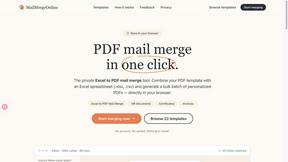
PDF Mail Merge
在线批量PDF Excel 合并工具,将PDF模板与Excel/CSV数据结合,在浏览器内批量生成个性化PDF文件,安全高效。

Fill PDF from Sheet
Fill PDF from Sheet automates the process of populating PDF forms from data in Excel, CSV, or Google Sheets.


Glanced
Follow news, blogs, newsletters, and podcasts in a free RSS reader, with AI summaries, top stories, full-text search, saved searches, and a catalog.