

Dreamflow
Dreamflow unlocks app creation by blending AI prompts, visual design, and full code control in one seamless platform.
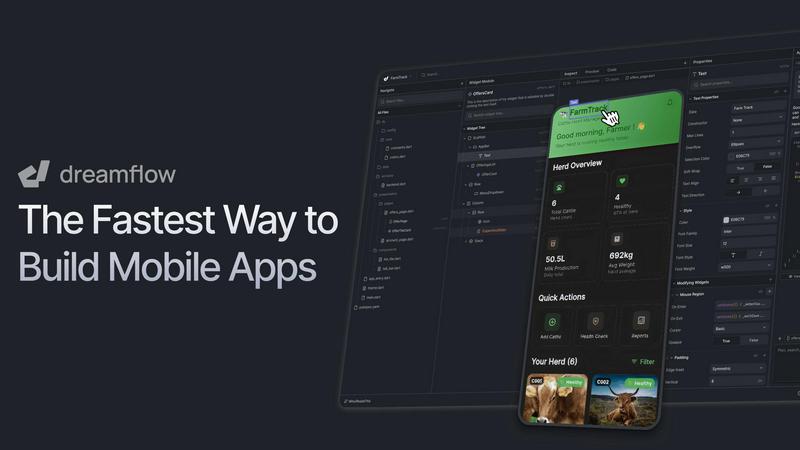
About Dreamflow
Dreamflow is a revolutionary platform that is fundamentally transforming how mobile applications are built. It unlocks the potential of developers and creators by merging the intuitive power of artificial intelligence with the precision of visual design and full code-level control. This seamless tri-surface experience empowers everyone from startup founders and citizen developers to seasoned software engineers. The platform's core value proposition is its ability to accelerate the entire app development lifecycle, allowing users to move from a simple idea to a production-ready application deployed on the App Store, Google Play Store, and Web in record time. By removing the traditional barriers and steep learning curves of conventional development, Dreamflow puts unparalleled creative freedom and technical control directly into the hands of the builder. It is the definitive tool for rapid prototyping, market validation, and building robust, scalable applications, all within a single, cohesive environment engineered for speed and efficiency.
Features
Tri-Surface Editing
Dreamflow's groundbreaking Tri-Surface Editing is the heart of its transformative workflow. You can switch seamlessly between an AI Agent you converse with, a intuitive Visual Canvas for drag-and-drop design, and the full, editable Flutter Code. Every change made on one surface is instantly synchronized across all others, ensuring that AI-generated structures, visual layouts, and the underlying codebase are always perfectly aligned. This gives you the flexibility to start with a natural language prompt, fine-tune the UI visually, and then dive into the code for custom logic, all without any friction or conversion loss.
AI-Powered, Context-Aware Generation
The platform is driven by a sophisticated, context-aware AI that understands development patterns and best practices. It goes beyond simple code snippets to intelligently scaffold entire features, components, and application structures the right way. By comprehending the intent and architecture of your project, the AI provides relevant suggestions and generates coherent, production-quality Flutter code, dramatically reducing boilerplate work and accelerating the initial build phase.
Build for Any Screen & One-Click Deployment
Dreamflow leverages the power of Flutter to enable you to build robust, natively compiled applications for mobile, web, and desktop from a single codebase. Your apps are automatically responsive and adapt to every device size. When you're ready to launch, Dreamflow simplifies distribution with one-click deployment directly to the Apple App Store, Google Play Store, and as a web application, eliminating the complex and manual publishing hurdles.
Integrated Backend & Full-Code Export
Dreamflow supports full-stack development with managed backend integrations for Firebase and Supabase available out of the box. This allows you to build scalable applications with real-time databases, authentication, and storage from day one. Furthermore, for complete ownership and flexibility, the Hobby plan and above include full code export, giving you the freedom to download the entire Flutter project and run it locally on simulators, real devices, or within your own custom CI/CD pipeline.
Use Cases
Startup MVP Development and Validation
For startup founders and entrepreneurs, speed to market is critical. Dreamflow is the ultimate tool for rapidly transforming a concept into a functional Minimum Viable Product (MVP). You can describe your app idea, use the AI and visual tools to build a professional prototype in hours—not months—and deploy it instantly to gather real user feedback and validate product-market fit without a massive upfront investment in development resources.
Professional Developer Prototyping and Workflow
Seasoned developers and agencies can use Dreamflow to drastically accelerate the prototyping and initial development phases of client projects. It allows for quick exploration of UI/UX concepts, generation of complex boilerplate code, and setting up core application infrastructure. Developers can then export the full, clean Flutter codebase to integrate custom advanced features and maintain the project within their preferred professional tools and version control systems.
Cross-Platform App Development for Small Businesses
Small businesses and solo creators needing a professional mobile and web presence can leverage Dreamflow to build their own apps without hiring a dedicated development team. The visual canvas and AI guidance make app creation accessible, while the power of Flutter ensures a high-quality, cross-platform result. The integrated backend handles data seamlessly, enabling the creation of functional apps for e-commerce, services, or community engagement.
Educational Tool for Learning App Development
Dreamflow serves as an exceptional educational platform for students and aspiring developers learning mobile development. It provides a tangible, visual context for how code translates into a working application. Learners can start with the visual builder, see the instant code generation, and then modify that code to understand Flutter and Dart principles, creating a powerful, interactive learning feedback loop.
Pricing
Dreamflow offers simple, transparent pricing tiers designed to scale with your needs. You can start for free and upgrade as your project grows.
Free Plan ($0/month): Ideal for exploration. Includes private projects with visual and code editing, managed backend integrations (Firebase/Supabase), one-click web deployment, and a one-time starter pack of AI credits.
Hobby Plan ($20/month): For building and launching complete apps. Includes everything in Free, plus one-click deployment to iOS and Android app stores, full Flutter code export, the ability to run apps on local simulators/devices, and 100 AI credits per month.
Pro Plan ($90/month): For professional production workflows. Includes everything in Hobby, plus version control (Git) for team collaboration, priority access to premium AI models, and 500 AI credits per month.
Enterprise Plan (Custom Pricing): For teams using Dreamflow as a core platform. Includes dedicated support, onboarding, advanced access control, options to bring your own AI models, SLA guarantees, and private cloud deployment.
Frequently Asked Questions
What is Tri-Surface Editing?
Tri-Surface Editing is Dreamflow's unique interface that allows you to interact with your app project through three perfectly synchronized views: the AI Agent (for natural language commands), the Visual Canvas (for drag-and-drop design), and the Code Editor (for direct Flutter/Dart coding). Any edit you make in one view is immediately reflected in the others, providing unmatched flexibility in your development workflow.
Can I get the source code for my app?
Yes, absolutely. Dreamflow believes in giving developers full ownership and control. On the Hobby plan and above, you have the ability to fully export your entire project as a standard Flutter codebase. You can then open, run, and further develop this code in IDEs like VS Code or Android Studio, deploy it to your own servers, and submit to stores manually if desired.
Which backends does Dreamflow support?
Dreamflow offers managed backend integrations for two popular platforms: Firebase and Supabase. These are available out of the box, providing seamless setup for essential services like authentication, real-time databases, cloud storage, and serverless functions, allowing you to build complete, scalable full-stack applications directly within the platform.
How does the AI credit system work?
AI credits are used for generation tasks performed by the AI Agent, such as creating new components, pages, or features from prompts. The Free plan includes a one-time starter pack of credits for exploration. The Hobby and Pro plans include monthly recurring credits (100 and 500 respectively), ensuring you have consistent AI assistance for your ongoing development work.
Similar to Dreamflow
Wordy
Learn languages with real movie and TV show clips.
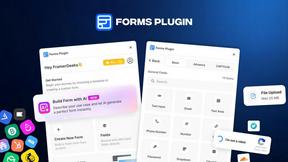
Forms Plugin
The #1 Native Form Builder Plugin for Framer - No Code, No Embeds, No External Platforms.
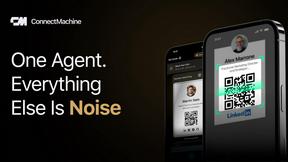
ConnectMachine
AI-powered digital business cards with QR sharing, card scanning, and smart contact management.
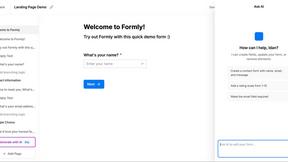
Formly
Formly transforms how you build and analyze forms by letting you create, publish, and review them through any AI agent or visual editor in seconds.
MECH AI
MECH AI transforms your phone into a game-changing mechanic, unlocking instant diagnostics and parts for any car.
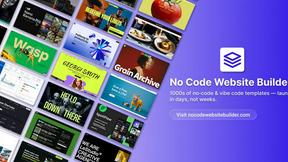
No Code Website Builder
Unlock your potential with vetted no-code templates to launch websites and apps in days, no coding required.
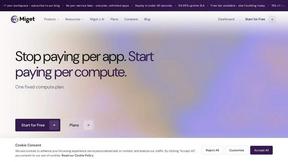
Miget
Miget empowers you to deploy unlimited apps on a single flat-rate plan, eliminating per-service fees and unlocking rapid innovation.
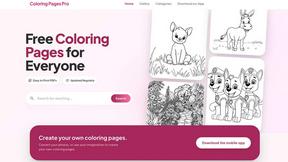
Coloring Pages Pro
Coloring Pages Pro offers over 10,000 free printable coloring pages for all ages, perfect for creativity, relaxation, and fun activities.