

dmaya
dMaya empowers agencies and teams to create stunning UI designs, collaborate effortlessly, and seamlessly export to code for rapid deployment.
AI tool Details
Explore More
Alternatives
About dmaya
dMaya is a transformative design platform specifically crafted for agencies, teams, and freelancers who prioritize the design phase before diving into code. This innovative tool leverages AI to produce professional UI designs from simple text descriptions, allowing users to create detailed designs for SaaS dashboards, e-commerce flows, or mobile applications in mere seconds. Unlike traditional AI tools that bypass the design process, dMaya emphasizes the importance of visual design, enabling teams to iterate and refine their concepts in conversation with an AI agent. With features such as design tokens for consistency, real-time collaboration, and seamless client feedback integration, dMaya redefines the design workflow. Teams can present polished outputs, gain client approvals, and export their designs as clean HTML, CSS, and JS code, fostering a streamlined transition from ideation to development. Built for professionals, dMaya ensures that every design decision is intentional, precise, and aligned with team objectives, ultimately enhancing productivity and confidence when shipping projects.
Features
AI-Powered Design Generation
dMaya empowers users by generating production-ready UI designs from simple text prompts. This feature allows teams to create complete layouts, component systems, and responsive variants in seconds, eliminating hours of manual design work.
Multi-Screen Canvas
Experience an infinite canvas where users can design across desktop and mobile frames simultaneously. This feature mimics the flexibility of Figma, enabling users to drag, zoom, and organize screens effortlessly while benefiting from AI-enhanced capabilities.
Built for Teams & Collaboration
dMaya fosters teamwork by allowing users to invite team members, share projects with clients, and leave comments in real time. Role-based access ensures that everyone is aligned and focused on their specific contributions to the project.
Client Presentation Mode
With dMaya, sharing interactive previews with clients has never been easier. Users can send a single link for clients to review designs without needing an account. This feature streamlines the feedback process and enhances collaboration, facilitating quicker iterations.
Use Cases
Rapid Design Concept Generation
Agencies can leverage dMaya to generate design concepts during discovery calls, allowing them to present multiple directions to stakeholders in a fraction of the time it would usually take, thus accelerating the decision-making process.
Efficient Collaboration for Product Teams
Product teams can use dMaya to explore various UI directions before committing engineering resources. This capability allows for real-time collaboration across design, product, and engineering sectors, reducing misalignment and enhancing productivity.
Streamlined Feedback for Freelancers
Freelancers can utilize dMaya to deliver polished designs to their clients quickly. By sharing interactive previews and collecting feedback directly within the platform, they can take on more projects without extending their work hours.
Design-to-Code Transition
Once designs are approved, teams can seamlessly export their work as code. This functionality simplifies the handoff to coding agents like Claude Code or Cursor, ensuring that the transition from design to development is smooth and efficient.
Frequently Asked Questions
How does dMaya generate designs from text descriptions?
dMaya utilizes advanced AI algorithms that interpret user-provided text descriptions to create detailed UI designs instantly, allowing for a smooth transition from concept to visual representation.
Can multiple team members collaborate in real time?
Yes, dMaya is designed for collaboration, enabling team members to work together in real time, share feedback, and make adjustments seamlessly within the platform.
Is there a limit to the number of designs I can create?
Currently, dMaya does not impose strict limits on the number of designs you can generate, allowing users to explore various concepts without worrying about hitting a ceiling.
How do I present designs to clients without them needing an account?
dMaya allows users to generate interactive preview links that clients can access directly in their browsers, eliminating the need for client accounts and streamlining the review process.
Similar to dmaya
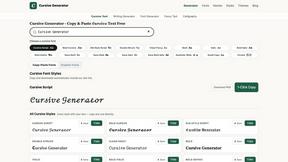
Cursive Text Generator
Cursive Text Generator is a free browser-based tool that converts regular text into beautiful cursive and stylish Unicode fonts. Users can instantly p

Presentation Intelligence
AI-native presentation and visual content platform that turns prompts, documents, images, videos, and data into polished, shareable decks.

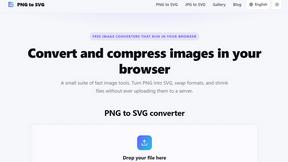
PNG to SVG
Free, private image conversion tools that run entirely in your browser.


IsThisAIImage
Free AI image checker: upload a photo for AI-generated and deepfake scores, a clear verdict, and optional generator hints.
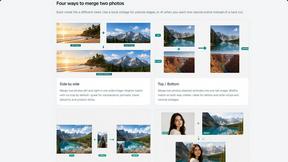
Merge Two Photos
Merge two photos free in your browser: side by side, stacked, overlay, or AI. Download a clean PNG, no watermark.
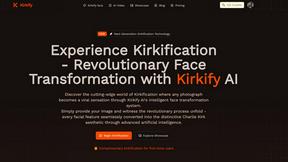
Kirkify
Kirkify AI instantly transforms any photo into viral, Kirkified memes using advanced face-swap and AI video tools for creators and marketers.