

Opal
Opal is the transformative visual workspace that instantly organizes all your projects and notes so you never lose an idea again.
AI tool Details
Explore More
Alternatives
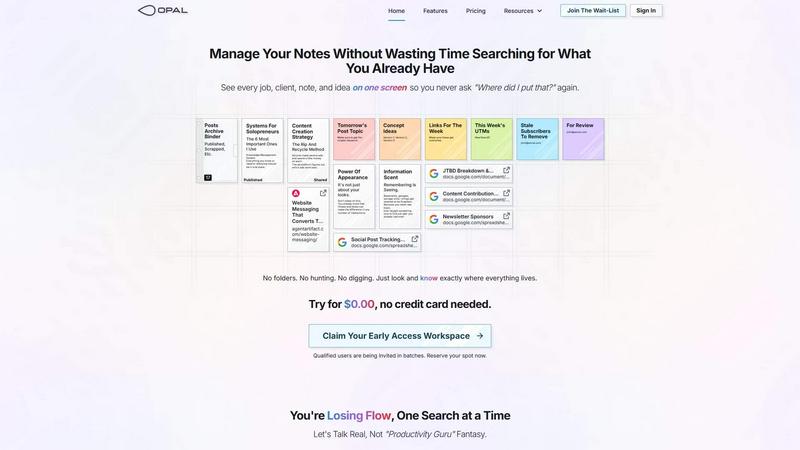
About Opal
Opal is the game-changing visual workspace that shatters the limitations of traditional note-taking and project management. Designed for the spatial thinker, it transforms how you capture, organize, and retrieve information by leveraging your brain's innate ability to remember where things are. Forget the endless scroll through nested folders, the forgotten tabs, and the buried brilliance. Opal provides an infinite digital canvas where you can visually place notes, documents, files, and links—just like arranging items on a physical desk. This revolutionary "spatial memory" approach means you stop wasting precious mental energy on searching and start operating with instant, intuitive recall. Built for solopreneurs, consultants, agency owners, writers, and any professional whose success hinges on managing conversations, details, and promises, Opal ensures your entire ecosystem of active projects, client insights, and creative sparks remains visible and top-of-mind. It’s more than a tool; it’s a transformative way of working that unlocks your flow state, eliminates friction, and lets you focus on doing your best work without the constant interruption of hunting for what you already know.
Features
The Infinite Visual Canvas
Opal provides a boundless, zoomable workspace that acts as your digital command center. This is not a linear document or a rigid dashboard; it's a spatial arena where you have the freedom to drag, drop, and arrange every piece of your work visually. Group client notes together, cluster project resources, or create a dedicated zone for weekly tasks—all by simply placing them where it makes spatial sense to you. This canvas mimics the way your brain naturally organizes information in the physical world, making the digital feel tangible and instantly navigable.
Spatial Memory & Instant Retrieval
The core transformative power of Opal lies in leveraging spatial memory. When you place a note or file in a specific location on your canvas, your brain creates a mental map. You remember that the client quote is next to the project brief, or that your content ideas are stacked in the top-left corner. This means retrieval becomes a matter of looking and knowing, not searching and scrolling. You stop forgetting because your work never disappears from sight, fundamentally changing your relationship with your own information.
Drag-and-Drop Everything
Opal is built for seamless, intuitive organization. You can drag and drop not just notes, but virtually any digital asset—text snippets, images, PDFs, website links, and embedded documents from Google Workspace. Create connections by proximity, build stacks for related items, and reorganize your entire workspace in seconds with simple mouse movements. This fluid interaction removes all barriers between you and your ideas, keeping you in a state of creative flow without disruptive context switching.
Side-by-Side Context Viewing
Break free from the single-document tunnel vision imposed by most apps. Opal allows you to open multiple notes, documents, and links side-by-side, limited only by your screen's real estate. Compare client feedback, reference an SOP, and draft a response simultaneously without losing your place. This feature is transformative for complex tasks, deep research, and client management, as it keeps all relevant context visible and interconnected, dramatically boosting comprehension and efficiency.
Use Cases
Client & Project Management for Solopreneurs
For solo business owners wearing every hat, Opal becomes the single source of truth. Create a dedicated zone for each client, visually grouping all related conversations, contracts, project notes, to-do lists, and resource links. See your entire client roster and all active projects at a glance on one screen. This holistic view ensures no detail is ever missed, deadlines are visually apparent, and you can pivot between client work without the frustrating ramp-up time of digging through disparate folders and apps.
Content Creation & Editorial Planning
Writers, creators, and marketers can visually map their entire content universe. Lay out your content calendar, cluster topic ideas, stack drafts in various stages (concept, in-progress, for review), and pin crucial resources like keyword lists or UTM trackers right alongside. The spatial layout helps you see the relationships between pieces, repurpose content effectively, and never lose a brilliant headline idea because it’s buried in a forgotten document. It turns chaotic creativity into a visible, manageable system.
Consultancy & Agency Workflow
Consultants and small agencies can manage deliverables, client communications, and internal processes on one unified canvas. Keep project scopes, meeting notes, time-tracking sheets, and shared deliverables visually linked for each client. This creates a powerful "war room" for each project, ensuring every team member or your own brain has immediate access to the full picture, leading to faster response times, more cohesive strategy, and impeccable client service.
Personal Knowledge Management & Learning
For lifelong learners and researchers, Opal acts as a dynamic second brain. Instead of notes trapped in siloed files, you can build a visual knowledge garden. Connect research notes, article links, book summaries, and your own insights on a vast canvas. Seeing information spatially helps you discover unexpected connections and patterns, fostering deeper understanding and innovation. It’s where information goes to be connected and useful, not just stored and forgotten.
Frequently Asked Questions
How is Opal different from tools like Notion or Google Docs?
While Notion and Docs are excellent for creating and storing structured documents, they rely on hierarchical folders and databases that hide information out of sight. Opal is fundamentally different—it’s a spatial canvas. Instead of filing information away, you place it in a visual landscape you remember. It’s designed for the active, top-of-mind layer of your work where visibility and instant recall are critical, preventing ideas and details from getting buried the moment you close a tab.
Is there a learning curve to using a visual workspace?
The learning curve is surprisingly minimal because Opal works the way your brain already does in the physical world. The drag-and-drop interface is intuitive, and organizing by spatial placement feels natural. Most users experience the "aha" moment immediately when they realize they can find things by remembering where they put them, rather than by recalling a file name or navigating a complex folder tree.
Can I collaborate with others in Opal?
Opal is primarily architected as a powerful personal thinking and management space, perfect for solopreneurs, consultants, and individuals leading projects. The focus is on giving you a flawless, personalized visual system to manage your world. This deep focus on the individual's spatial memory and workflow is what makes it uniquely transformative for regaining control and flow.
What happens if I have thousands of notes? Will it get cluttered?
The infinite canvas is designed to scale with you. You can zoom out for a high-level map of your entire world or zoom in to focus on a specific project cluster. The power lies in creating meaningful spatial groupings—clients, projects, areas of focus—that keep your workspace organized at a glance. It’s about creating a visual structure that makes sense to you, preventing the digital clutter that plagues folder-based systems.
Similar to Opal
Novastart
Apps and files on an infinite canvas where people and AI agents work together.

MD To Text
MD To Text is a free online Markdown to plain text converter. Paste Markdown and get clean readable text instantly, in your browser, no signup.

AUTOMATER.ai
A tray helper for every AI coding tool: one searchable library of past sessions, waiting alerts and usage across 9 providers.
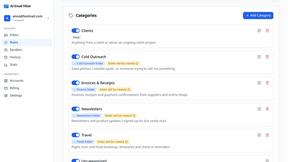
AI Email Filter
AI Email Filter sorts incoming mail into folders using plain-language prompts you write. Works with any IMAP mailbox; bring your own LLM if you want.
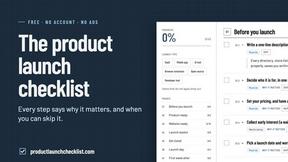
Product Launch Checklist
A free launch checklist for SaaS, apps, AI tools and more. Every step says why it matters and when you can skip it.
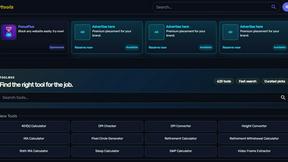
Kody Tools
Free collection of online developer utilities, code formatters, and digital converters designed to streamline your daily workflow.
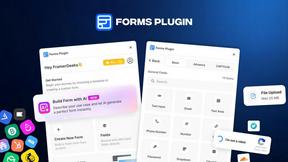
Forms Plugin
The #1 Native Form Builder Plugin for Framer - No Code, No Embeds, No External Platforms.
