

LunoKid
LunoKid turns chores into fun challenges, helping kids build habits and earn rewards while parents manage tasks.
About LunoKid
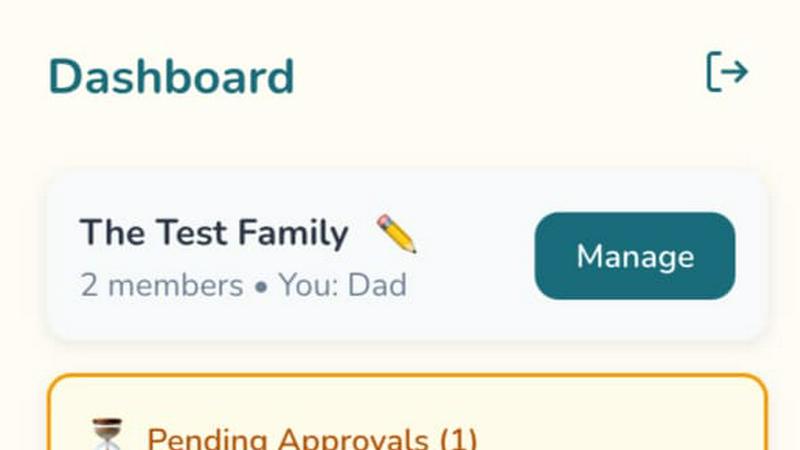
LunoKid is a groundbreaking app that revolutionizes how families approach household chores, transforming mundane tasks into an engaging adventure for children aged 5-12. By integrating an AI-driven virtual pet named Luno, the app motivates children to learn responsibility in a fun and interactive way. Parents can seamlessly assign chores, set point values, and establish a reward system that encourages children to take ownership of their daily responsibilities. The app is designed for families looking to cultivate good habits without the need for constant reminders or nagging. LunoKid not only keeps kids motivated with clear goals and achievements but also serves as a comprehensive family management tool, simplifying the parenting journey. With an intuitive interface and gamified elements, LunoKid bridges the gap between parental expectations and children's desires, making it an essential tool for modern families striving for harmony and organization at home.
Features
AI-Powered Virtual Pet
LunoKid features an AI-driven virtual pet named Luno that acts as a constant source of encouragement for children. This interactive companion motivates kids to complete chores while making the process enjoyable and engaging.
Task Management System
Parents can easily create tasks and assign chores with clear instructions and specific point values. This streamlined process ensures that children understand their responsibilities and the rewards associated with completing them.
Customizable Reward System
The app allows parents to set up a reward system tailored to their family's preferences. Kids can earn points from completed tasks and redeem them for rewards, fostering a sense of achievement and motivation.
Progress Tracking Dashboard
LunoKid provides parents with a comprehensive dashboard to track their children's progress. This feature allows parents to see which tasks are completed, pending, or require attention, making it easier to manage household chores efficiently.
Use Cases
Motivating Children to Complete Chores
LunoKid transforms the process of completing chores into an enjoyable experience for kids. With Luno's guidance and the promise of rewards, children are more likely to take initiative and complete their assigned tasks without parental nagging.
Simplifying Family Task Management
Busy families can benefit from LunoKid's organized approach to chore management. The app streamlines communication about tasks, ensuring that all family members are on the same page and reducing chaos in daily routines.
Encouraging Responsibility in Multiple Child Households
For families with multiple children, LunoKid provides an equitable system for task management. Each child can have their own task list and rewards, promoting fairness and accountability among siblings.
Supporting Homework and Learning
Beyond chores, LunoKid includes an "Ask Luno" feature that assists children with their homework. This AI homework helper encourages problem-solving skills and supports learning in a fun, interactive way.
Frequently Asked Questions
What age is LunoKid for?
LunoKid is designed for children aged 5-12, making it perfect for families with kids in early childhood through pre-adolescence.
Is LunoKid safe for kids?
Yes, LunoKid is built with safety in mind. The app features kid-friendly content and parental controls to ensure a secure and positive experience for children.
How is LunoKid different from a sticker chart?
LunoKid goes beyond traditional sticker charts by incorporating gamification and AI interaction. It provides real-time feedback, rewards, and a virtual pet companion, making chores more engaging.
Does LunoKid work on iOS and Android?
Absolutely! LunoKid is available on both iOS and Android platforms, ensuring accessibility for a wide range of users and devices.
Similar to LunoKid
ButterShare
Realtime peer-to-peer file transfer in the browser. Send files directly between devices, no account and no upload to a server.

Emailyy
Free email tools for signatures, subject lines, HTML previews, word counts, and email headers. Browser-based, simple to use, and no signup required.

Uniclip
Clip pages, take full-page screenshots and batch-capture list data to Notion, Feishu, Obsidian, Markdown, CSV or JSON.
TroveKey
Search tabs, Chrome bookmarks and history, run browser commands, and save webpages and social posts locally—no account.

Bloom
An adaptive AI tutor that turns topics or your materials into courses, lessons, and answers tailored to how you learn.

LightScreen
Free fullscreen light screen tool online. Turn any display into a flashlight, ambient light, or solid-color screen. No download or sign-up.
LiveGameShow
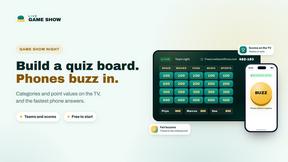
A game show board for the TV, with real buzzers on every player's phone
TypeFire
Free text expander, Markdown notes app and clipboard manager for Mac and Chrome